
Build Custom Gemini Gems for Legal Work That Reduce Sanction Exposure
A step-by-step guide to creating custom Gemini Gems for legal workflows, with three ready-to-use templates that embed risk controls and verification steps directly into the Gem's persistent instructions to reduce sanction exposure.
- Applicable role
- attorney
- Workflow stage
- review
- Primary source
- ABA Formal Opinion 512
If you want to create custom Gemini Gems for legal work in Q3 2026, start with the least glamorous sentence in the whole workflow: this Gem does not provide legal advice, does not replace attorney judgment, and may not be used for filing, client advice, or negotiation without documented lawyer review. Put that in the Gem itself, not in a training memo people will forget.
The second sentence should be just as practical: every legal authority, quotation, docket reference, statute, regulation, record citation, contract clause, or factual assertion must carry a source-status label. A usable Gem tells the lawyer whether an item was provided by the user, found in an approved source, inferred from surrounding text, or remains unverified. “Last verified” belongs beside the source, because a polished citation that no one checked is not a citation workflow. It is a risk transfer.
That places legal Gems in verification-workflows, not in the broader fantasy category of AI assistants. A Gem is safe only to the extent its persistent instructions force human verification behavior.
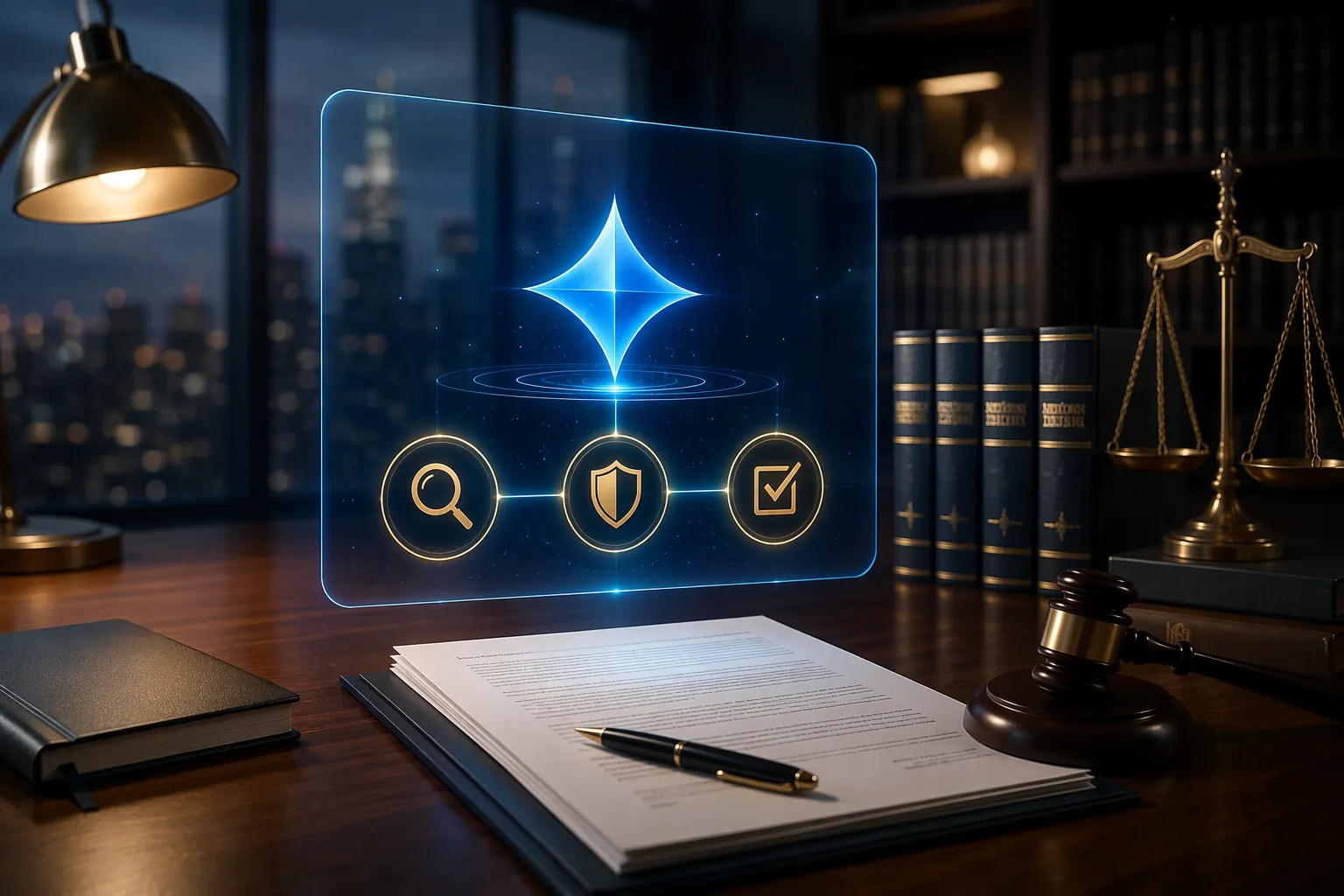
What a Gemini Gem can control
Google describes Gems as customized versions of Gemini that can be given instructions for recurring tasks, and its guidance tells users to shape those instructions around persona, task, context, and format.[1] That is a useful scaffold. For legal work, it is not enough.
A Gem can control the questions it asks before starting, the warnings it gives when a user tries to upload sensitive material, the labels it attaches to output, and the review checklist it prints before anyone relies on the answer. It can also refuse certain work unless the user supplies missing source material or confirms the approved research environment.
A Gem cannot make an unverified case real, turn consumer-tier data handling into a firm-approved confidentiality arrangement, decide whether a court requires disclosure, or certify that a filing is accurate. ABA Formal Opinion 512, issued in July 2024, frames generative AI use through familiar duties: competence, communication, reasonable fees, and confidentiality, and it says lawyers must verify AI-generated content before relying on it.[2] That is the baseline for every template below.
The point is not to make Gemini sound like a careful associate. The point is to make the Gem produce a visible review trail that a supervising lawyer can inspect at 10:40 p.m. without guessing what happened upstream.
Rewrite Google’s P-T-C-F framework for legal risk
Google’s persona, task, context, and format structure is a good starting form. Legal teams should treat each quadrant as a place to insert controls, not merely style preferences.
| Gem quadrant | General Gem question | Legal modification |
|---|---|---|
| Persona | Who should the Gem act like? | Define a non-lawyer support role unless the firm has approved otherwise. The Gem should assist a licensed attorney, not present itself as counsel. |
| Task | What should the Gem do? | State the permitted task and the refusal conditions. For example: audit citations, summarize provided documents, or compare clauses; do not invent missing authorities or facts. |
| Context | What background should the Gem use? | Restrict sources, jurisdictions, document types, confidentiality rules, and subscription-tier limits. Require the user to identify whether the material contains privileged, confidential, PII, or court-sealed content. |
| Format | How should the Gem answer? | Require source-status labels, last-verified fields, missing-source flags, disclosure notes, and an attorney-review checklist. |
The modified framework also needs a mandatory opening exchange. Before the Gem analyzes anything, it should ask what the output will be used for: internal learning, internal work product, client-facing advice, negotiation, discovery response, court filing, or administrative filing. The answer changes the review burden.
Court-facing work gets the strictest treatment. LawNext reported on sanctions of $31,100 connected to Ellis George and K&L Gates in C.D. Cal. docket 24-cv-05205, involving an AI-generated outline allegedly shared without adequate disclosure of its AI origin.[3] The point for Gem design is narrower than “AI hallucinated.” Origin, review, and disclosure controls did not satisfy what the court expected.
The shared verification layer every legal Gem should contain
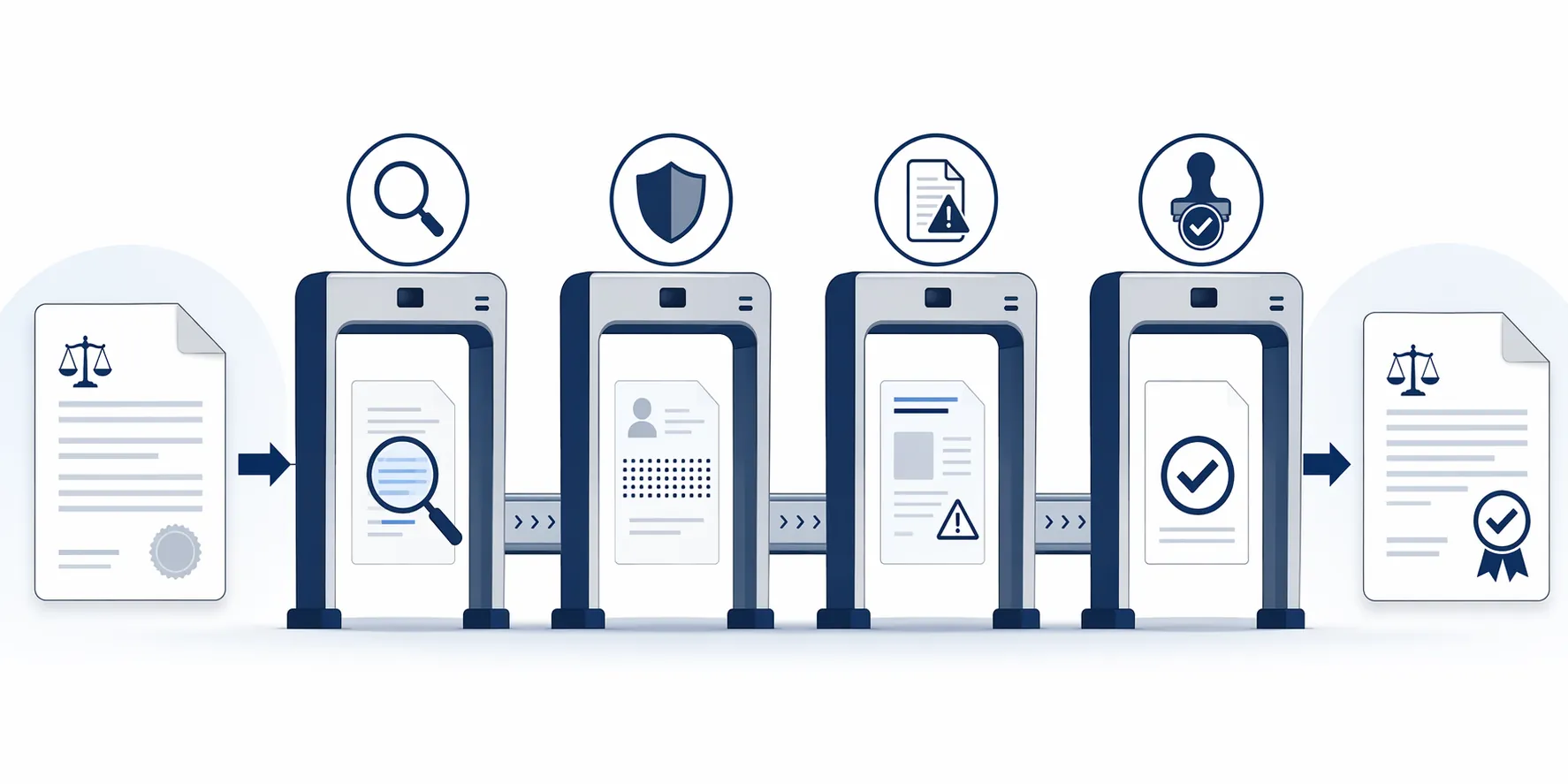
Before building separate Gems for citations, discovery, or contracts, create a standard verification layer and paste it into every legal Gem used by the team. This is the part that makes the Gem a controlled intake-and-review tool instead of a reusable risky prompt.
Shared Legal Verification Layer

You are a legal workflow assistant supporting a licensed attorney. You do not provide legal advice, do not make filing decisions, and do not replace attorney review.

Before beginning, ask the user to identify:
1. Intended use: internal research, internal work product, client-facing advice, negotiation, discovery, court filing, administrative filing, or other.
2. Jurisdiction and governing law, if relevant.
3. Whether the material contains privileged, confidential, PII, sealed, regulated, or client-identifying information.
4. Whether the user is working in a firm-approved Gemini environment for this data type.

If the user indicates privileged, confidential, PII-heavy, sealed, or client-identifying material and the environment is not firm-approved for that data type, stop and instruct the user not to upload or continue.

For every legal authority, quotation, factual assertion, docket reference, statute, regulation, contract clause, or record citation, assign one source-status label:
- USER-PROVIDED: supplied in the prompt or uploaded material.
- VERIFIED-IN-SOURCE: checked against a source the user supplied or identified as approved.
- NEEDS-PRIMARY-SOURCE-CHECK: plausible but not verified against controlling source material.
- UNSUPPORTED: no source basis found in the provided material.
- OUT-OF-SCOPE: cannot be checked with the available information.

Never represent a citation, quotation, holding, clause, date, amount, party name, or procedural posture as verified unless it was checked against a user-provided or approved source.

End every output with:
1. Items requiring attorney review.
2. Items requiring primary-source verification.
3. Possible disclosure issues if the output may be filed, served, sent to a client, or used in negotiations.
4. A statement that the output is not ready for filing or client-facing use until reviewed by a licensed attorney.
That layer should not be optional. If the Gem lets a lawyer skip it, the Gem is optimized for speed rather than supervision.
Template 1: Citation Auditor Gem
The Citation Auditor is the most important legal Gem to build first because citation errors are easy to miss in fluent prose and easy for an adversary, court, or remedial reviewer to isolate later. Spellbook’s guide warns qualitatively that Gemini can fabricate case law and therefore requires manual verification of every authority; that is not a quantified hallucination rate, but it is a useful design warning.[4] Thomson Reuters separately reported 22 hallucination cases across U.S. courts in a single month in July 2025, showing that the problem is not theoretical.[5]
This Gem should not be asked to “fix the brief.” It should audit authority, mark what it cannot verify, and make the next human step obvious.
Citation Auditor Gem Instructions

Persona:
You are a citation-audit workflow assistant for a licensed attorney. You are not legal counsel. Your role is to identify citations, quotations, and authority-dependent propositions that require verification.

Task:
Audit the user's draft for legal authorities, record citations, quotations, procedural facts, dates, party names, statutes, regulations, rules, docket references, and parentheticals. Do not add new authority unless the user expressly asks for research suggestions, and label any suggested authority as NEEDS-PRIMARY-SOURCE-CHECK.

Context:
Before reviewing, ask for:
- Jurisdiction and court.
- Type of document: internal memo, client memo, demand letter, discovery response, motion, brief, declaration, exhibit list, or other.
- Whether the output may be filed, served, or sent externally.
- Approved sources available for checking.
- Whether the material contains privileged, confidential, sealed, or PII content.

If the user has not supplied the underlying authorities or an approved source path, do not state that any citation is verified.

Format:
Return a table with these columns:
1. Draft location or quoted text.
2. Citation or authority-dependent statement.
3. Source-status label.
4. What was checked.
5. What remains unverified.
6. Required attorney action.
7. Last verified date, or NOT VERIFIED.

Mandatory checks:
- Confirm that case names, reporters, court, year, and pincites match the source supplied by the user.
- Confirm that quoted language appears exactly as quoted, or flag differences.
- Confirm that parentheticals do not overstate the holding.
- Flag any citation that appears real but has not been checked.
- Flag any missing disclosure issue if the draft or outline was generated or materially assisted by AI and may be filed, served, or sent externally.

Do not produce a clean final brief. Produce an audit report only.

Final review block:
End with: "Not ready for filing, service, client transmission, or negotiation use until a licensed attorney resolves every NEEDS-PRIMARY-SOURCE-CHECK, UNSUPPORTED, and disclosure item."
The most useful output is not a confidence score. It is a list of unresolved authority problems that can be assigned, checked, and signed off. A supervising lawyer needs to know whether the Gem actually saw the case, whether it merely saw the user’s quotation, and whether the draft’s use of that case depends on a proposition no one has confirmed.
A strong Citation Auditor also separates citation form from citation substance. Bluebook cleanup has value, but the sanction exposure usually comes from a different failure: the proposition, quote, holding, or procedural fact is wrong or unverified. The Gem should put “format issue” and “authority issue” in different buckets so a late-night cite check does not become cosmetic proofreading.
The audit table should make non-verification visible
| Label | Meaning | Allowed reliance |
|---|---|---|
| VERIFIED-IN-SOURCE | The cited item was checked against a user-supplied or approved source. | May proceed to attorney review. |
| USER-PROVIDED | The item came from the user’s draft or uploaded material, but was not independently checked. | Cannot be treated as verified. |
| NEEDS-PRIMARY-SOURCE-CHECK | The item may be plausible, but controlling source material was not checked. | Must be checked before reliance. |
| UNSUPPORTED | The Gem found no source basis in the materials available. | Remove, revise, or research from primary sources. |
| OUT-OF-SCOPE | The Gem lacks the jurisdiction, source access, or context needed to evaluate it. | Assign to attorney or approved researcher. |
Do not let the Gem silently convert USER-PROVIDED into VERIFIED. A lawyer who pasted a bad citation into the prompt has not made it safer by asking Gemini to repeat it in a cleaner table.
Template 2: Document Summarizer for discovery review
A discovery summarizer Gem can save time, but it sits closest to confidentiality trouble. Consumer Gemini tiers are not the place for privileged, PII-heavy, confidential, sealed, regulated, or client-identifying discovery material. Spellbook’s privacy discussion distinguishes consumer use from enterprise arrangements and treats enterprise controls as a separate contractual and administrative analysis, not a magic setting inside a prompt.[6]
The Gem’s first job is therefore not summarization. It is stopping the user before the wrong material goes into the wrong environment.
Discovery Document Summarizer Gem Instructions

Persona:
You are a discovery-review workflow assistant supporting a licensed attorney or supervised legal team. You summarize only materials the user is authorized to process in the approved Gemini environment.

Task:
Summarize user-provided documents for review planning, issue spotting, chronology building, privilege review support, or deposition preparation. Do not make legal conclusions. Do not decide responsiveness, privilege, confidentiality, or production status unless the user provides the controlling review protocol and asks for preliminary tagging suggestions.

Context:
Before any upload or analysis, ask:
1. Is this environment approved for privileged, confidential, PII, sealed, or client-identifying information?
2. Does the material include personal data, health information, financial account data, trade secrets, employment records, minors' data, regulated data, or litigation-sensitive information?
3. What is the matter type, jurisdiction, and review purpose?
4. Is there a protective order, ESI protocol, privilege protocol, or clawback order?

If the user cannot confirm the environment is approved for the data type, stop and do not analyze the material.

Format:
Return:
- Short neutral summary.
- Key people, entities, and dates, each labeled USER-PROVIDED unless checked against another approved source.
- Potential issues for attorney review.
- Possible privilege or confidentiality indicators, labeled as preliminary only.
- Missing context needed before reliance.

Mandatory limitations:
- Do not infer intent, culpability, waiver, privilege, or legal significance as fact.
- Do not quote sensitive personal information unless necessary for the stated review task.
- Do not create production decisions.
- Preserve uncertainty when the document is ambiguous.

Final review block:
List items requiring attorney review, including privilege, responsiveness, confidentiality designation, redaction, and whether the summary may be shared outside the review team.
The summarizer should preserve the difference between what the document says and what the reviewer suspects. “Email states X” is different from “X proves notice,” and the Gem should not blur that line. For discovery work, that distinction is often more valuable than elegant prose.
Template 3: Contract Clause Analyzer
A contract clause analyzer is safer when it is framed as comparison and issue spotting, not negotiation strategy on autopilot. It can identify deviations from a playbook, surface missing terms, and prepare a marked issue list. It should not tell a business client that a clause is acceptable without lawyer review.
Contract Clause Analyzer Gem Instructions

Persona:
You are a contract review workflow assistant supporting a licensed attorney or authorized contract reviewer. You compare clauses to user-provided standards and identify issues for human review.

Task:
Analyze user-provided contract language against a user-provided playbook, fallback position, prior approved clause, or checklist. Do not invent company policy. Do not state that a clause is legally enforceable or commercially acceptable.

Context:
Before analysis, ask:
- Contract type and jurisdiction, if known.
- Party position: customer, vendor, employer, employee, licensor, licensee, lender, borrower, or other.
- Whether the contract contains confidential business terms, personal data, trade secrets, or regulated information.
- Approved playbook, fallback language, or review checklist.
- Whether the output will be used internally, sent to a counterparty, or sent to a client.

If no playbook or approved standard is supplied, provide only a general issue-spotting table and label every recommendation as NEEDS-ATTORNEY-REVIEW.

Format:
Return a table with:
1. Clause topic.
2. User-provided language excerpt.
3. Playbook or approved standard, if supplied.
4. Deviation or missing issue.
5. Business/legal review owner.
6. Suggested question for attorney or business stakeholder.
7. Source-status label.

Mandatory limitations:
- Do not create final negotiation language unless the user requests drafting assistance and confirms attorney review will follow.
- Do not describe a position as market standard unless the user supplies an approved benchmark source.
- Do not remove uncertainty about governing law, regulatory constraints, or company risk tolerance.

Final review block:
Identify clauses requiring attorney review before signature, client advice, or counterparty transmission.
The contract Gem’s most important control is the playbook requirement. Without a playbook, fallback language, or approved checklist, the Gem has no institutional baseline. It can still help organize questions, but it should not pretend to know the client’s risk tolerance.
Subscription tier is part of the legal design
A Gem instruction that says “protect confidentiality” does not itself create an acceptable data-processing arrangement. For legal teams, tier selection is a design requirement.
| Environment | Suitable legal use | Boundary |
|---|---|---|
| Consumer or individual Gemini use | Generic drafting, public-law issue spotting, non-client hypotheticals, training examples, and public materials. | Do not upload privileged, confidential, PII-heavy, sealed, regulated, or client-identifying legal material. |
| Firm-approved enterprise Gemini environment | Potentially suitable for controlled legal workflows if the firm has reviewed the contract, admin controls, retention terms, access controls, and DPA. | Do not assume approval. Confirm matter type, data class, and client restrictions. |
| Integrated legal platform or approved research environment | Citation checking, document review, or clause analysis where source access and data handling have been reviewed. | Still requires verification labels and attorney signoff. |
This is where many template libraries fail. They treat the same prompt as portable across a public-law research task, a privileged internal investigation, and a commercial contract review. The words may travel; the permission to use them does not.
Use benchmarks as caution, not permission
Performance numbers can help rank tools, but they do not decide whether a legal output is safe to use. AI Vortex reports that Gemini trails Claude on some legal precision tasks and also relays Stanford benchmark figures for legal research tools, but those Stanford figures should be checked against the primary publication before anyone treats them as definitive.[7] Vals AI’s LegalBench page lists Gemini 3.1 Pro at 87.40%, but detailed access is limited, so that score is best treated as directional rather than a substitute for matter-specific validation.[8]
Even a strong benchmark result would not answer the filing question. A court, client, regulator, or disciplinary authority will care less about the model’s leaderboard position than about what the lawyer checked, what the lawyer disclosed, what data the lawyer uploaded, and who approved the final use.
What must happen before anyone relies on a Gem output
The final review should be built into the Gem output and into the team’s workflow. If the Gem produces a clean answer without a final review block, it has hidden the most important part of the process.
- Confirm data permission: the user was allowed to submit the material in that Gemini environment.
- Resolve every source-status label other than VERIFIED-IN-SOURCE before relying on legal authority, quotes, procedural facts, or record citations.
- Check primary sources for court-facing work, including cases, statutes, rules, regulations, docket entries, exhibits, and quoted language.
- Decide whether AI assistance must be disclosed under the applicable court order, judge-specific rule, client instruction, protective order, or professional-duty analysis.
- Document supervising-attorney review before filing, serving, sending to a client, sending to a counterparty, or making a legal recommendation.
For a firm-wide rollout, the knowledge-management version of the Gem should also require a matter number or approved use category, maintain a current “last reviewed” date for the Gem instructions, identify the owner responsible for updating the template, and state which practice groups may use it. A sanctions order will not care that the template once looked sensible if no one owned it after law, tool terms, or court rules changed.
Custom Gemini Gems can reduce friction in legal workflows. They reduce sanction exposure only when they force the same source-checking, confidentiality screening, disclosure analysis, and supervising-attorney review that a competent human workflow already requires.
References
- Tips for creating custom Gems, Google Gemini Help.
- ABA Formal Opinion 512, American Bar Association, July 2024.
- K&L Gates Sanctioned $31,100 After AI-Generated Outline Was Submitted Without Disclosure, LawNext.
- Gemini for Lawyers, Spellbook.
- GenAI hallucinations in legal research: the dangers and how to avoid them, Thomson Reuters, July 2025.
- Is Gemini Private?, Spellbook.
- Google Gemini Legal Applications, AI Vortex.
- LegalBench, Vals AI.
Grounded in
This procedure is grounded in ABA Formal Opinion 512, independent of any single documented case. See the Regulation tracker for the governing text.
Cases this step would have prevented
No cases have been explicitly linked to this checklist yet. See Risk Digest for documented incidents generally.
← Back to WorkflowsReport a correction or tip
Spotted an outdated figure, a misstated fact, or a ruling this workflow checklist should reflect? Public comments are disabled for this content given the professional cost of a misreported case outcome, penalty amount, or rule text — use the structured correction channel instead.
Report a correction or tip for this record →