
Verify Gemini Fn-Key Dictation Before Legal Filing
A structured pre-use configuration checklist and post-use verification protocol for Google Gemini's Fn-key voice dictation on Mac, covering confidentiality, accuracy risks, and keyboard conflicts that no state bar has yet addressed.
- Applicable role
- attorney
- Workflow stage
- pre-filing
- Primary source
- ABA Model Rule 1.6
Current as of Q3 2026, and not legal advice: do not use Google Gemini AI voice dictation on the Mac Fn key for legal drafting until the firm has checked three things—confidentiality settings, accuracy verification, and keyboard-trigger conflicts. Do not file, send, or rely on anything dictated through it until a lawyer has reviewed the resulting text against the record and controlling sources.
The risk starts with a small physical habit. On a Mac, Google’s July 29, 2026 Gemini app update makes a long-press of Fn invoke Gemini dictation, while macOS native dictation may still be tied to a double-press of the same key.[1] That is convenient enough to disappear into muscle memory. It is also exactly the kind of shortcut that can move privileged speech into a cloud workflow before anyone has made a policy decision.
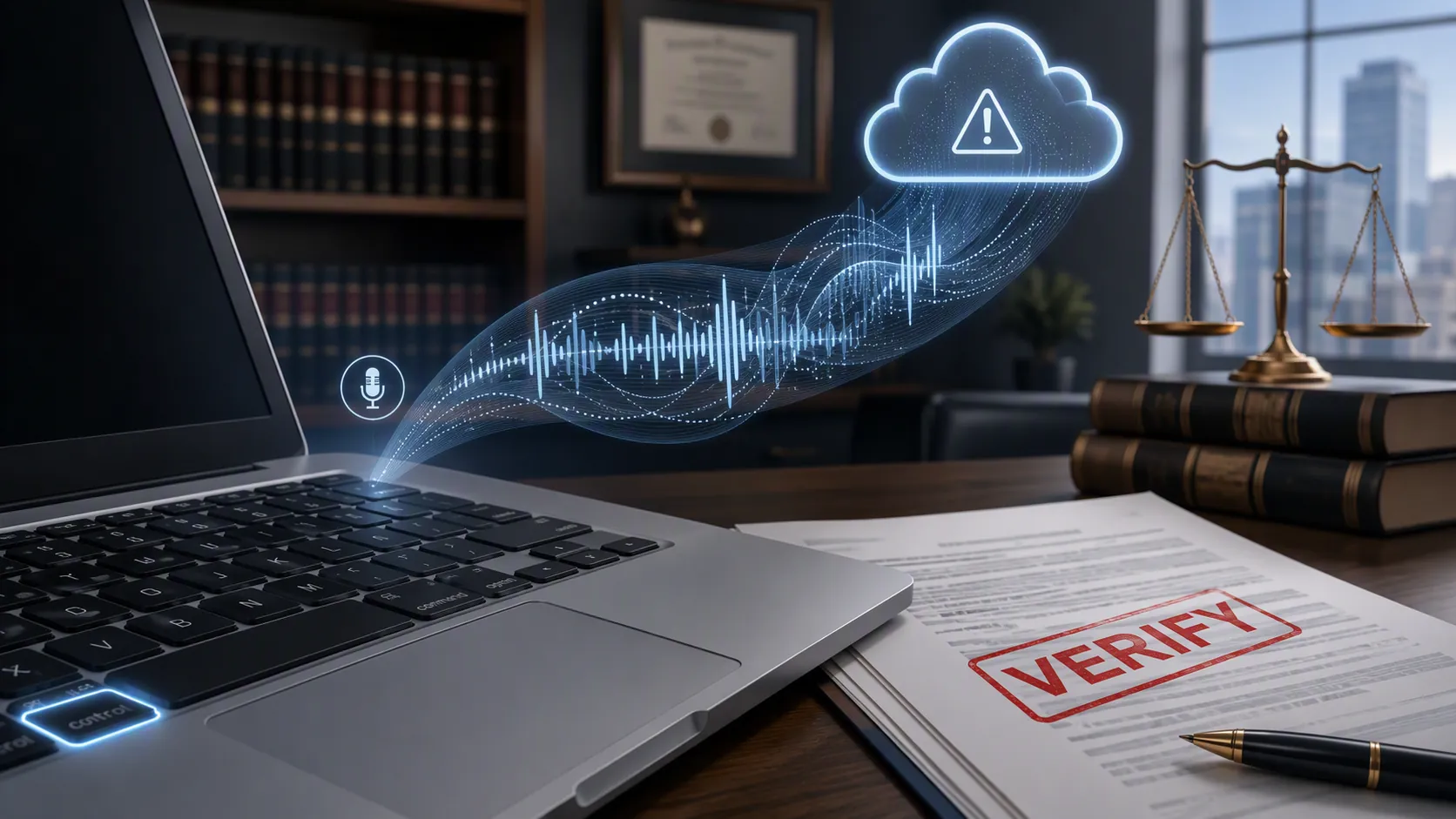
This is a verification workflow, not a product review. Gemini dictation may be useful for low-sensitivity first drafts: a rough email outline, a personal research note, or a non-confidential administrative memo. The line changes when the spoken words include client confidences, litigation strategy, nonpublic facts, sealed material, settlement posture, or filing-ready legal analysis.
The pre-use decision: can this dictation leave the firm environment?
Before anyone tests the Fn key in a real matter, the firm needs a written answer to a plain question: may the dictated content be transmitted to and processed by Google under the settings actually active on that machine and account?
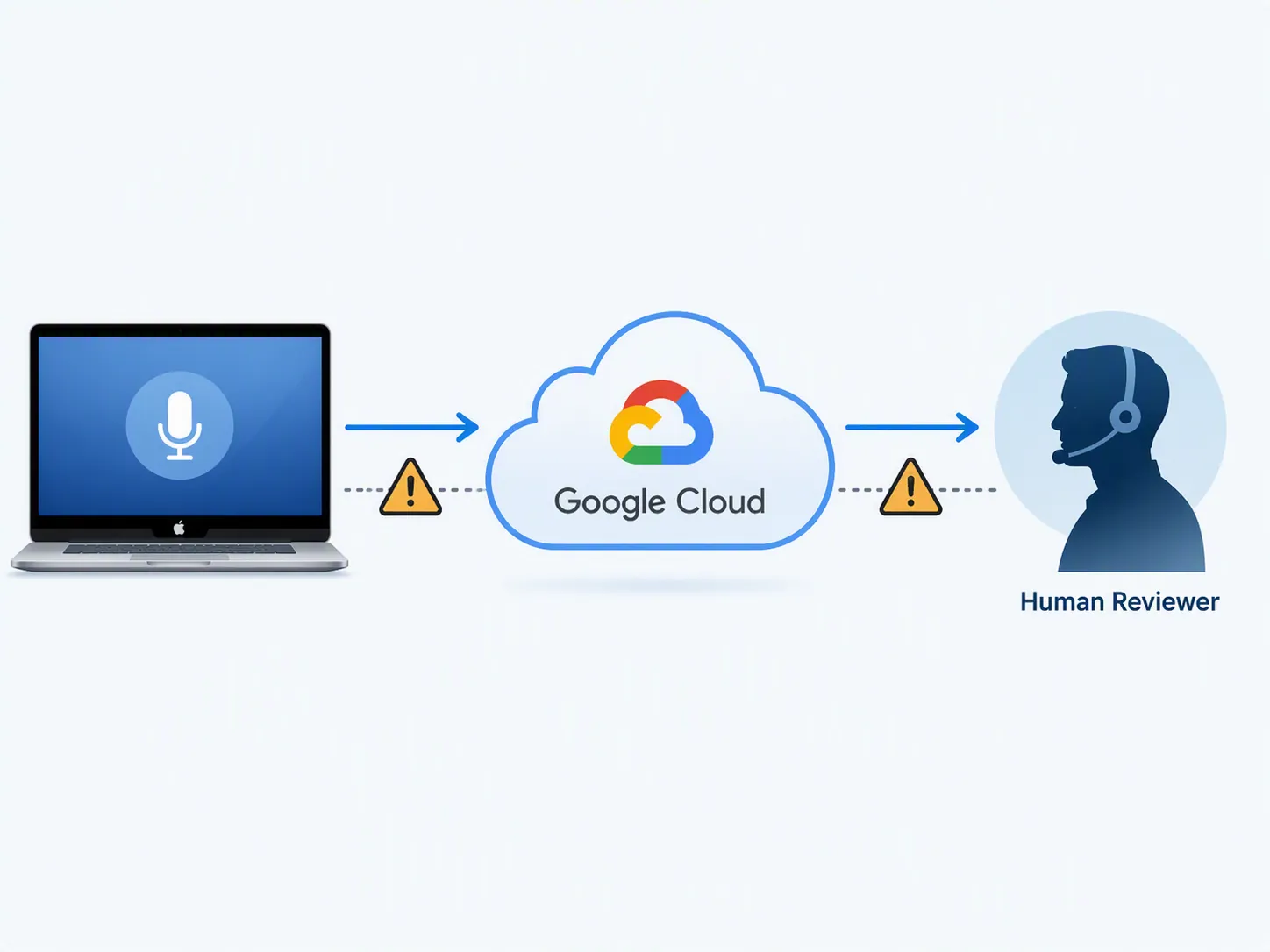
Google’s Gemini Apps Privacy Hub says Gemini Apps Activity is kept by default with an 18-month auto-delete setting, with options to change auto-delete to 3 months or 36 months, or to turn activity off.[2] The same Privacy Hub says human-reviewed chats are not deleted when the user deletes Gemini Apps activity and can be retained for up to three years.[2] Its warning is direct: “Please don't enter confidential information that you wouldn't want a reviewer to see.”[2]
Forbes’ launch-day coverage described Gemini as a strictly cloud-based service and contrasted that posture with Apple’s Private Cloud Compute approach, noting that users must be comfortable sharing data with Google under policies that permit retention and human review by default.[3] That does not make every use improper. It does mean the default posture is not a silent local dictation tool.
The National Center for State Courts’ March 2026 guidance for legal practitioners states the standard that should govern the output: “Never trust, always verify” for AI-generated legal content.[4] For confidentiality, the closer ethical anchor is ABA Model Rule 1.6. Fishman Haygood’s analysis of generative AI and Model Rule 1.6 frames the issue in familiar terms: lawyers must not reveal information relating to the representation of a client unless an exception or informed consent permits it.[5]
| Pre-use control | Minimum firm decision | What to record |
|---|---|---|
| Matter sensitivity | Gemini Fn-key dictation is allowed only for non-confidential, non-privileged first-draft work unless the firm has approved a stronger protected environment. | Allowed and prohibited content categories, with examples. |
| Gemini Apps Activity | Check whether activity is on, off, or set to 3, 18, or 36 months. Do not assume deletion removes reviewed content. | Screenshot or admin record of the setting, date checked, account used, and reviewer. |
| Human-review exposure | Treat Google’s own confidentiality warning as a stop sign for privileged or client-confidential material. | Policy language barring confidential client facts, strategy, quotations, and legal advice from consumer dictation. |
| Account and tier | Use only firm-approved accounts. Do not let lawyers improvise with personal accounts for client work. | Approved account type, administrator, and any enterprise controls actually enabled. |
| Keyboard trigger | Resolve whether long-press Fn starts Gemini, double-press Fn starts Apple dictation, or one of them is disabled. | macOS Dictation shortcut setting and Gemini shortcut behavior on each managed Mac profile. |
| Transcript labeling | Every dictated draft starts as unverified text. | Required label such as “AI dictation draft—unverified; check all legal and factual assertions.” |
| Verification owner | Assign a human reviewer before dictation is used on any legal work product. | Name or role responsible for checking the draft before use. |
Do not let “activity off” become a privilege analysis
Turning Gemini Apps Activity off may reduce retention of future activity, but it is not the same thing as a legal privilege control. The Privacy Hub’s separate treatment of human-reviewed chats matters because a user-side deletion step does not necessarily erase all reviewed material from Google’s systems.[2] A lawyer who dictated a settlement concession, a client’s admission, or a draft cross-examination theme has not solved the problem by deleting the visible history after the fact.
Spellbook, a legal-AI vendor and therefore not a neutral observer, says Gemini is not safe for privileged legal documents because it lacks specialized legal protections and zero-data-retention parameters out of the box.[8] The vendor context matters. The stronger evidence is still Google’s own Privacy Hub language: if the platform tells users not to enter confidential information they would not want reviewed, a law firm should not ask individual lawyers to outguess that warning under deadline pressure.[2]
The Maryland State Bar Association’s September 2025 comparison of Gemini plans similarly warned that free-tier use involves data and security concerns, while enterprise-grade security, privacy, and compliance features are what lawyers need for more sensitive legal work.[9] That is not a feature-specific bar opinion on Fn-key dictation. It is still a useful reminder that account tier and administrative controls are not procurement trivia when client information is involved.
Resolve the Fn-key conflict before someone dictates into the wrong system
Google’s feature uses a long-press of Fn for Gemini dictation. Apple’s native macOS dictation can use a double-press of Fn.[1] The difference is easy to explain in training and easy to forget in practice, especially for lawyers who already use Mac dictation as a reflex.
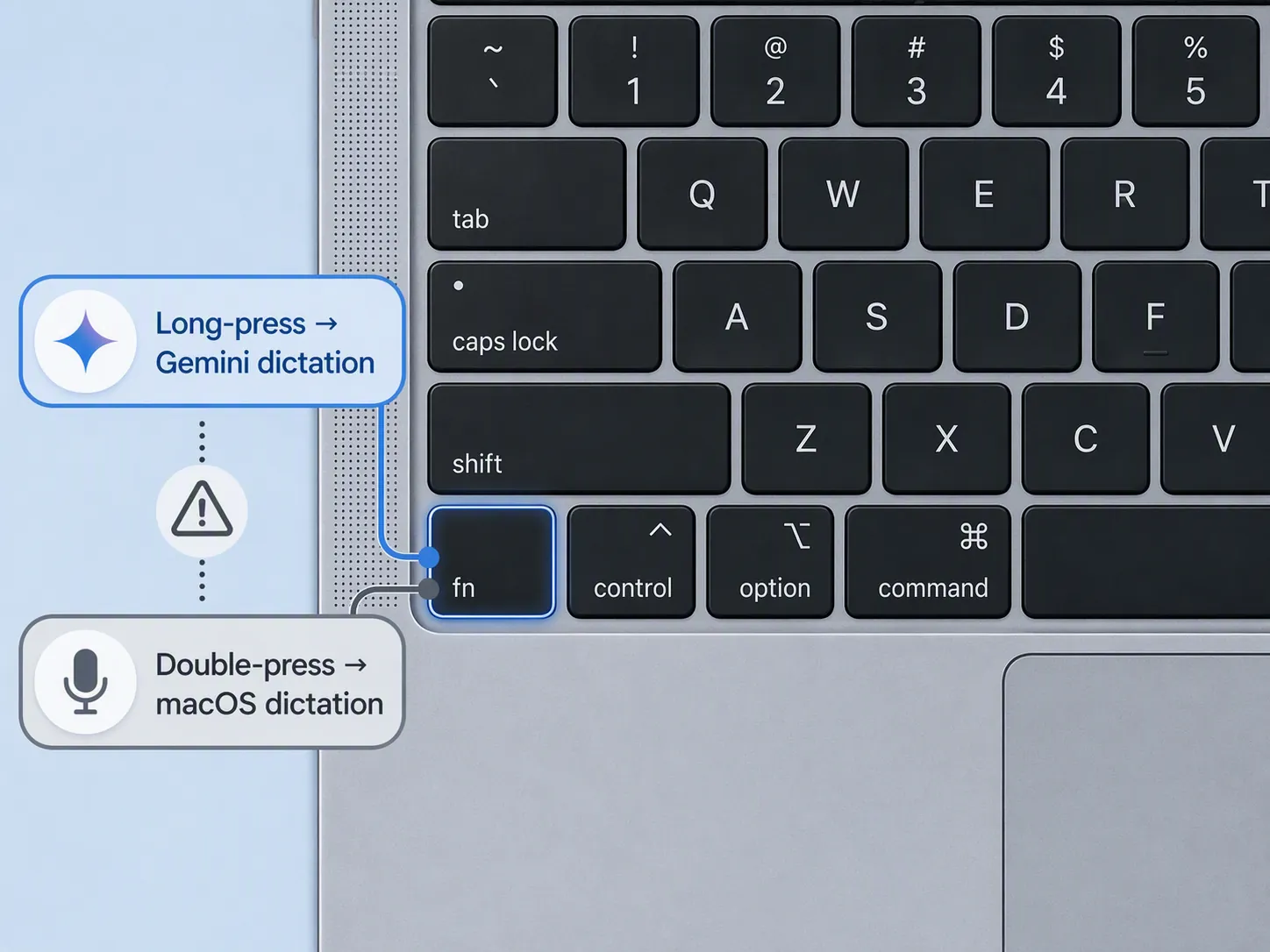
- On firm-managed Macs, check System Settings > Keyboard > Dictation and confirm whether the Apple dictation shortcut is still assigned to double-press Fn.
- If the firm allows Gemini only for non-confidential drafts, consider disabling macOS dictation or remapping one of the triggers so users cannot accidentally route speech through the wrong tool.
- If the firm permits both tools, publish a one-screen instruction that distinguishes long-press from double-press and states which content categories are permitted in each.
- Test the setting on the actual hardware profile. Do not rely on a training slide prepared on a different Mac configuration.
The keyboard issue is not conceptually hard. It is a failure-mode issue: a user can believe they are using familiar Mac dictation while actually invoking Gemini, or can switch tools without noticing. That is enough to justify an administrative setting rather than a reminder email.
Accuracy: treat the transcript as a witness, not an authority
The available accuracy numbers do not answer the legal-drafting question. Artificial Analysis reports Gemini API speech-to-text word error rates in the 2.8% to 5.2% range on general benchmarks.[6] Those figures are not a published benchmark for the consumer Gemini Mac “intelligent dictation” layer that removes filler words and handles mid-sentence corrections, and they are not a legal-terminology benchmark.
Legal vocabulary is where optimistic general dictation claims tend to become expensive. A 2026 LumeVoice study of a 10,000-word corpus reported legal-term word error rates of 18.4% for Apple Dictation, 1.4% for Dragon Professional, 6.8% for Wispr Flow, and 3.4% for LumeVoice’s own system; the study did not test Gemini’s consumer dictation mode.[7] The useful takeaway is narrow: legal terms can behave differently from ordinary speech, and Gemini’s Fn-key workflow has not been shown, in these materials, to clear that problem.
That uncertainty changes the work after dictation. A dictated sentence that sounds fluent still needs to be checked. A correctly spelled party name may refer to the wrong party. A case citation may look plausible while pointing to the wrong holding. A quoted sentence may be close enough to sound familiar and still be unusable in a brief.
Post-use verification protocol
| Text element | Required check before filing or sending | Source to verify against |
|---|---|---|
| Client names, party names, witnesses, judges, experts | Confirm spelling, role, and matter association. | Pleadings, engagement records, court docket, client-approved matter file. |
| Case citations, statutes, regulations, rules | Confirm citation, jurisdiction, current validity, quoted language, and proposition. | Primary legal source or approved legal research platform. |
| Quotations | Compare word-for-word, including ellipses, brackets, emphasis, and page or paragraph reference. | Transcript, exhibit, opinion, statute, contract, or other source document. |
| Dates and deadlines | Confirm date, time zone if relevant, triggering event, counting rule, and any extension. | Court order, rule, docket notice, contract, statute, or calendaring system. |
| Factual assertions | Trace each assertion to the record or clearly label it as an allegation, assumption, or draft theory. | Discovery record, client file, declaration, exhibit, investigative memo. |
| Legal standards | Check that the standard is complete, current, jurisdiction-specific, and tied to the correct procedural posture. | Controlling authority and local rules. |
| Numbers and amounts | Recalculate or verify the figure; do not trust dictated math. | Source document, spreadsheet, damages model, invoice, ledger. |
The reviewer should mark the dictated draft before editing begins. Use a visible label at the top of the document: “AI dictation draft—unverified.” Then verify high-risk items before polishing prose. Polished language is dangerous here because it hides the fact that the first version entered the document through a speech-recognition and AI processing layer.
- Save or preserve the raw dictated draft according to the firm’s document-retention and supervision policy.
- Identify whether the dictated material contains client confidences, privileged communications, sealed information, protected personal data, or filing-ready legal assertions.
- If confidential material was dictated into Gemini contrary to policy, notify the firm’s designated risk or ethics contact before taking ad hoc remedial steps.
- Check every legal citation, quotation, date, deadline, number, and factual assertion against the source material.
- Remove the unverified label only after the assigned reviewer has completed and documented the checks required for the intended use.
The NCSC’s “never trust, always verify” formulation is useful because it does not invite a debate over whether the output looks reasonable.[4] The question is whether the firm can show the human verification step happened before the text was used.
A defensible firm policy position
A workable Q3 2026 policy does not need to ban voice dictation. It does need to stop treating the Fn key as a harmless convenience. The policy can be short:
- Gemini Fn-key dictation may be used only for non-confidential, non-privileged first-draft work unless the firm has separately approved the account, settings, client-consent posture, and enterprise protections for a broader use.
- Privileged communications, client confidences, litigation strategy, sealed material, protected personal data, and filing-ready legal analysis may not be dictated into Gemini under default consumer-style settings.
- Firm-managed Macs must have documented Fn-key behavior, including whether Gemini long-press, macOS double-press dictation, both, or neither are enabled.
- All dictated legal text is unverified until a human reviewer checks names, citations, quotations, dates, legal standards, numbers, and factual assertions against primary or approved sources.
- Any suspected confidential dictation into an unapproved Gemini workflow must be escalated to the firm’s designated risk or ethics contact.
That position leaves room for useful low-risk drafting while keeping confidential or filing-ready legal work outside the workflow unless future bar guidance, enterprise protections, and legal-domain accuracy benchmarks change the analysis.
References
- Speak naturally with Gemini app for macOS - Google, July 29, 2026.
- Gemini Apps Privacy Hub - Google Support, July 15, 2026.
- Google Challenges Apple Intelligence With New Mac Gemini Upgrade - Forbes, July 29, 2026.
- A Legal Practitioner's Guide to AI & Hallucinations - National Center for State Courts, March 2026.
- Examining Ethical Rules for Using Generative AI in Your Practice | Model Rule 1.6: Confidentiality - Fishman Haygood, 2024.
- Google Gemini - Artificial Analysis Word Error Rate Index - Artificial Analysis.
- AI Dictation Accuracy Benchmarks 2026: We Analyzed 10,000 Spoken Words on Mac - LumeVoice, 2026.
- Is Gemini Safe for Legal Work? (Alternative Options for Lawyers) - Spellbook, June 2026.
- Gemini for Lawyers: Comparing Free, Pro, and Ultra AI Tools for Legal Practice - Maryland State Bar Association, September 2025.
Grounded in
This procedure is grounded in ABA Model Rule 1.6, independent of any single documented case. See the Regulation tracker for the governing text.
Cases this step would have prevented
No cases have been explicitly linked to this checklist yet. See Risk Digest for documented incidents generally.
← Back to WorkflowsReport a correction or tip
Spotted an outdated figure, a misstated fact, or a ruling this workflow checklist should reflect? Public comments are disabled for this content given the professional cost of a misreported case outcome, penalty amount, or rule text — use the structured correction channel instead.
Report a correction or tip for this record →