
How to verify cloud security for remote law firm teams
Most attorneys now use cloud services for work, but verification has not kept pace: fewer than 30% review vendor terms, privacy policies, or applicable ethics rules, while roughly 20% report no security precautions at all. This five-domain checklist — identity, device, data, vendor, and incident response — maps each control to a concrete evidence artifact so remote legal teams can prove their posture against ABA Formal Opinions 477R, 483, 498, and 512.
- Applicable role
- attorney
- Workflow stage
- review
- Primary source
- ABA Formal Opinions 477R, 483, 498, 512
The useful question in 2026 is no longer whether remote legal teams should use cloud systems. The better question is whether the firm can prove what is actually controlled. That is where many cloud-security checklists for remote law firms go soft: they list tools and intentions, while the audit problem is evidence. The 2024 ABA Cloud Computing TechReport describes the gap plainly enough: about 75% of attorneys use cloud services for work, about 55% cite confidentiality or security as a concern, fewer than 30% review vendor terms, privacy policies, or applicable ethics rules, and roughly 20% report taking no security precautions at all. Only 34% reported having an incident response plan, and roughly two-thirds were unfamiliar with post-breach obligations. [1]
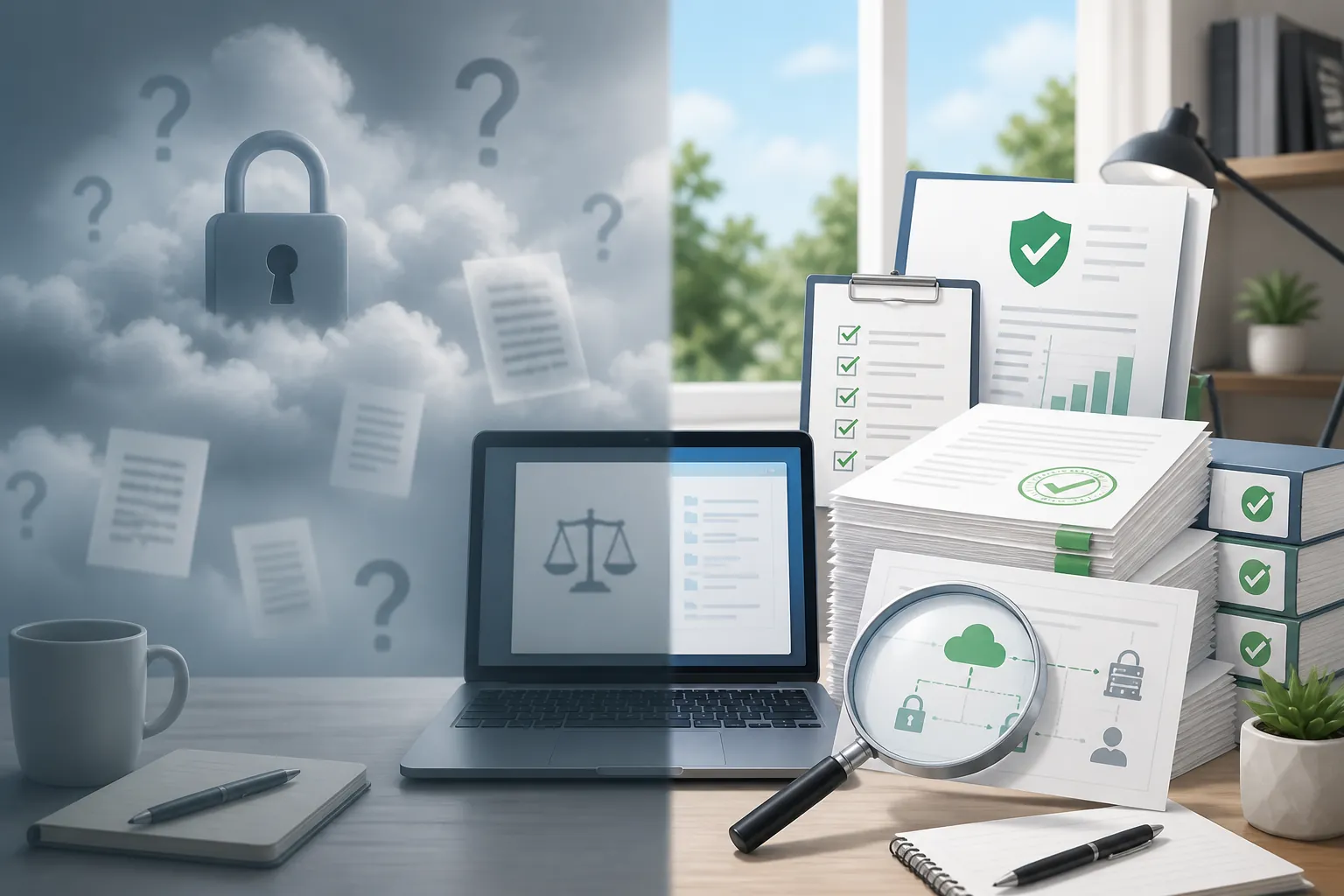
That is not a cloud-adoption problem. It is a verification problem. Partners, clients, insurers, and courts do not need another assurance that the firm uses “enterprise-grade” software. They need to know whether someone can produce the MFA report, the Conditional Access export, the external-sharing audit, the SOC 2 Type II report, the contract clause, the restore-drill result, and the incident-response record.
The legal standard also points in that direction. ABA Formal Opinion 477R frames confidentiality around “reasonable efforts” to prevent inadvertent or unauthorized disclosure of client information. [2] ABA Formal Opinion 483 then gives breach response its discipline: notification duties turn on whether material client confidential information was actually or reasonably suspected to have been accessed, disclosed, or lost, or whether the lawyer’s ability to perform legal services was materially impaired. [3] Formal Opinion 498 makes virtual-practice details operational rather than decorative, including secure Wi-Fi, VPN use, encryption, secure meeting platforms, recording controls, and supervision of lawyers and nonlawyers. [4] Formal Opinion 512 adds the GenAI layer: lawyers using AI tools still have confidentiality duties, which means data-use, training, and ingestion controls must be checked rather than assumed. [5]
The five-domain evidence map
A defensible remote-cloud posture should be organized around artifacts. If a control cannot be shown in a report, export, log, reviewed contract, or drill record, treat it as unverified until someone can produce one.
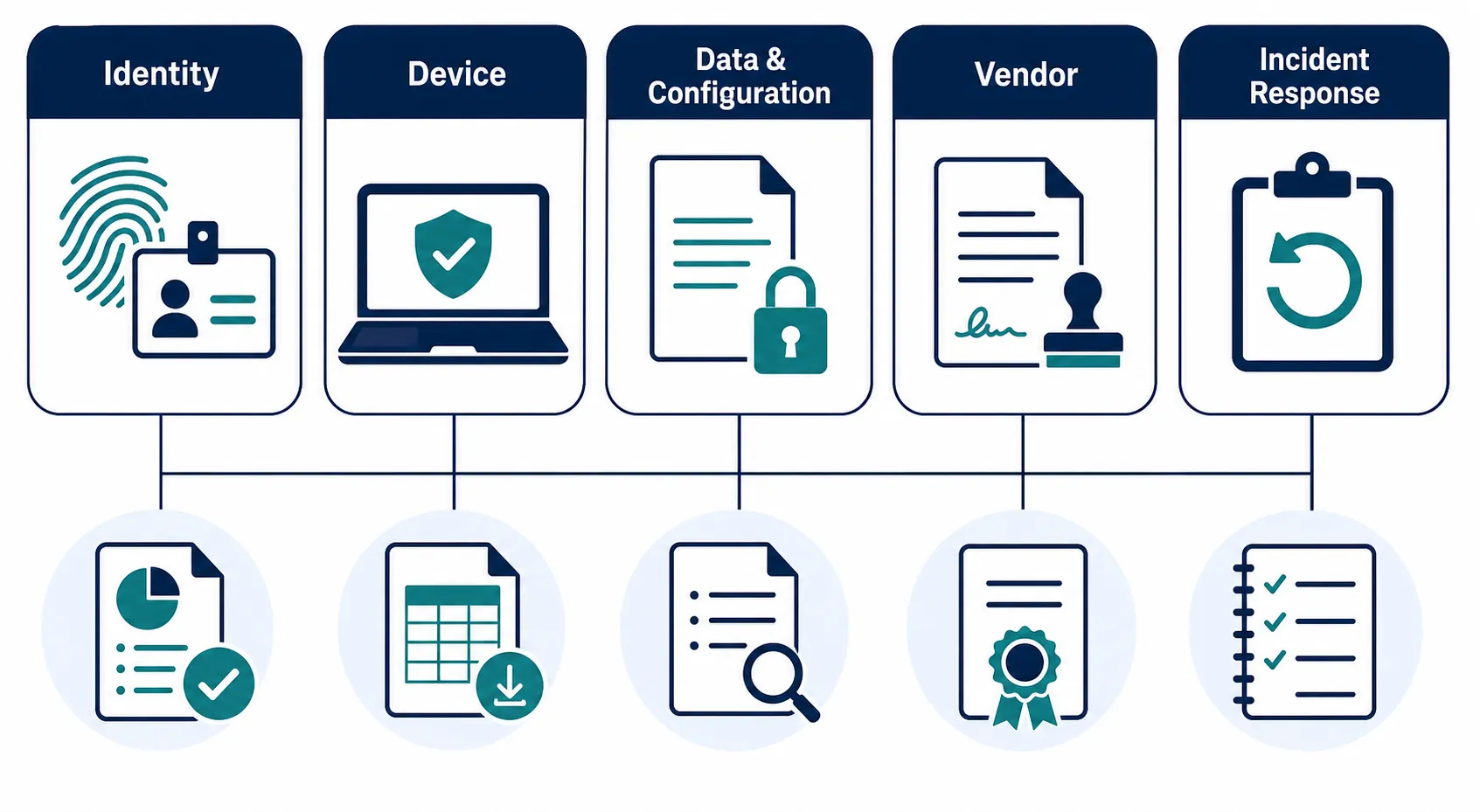
| Domain | Control question | Evidence artifact |
|---|---|---|
| Identity and access | Who can reach firm systems remotely, under what conditions, and with what exceptions? | MFA coverage report; Conditional Access policy export; privileged-account list; OAuth consent review; inbox-rule and forwarding audit; disabled-user report |
| Device security | Are remote endpoints encrypted, managed, patched, and separable from personal use? | Endpoint encryption report; MDM or Intune compliance export; patch status; lost-device wipe record; exception log |
| Data and configuration | Where is client data stored, shared, labeled, synced, and exposed? | External-sharing audit; DMS permissions report; sensitivity-label policy; DLP rule evidence; retention and backup configuration; AI-ingestion block proof |
| Vendor assurance | What does the provider actually promise, and what independent evidence supports it? | SOC 2 Type II report; security questionnaire; data-processing addendum; no-training-on-data clause; subcontractor list; DPA-supremacy clause; breach-notice clause |
| Incident response | Can the firm detect, decide, notify, recover, and prove what happened? | Incident response plan; tabletop memo; backup-restore drill result; notification decision tree; post-incident review; client-notice record where required |
Identity: verify coverage, not just “MFA is on”
Identity is the first place remote legal work becomes measurable. A lawyer signing in from home, a contract attorney logging into a document room, a paralegal using a mobile device, and a departing associate with cached sessions all create different risk paths. The control is not the existence of multifactor authentication in the tenant. The control is whether MFA applies to the people, apps, geographies, roles, and exception cases that matter.
The minimum artifact is an MFA coverage report that distinguishes licensed users, active users, privileged users, guest accounts, service accounts, and break-glass accounts. For remote teams, this report should not be reviewed as a percentage alone. A 98% MFA coverage figure can still hide the one unmanaged admin account, external collaborator, or legacy authentication path that matters.
Conditional Access needs the same treatment. It is common for a firm to have a policy in place and still lack a clean answer to basic audit questions: Which groups are included? Which applications are excluded? Are privileged roles subject to stronger controls? Are risky sign-ins blocked or merely logged? Are unmanaged devices allowed to download client files? Microsoft 365 security guidance for law firms commonly treats MFA, Conditional Access, DLP, and monitoring as concrete configuration areas rather than general promises, which is the right way to think about them. [6]
For a client audit, export the policies. Do not rely on a screenshot of a green dashboard. Keep the Conditional Access export with a date, reviewer, scope note, and any exceptions. If an exception exists because a litigation vendor, court filing service, legacy DMS connector, or senior partner’s device cannot meet the policy, that exception needs an owner and an expiration date. An exception with no owner is not an exception; it is undocumented access.
Account abuse leaves artifacts before it becomes a breach memo
Remote access also changes what should be reviewed after login. OAuth grants, inbox rules, forwarding settings, impossible-travel alerts, risky sign-ins, and stale guest accounts are not exotic security topics. They are the ordinary places where account abuse becomes visible if anyone is looking.
A defensible monthly identity packet can be short: privileged accounts, new guest users, risky sign-ins, OAuth app consents, inbox-forwarding rules, disabled users, and unresolved exceptions. The point is not to produce a perfect security archive. The point is to make it possible to say, after an incident or audit request, what was reviewed, when, by whom, and what changed.
Device security: make remote endpoints visible
Device controls are easier to overstate than to prove. “Firm laptops are encrypted” is not the same as an encryption-status export showing which devices are encrypted, which are noncompliant, and which have not checked in. “We use MDM” is not the same as a compliance report showing the device population, operating-system versions, patch posture, lock requirements, and wipe capability.
Formal Opinion 498’s virtual-practice guidance makes these details relevant to professional responsibility, not just IT hygiene. Secure connections, encryption, secure platforms, and supervision are part of how a dispersed legal team protects client information while practicing away from the office. [4]
The device packet does not need to be elaborate. It should answer four questions: which devices are allowed to access client data; whether those devices are encrypted and managed; whether unmanaged devices can download or sync client files; and what happens when a device is lost, retired, or assigned to a departing user. A lost-device wipe record is more useful than three pages of policy language if the client asks what happened in a real event.
Data and configuration: prove where client files can go
The Proskauer incident is the kind of record that should change how firms talk about cloud security. In 2023, reports described more than 184,000 privileged files as having been left on an unsecured, publicly accessible Microsoft Azure server for about six months. [7] The lesson is not that Azure is unsuitable for law firms. The lesson is that a permission setting, storage configuration, or deployment choice can become the whole incident if nobody verifies it.
External sharing is the first data-control artifact to collect. For Microsoft 365, Google Workspace, Box, Dropbox, iManage, NetDocuments, litigation extranets, and deal rooms, the firm should be able to identify externally shared files, anonymous links, organization-wide links, guest users, dormant shares, and matter workspaces with unusual permissions. A DMS permission audit should be treated as a client-confidentiality record, not as a housekeeping exercise.
The review should separate firm policy from actual configuration. A policy may say that anonymous sharing is prohibited. The evidence is an export showing whether anonymous links exist, when they were created, who owns them, and whether they were removed or justified. A policy may say that closed matters are archived. The evidence is a report showing stale external users and dormant workspaces were reviewed.
Sensitivity labels now have an AI-control function
GenAI has made labeling and DLP more than tidy information governance. Formal Opinion 512 warns that lawyers must protect client confidences when using AI tools. [5] In practice, a firm needs artifacts showing that restricted client data is labeled, that DLP rules prevent prohibited sharing or upload, and that AI tools cannot ingest matter material unless the approved use case and contract terms allow it.
The useful evidence is specific: the sensitivity-label policy, a sample label applied to a privileged or confidential document category, the DLP rule that blocks upload or sharing to unapproved destinations, the exception workflow, and a test record showing the block actually fired. If a vendor says it does not train on customer data, that promise belongs in the vendor file too. It does not replace the firm’s own configuration evidence.
This is also where firms should be careful about “secure by default” claims. Default settings are not a substitute for matter-level access review. A remote team can create dozens of new places where client documents live: Teams channels, shared drives, email attachments, temporary export folders, transcript platforms, AI workspaces, litigation databases, and client portals. The verification task is to reduce that map to reviewable systems and documented exceptions.
Vendor assurance: collect the promise and the proof
Vendor review is where firms often confuse procurement comfort with risk evidence. A sales deck saying “enterprise-grade security” is not a control. A SOC 2 Type II report, current penetration-test summary if available, completed security questionnaire, data-processing addendum, breach-notice clause, subcontractor list, and data-return or deletion language are artifacts.
For legal cloud and AI vendors, the contract file should answer at least these points: what data the vendor receives; where it is stored; whether support personnel can access it; whether the vendor uses client data for training or model improvement; which subprocessors touch the data; how quickly the vendor must notify the firm of a security incident; which document controls prevail if the order form, online terms, privacy policy, and DPA conflict; and how data is returned or deleted at termination.
The DPA-supremacy clause is not cosmetic. If the vendor’s website terms can change unilaterally and override the negotiated data-protection addendum, the firm may not know which promise it can rely on six months later. Keep the executed agreement, incorporated terms, DPA, security exhibit, subprocessor page capture, and review notes together. If a client asks what the firm accepted, no one should have to reconstruct it from a partner’s email thread.
SOC 2 Type II reports also need actual review. The useful page is rarely the cover. Look for the period covered, services in scope, complementary user-entity controls, exceptions, subservice organizations, and whether the report covers the product the firm actually uses. A clean report for one platform does not automatically cover a beta AI feature, a newly acquired product, or a separate document-hosting environment.
Incident response: test the decision record before the incident
Incident response becomes much harder when the first serious discussion happens after a mailbox compromise, ransomware note, data-room exposure, or vendor alert. Formal Opinion 483 is useful because it forces a decision record: was material client confidential information actually or reasonably suspected to have been accessed, disclosed, or lost, or was the lawyer’s ability to perform legal services materially impaired? It also notes that ransomware without access or disclosure does not by itself trigger the same notice obligation. [3]
A remote-team incident plan should therefore produce more than a policy PDF. Keep a tabletop memo showing the scenario tested, participants, gaps found, decisions made, and follow-up owners. Keep backup-restore drill results showing what was restored, how long it took, what failed, and whether the restored data was usable. Keep a notification decision tree that distinguishes client notice, ethics obligations, contractual notice, cyber-insurance notice, law-enforcement considerations, and vendor escalation.
Named law-firm incidents explain why the record matters without requiring inflated industry statistics. Orrick disclosed a security incident involving 637,000 records, and HWL Ebsworth was reported in connection with an ALPHV/BlackCat claim involving about 4TB of data. [8] SecurityWeek also reported in October 2025 that Williams & Connolly was breached through a zero-day exploit affecting attorney email accounts, with suspected Chinese state-sponsored involvement. [9] Those reports do not prove that remote work caused the incidents. They do show why firms need tested controls, fast scoping, and records that survive the first anxious partner meeting.
A verification cadence that does not depend on memory
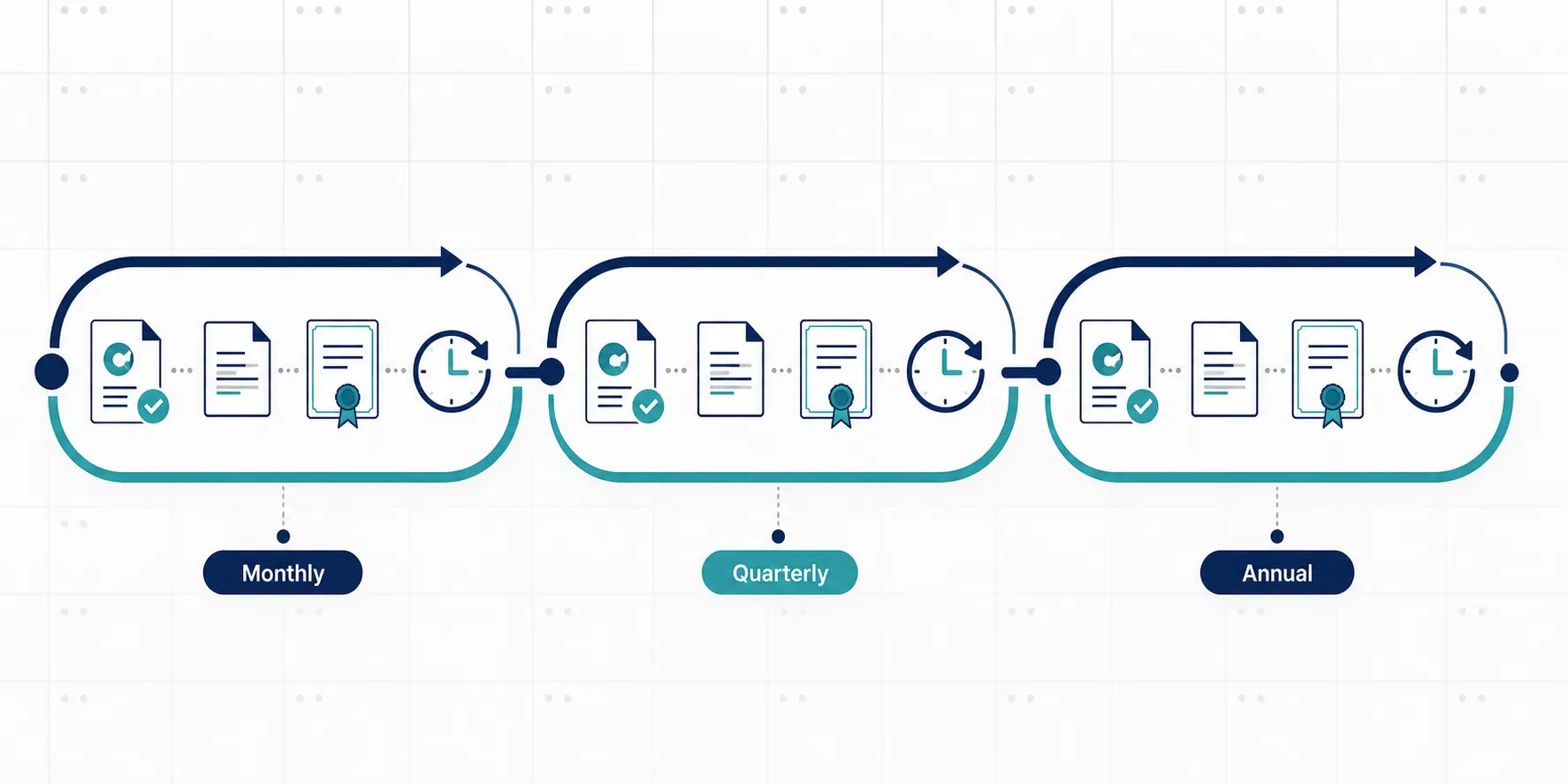
The cadence should match how quickly the evidence changes. Identity and sharing artifacts age quickly. SOC reports and contract files change more slowly. Incident exercises need enough time to become realistic but not so much time that the plan becomes ceremonial.
| Cadence | Verification work | Output to retain |
|---|---|---|
| Monthly | Review privileged accounts, MFA gaps, risky sign-ins, OAuth grants, inbox forwarding, new guest users, and high-risk external shares. | Identity and sharing review packet with owner, date, exceptions, and remediation notes. |
| Quarterly | Review Conditional Access policies, DMS permissions, stale matter workspaces, endpoint compliance, DLP exceptions, and AI-tool access. | Policy exports, permission reports, device compliance summary, DLP exception log, and AI-access review. |
| At vendor onboarding and renewal | Review SOC 2 Type II scope, DPA, no-training-on-data terms, subprocessor list, breach-notice language, deletion terms, and conflicting online terms. | Vendor risk file with executed documents, report review notes, open issues, and approval decision. |
| Semiannual or annual | Run incident tabletop and backup-restore drill; test notification workflow and escalation contacts. | Tabletop memo, restore-drill result, updated contact list, and remediation tracker. |
| On material change | Recheck controls after new cloud tools, AI features, mergers, lateral group arrivals, major client requirements, or practice-group workflow changes. | Change-specific verification note and updated evidence packet. |
The cadence should be owned. If IT owns the export but knowledge management owns the DMS workflow and the practice group owns the vendor relationship, the evidence file needs all three. Otherwise the firm ends up with the familiar audit scramble: someone knows a control exists, someone else knows the exception, and nobody has the current artifact.
A practical evidence file can be organized by matter-neutral control area rather than by tool name. Put identity reports together, device reports together, sharing and DMS reports together, vendor records together, and incident records together. Then cross-reference matter-specific or client-specific exceptions where needed. That structure makes it easier to answer a client security questionnaire without exposing other client information in the process.
What to ask when someone says the tool is secure
The fastest way to move from assurance to verification is to ask for the artifact in the same sentence as the control.
- “MFA is required” should produce an MFA coverage report and privileged-account exception list.
- “Remote access is restricted” should produce Conditional Access exports and device-compliance requirements.
- “Client files are not public” should produce external-sharing and DMS permission audits.
- “AI tools do not train on our data” should produce contract language, vendor documentation, and firm-side DLP or sensitivity-label evidence.
- “The vendor is secure” should produce a SOC 2 Type II report, DPA, security exhibit, subprocessor list, and breach-notice clause.
- “We can recover” should produce backup-restore drill results.
- “We know what to do after a breach” should produce an incident-response plan, tabletop memo, and notification decision record.
This is the difference between a claimed cloud posture and a defensible one. The claimed version says the firm uses secure cloud tools. The defensible version can produce the reports, exports, audits, clauses, and drills that show what is actually controlled.
References
- 2024 Cloud Computing TechReport, American Bar Association.
- Formal Opinion 477: Securing Communication of Protected Client Information, American Bar Association, May 11, 2017.
- Formal Opinion 483: Lawyers’ Obligations After an Electronic Data Breach or Cyberattack, American Bar Association.
- Ethics opinion addresses professional responsibilities of virtual practice, ABA Journal.
- ABA issues first ethics guidance on a lawyer’s use of AI tools, American Bar Association, July 29, 2024.
- Microsoft 365 Security for Law Firms: Essential Checklist, IGTech365.
- How to Protect Law Firm Data in the Era of Gen AI, ABA Business Law Today, December 2024.
- Top Legal Industry Cyber Attacks, Arctic Wolf.
- Chinese Hackers Breached Law Firm Williams & Connolly via Zero-Day, SecurityWeek, October 2025.
Grounded in
This procedure is grounded in ABA Formal Opinions 477R, 483, 498, 512, independent of any single documented case. See the Regulation tracker for the governing text.
Cases this step would have prevented
No cases have been explicitly linked to this checklist yet. See Risk Digest for documented incidents generally.
← Back to WorkflowsReport a correction or tip
Spotted an outdated figure, a misstated fact, or a ruling this workflow checklist should reflect? Public comments are disabled for this content given the professional cost of a misreported case outcome, penalty amount, or rule text — use the structured correction channel instead.
Report a correction or tip for this record →