
Search for the best legal AI for non lawyers and the first problem is not usually a lack of tools. It is that many of the most polished names are not for you. Harvey, CoCounsel, Spellbook, and similar enterprise systems are built for law firms and legal departments, with pricing in the hundreds or thousands of dollars per seat per month and sales processes that assume an organization is buying, not a freelancer trying to understand a client contract before Friday.
The second problem is worse: once you move past enterprise products, the consumer market gets crowded fast, but not necessarily safer. HAQQ’s May 2026 landscape map found roughly 110 consumer “AI lawyer” apps, and only one disclosed its underlying AI model. Most simply said “AI,” leaving users to guess what system was answering, how current it was, and what legal boundaries it recognized. HAQQ also found a market full of stale single-developer projects and apps with fewer than 100 ratings, which is not the same thing as a maintained legal product. [1]

That does not mean non-lawyers should never use legal AI. It means the useful question is narrower: which tools can an individual actually sign up for, understand, and use without mistaking a chatbot response for licensed legal advice? On that standard, the field shrinks sharply. In 2026, fewer than 10 consumer-grade legal AI tools appear worth serious consideration, and even those belong in a limited role: document understanding, issue spotting, first-draft preparation, and getting organized before attorney review.
The Shortlist Starts By Excluding What Individuals Cannot Buy
For a non-lawyer, “best” has to begin with access. A tool that requires a law firm subscription, a demo call, or enterprise procurement may be excellent software and still irrelevant to someone reviewing a lease, contractor agreement, demand letter, operating agreement, or formation document.
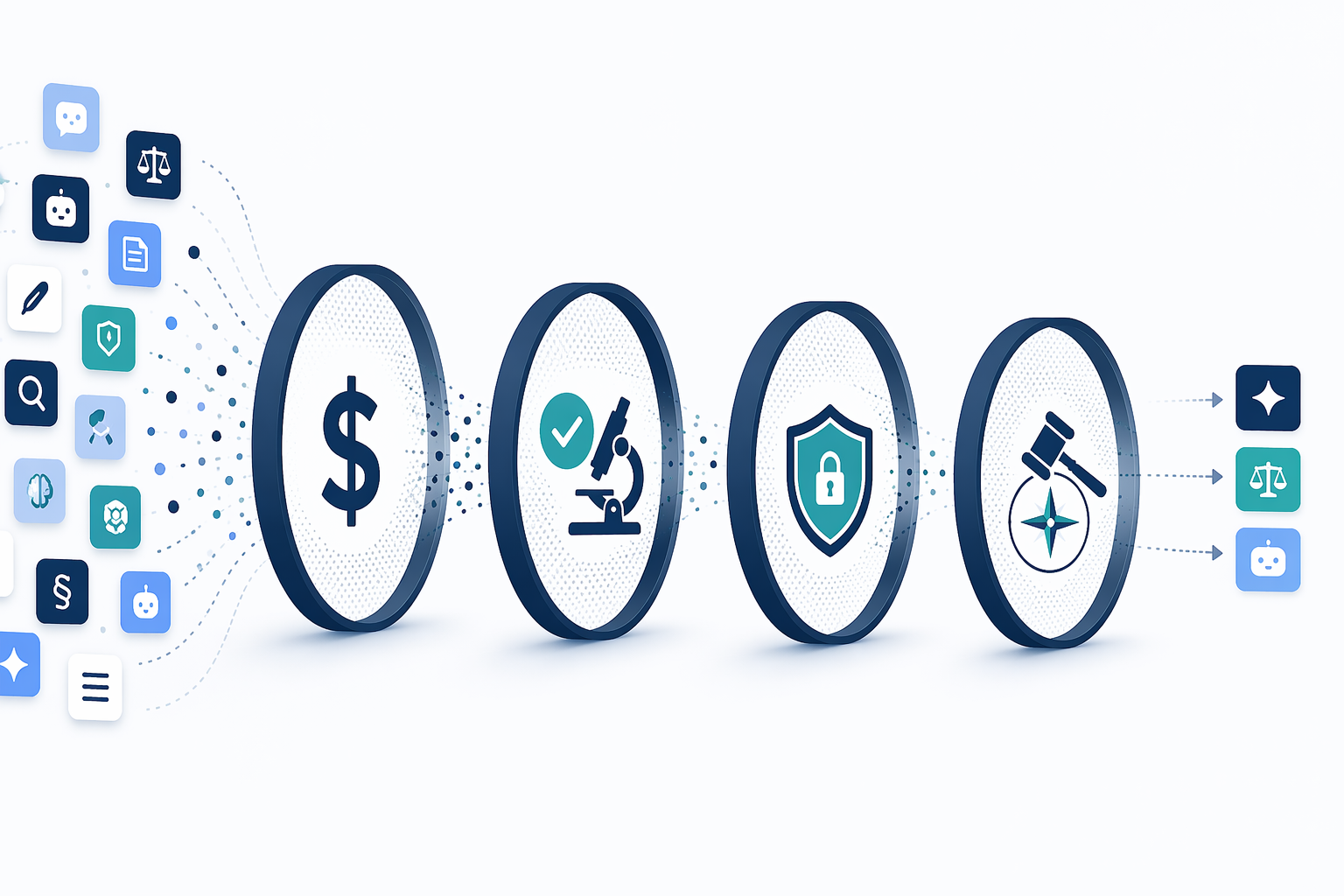
After that first cut, the consumer field needs a second, less glamorous filter. A usable legal AI tool should show current pricing, recent maintenance, visible terms and privacy policies, clear disclaimers, some explanation of jurisdictional limits, and enough documentation to understand what it is trying to do. Model disclosure would be better. In practice, model disclosure is rare enough that refusing every opaque tool would leave almost nothing to compare.
| Filter | Why It Matters For Non-Lawyers | What Usually Fails |
|---|---|---|
| Can an individual sign up? | The tool must be available without a law firm, enterprise account, or sales process. | Enterprise tools dominate search results but are not consumer products. |
| Is pricing visible? | Users should know the cost before relying on the tool for a document workflow. | Some apps hide pricing, shift users into trials, or do not clearly distinguish subscription tiers. |
| Does the product look maintained? | Legal information, privacy terms, and AI behavior all age badly. | Many consumer apps appear stale, thinly reviewed, or single-developer maintained. |
| Does it disclose limits? | A non-lawyer needs to know when an answer is general information, not advice. | Marketing copy often sounds more confident than the actual legal risk permits. |
| Does it handle privacy carefully? | Contracts, disputes, HR records, and personal documents can be sensitive. | Consumer tools may invite uploads without making retention, training, or privilege boundaries obvious. |
This is also where legal professionals have a practical stake. Clients already use these tools before calling. A lawyer, paralegal, or intake team may not need to endorse a consumer AI app, but it helps to know which products a client may have relied on and what those products are likely to have missed. For a broader look at free and affordable categories, see Legal AI Tools for Non-Lawyers: What Free and Affordable Options Actually Deliver.
What Survives The Consumer-Tool Filter
The most defensible consumer options in 2026 are not necessarily the flashiest “robot lawyer” brands. They are the tools that make it easiest to see what you are buying, what jurisdiction or document type they are designed around, and when a human lawyer should review the output.
Pricing clusters in the low subscription range. As of June 2026, AI Lawyer listed a $19.99 monthly plan, Rocket Lawyer offered a $149 annual plan with attorney access through an Arizona Supreme Court-backed program, and Talking Tree listed a $20 monthly nonprofit plan. Those prices may change, and the more important difference is not a few dollars per month. It is whether the plan gives a user a bounded workflow or simply wraps legal-sounding answers in a chat interface. [2][3][4]
| Tool Or Category | Consumer Access | Price Signal As Of June 2026 | Best-Fit Use |
|---|---|---|---|
| AI Lawyer | Direct consumer app | $19.99/month | General document questions, summaries, and first-pass legal information |
| Rocket Lawyer | Consumer legal platform with attorney access | $149/year | Templates, business documents, and escalation to attorney review |
| Talking Tree | Small-business and nonprofit-oriented tool | $20/month nonprofit plan | Routine small-business document review, with vendor-claimed RAG support |
| Other maintained consumer apps | Varies | $9.99–$19.99/month cluster | Only if pricing, privacy, disclaimers, and maintenance are visible |
| Enterprise legal AI | Usually unavailable to individuals | Enterprise seat pricing | Law firm and legal department workflows, not direct consumer use |
Talking Tree claims 92–95% accuracy on routine documents using retrieval-augmented generation over more than 10 million documents, and also markets savings figures for small businesses. Those claims may be directionally useful, but they are vendor claims, not independent proof that a specific user’s contract problem will be handled correctly. [3]
The 62% figure is the one that explains why this market exists at all: Talking Tree reports that 62% of small business owners have signed a contract they did not fully understand. Even if a lawyer would rather review every contract in advance, many owners will not pay for review every time. A tool that flags renewal terms, indemnity language, venue clauses, payment timing, or termination rights can be useful if it makes the next conversation with counsel cleaner. [3]
Accuracy Is Not Just Whether The Answer Sounds Right
Legal AI accuracy is easy to overstate because a fluent answer feels finished. HAQQ benchmarked frontier models on 100 real legal questions from r/legaladvice and found pass rates between 78% and 88%. That is not nothing. For basic orientation, modern models can often identify the general area of law, summarize a document, and point out obvious missing facts. [5]
The more important result is the caveat score. In the same benchmark, “Appropriate Caveats” was the weakest dimension across models, scoring only 3.0–3.15 out of 5, compared with legal accuracy scores of 3.98–4.30 out of 5. For non-lawyers, that gap is where the danger lives. A partly correct answer that fails to say “this depends on your state,” “this may require immediate legal action,” or “do not file this without review” can be more costly than an answer that is obviously incomplete. [5]
HAQQ’s benchmark also used AI-judge evaluation and acknowledged that attorney validation was a planned next step. That does not make the results useless. It does mean the numbers should be read as a structured signal about model behavior, not as a guarantee that a consumer app built on a similar model will give reliable legal guidance in a live dispute. [5]
What To Test Before Trusting A Tool
- Ask it what jurisdiction it is assuming; if it answers without naming one, treat the response as general background only.
- Give it a document clause and ask what facts are missing before anyone can judge enforceability.
- Check whether it says when to consult a licensed attorney, not just that it is “not legal advice” in a footer.
- Look for citations, source explanations, or retrieval notes; bare confidence is not traceability.
- Do not use it to invent citations, quote cases from memory, or file court documents without independent verification.
The court system is already dealing with the cleanup from bad AI legal output. The National Law Review reported 1,547 court cases involving AI-invented citations documented by June 2026, with penalties reaching roughly $110,000. That is not a consumer-app statistic, but it is a useful warning: if lawyers can get tripped up by fabricated legal authority, a small business owner should not treat generated citations as self-verifying. [6]
The DoNotPay Line Still Matters
DoNotPay is the boundary case every consumer legal AI tool now has to live around. In February 2025, the FTC announced a final order requiring $193,000 in monetary relief and prohibiting DoNotPay from claiming that its AI could substitute for a human lawyer. The FTC said DoNotPay had conducted no testing to compare its service with a human lawyer and had not retained attorneys to verify the quality and accuracy of its legal features. [7]
The lesson is not that document automation is forbidden. It is that a consumer tool cannot safely sell the fantasy that it is your lawyer. A respectable product should help users understand documents, prepare questions, organize facts, draft low-risk templates, or identify issues for review. It should not imply that a chatbot can represent a person, assess every state-law issue, or replace licensed judgment in a live legal matter.
Unauthorized practice of law rules make this even messier because they are state-specific. Texas has an explicit software exemption that requires clear disclaimers, while California and New York take broader views of what may count as legal practice. The first unauthorized-practice lawsuit against a general chatbot, Nippon Life Insurance Co. of America v. OpenAI, was filed in March 2026 in the Northern District of Illinois. For users, that uncertainty should push the use case toward information and preparation, not final legal decisions. [6]
Privacy Is Not A Footer Issue
The documents people want legal AI to review are usually the documents they should be most careful uploading: employment disputes, customer complaints, unpaid invoices, vendor contracts, leases, partnership disagreements, immigration materials, and demand letters. A consumer app may make upload feel routine, but routine upload is not the same as protected communication.
AI chat logs are not automatically attorney-client privileged. Privilege usually depends on a confidential communication with a lawyer for the purpose of seeking legal advice, not a conversation with a consumer chatbot. Litigation can also create preservation duties, and courts have ordered preservation of AI chat logs in discovery disputes. That should change user behavior: do not paste sensitive facts into a tool unless you understand retention, deletion, training use, and whether the provider can produce the material later.
- Remove names, addresses, account numbers, and confidential deal terms when a full upload is not necessary.
- Prefer tools that explain whether user inputs train models, how long chats are retained, and how deletion works.
- Avoid uploading active litigation materials unless counsel approves.
- Treat generated summaries as work material to verify, not as protected legal advice.
How A Non-Lawyer Should Actually Use One
The safest use pattern is narrow and practical. Start with document comprehension. Ask the tool to summarize the agreement, list obligations by party, flag deadlines, identify ambiguous clauses, and separate business terms from legal terms. Then ask what facts a lawyer would need to review the issue. That last prompt is often more valuable than asking, “Can I sign this?”
For a freelancer reviewing a services agreement, the useful output is not a dramatic verdict. It is a clean list: payment timing is net 60, late fees are missing, ownership transfers before payment, termination rights are one-sided, indemnity language is broad, and disputes must be brought in another state. That list can support a negotiation or a paid attorney review. It should not be treated as a final legal opinion.
For a small business owner forming an entity, legal AI can explain the difference between formation documents, operating agreements, registered agent information, tax elections, and annual reporting at a general level. It should not decide which state to form in, how to allocate ownership after a founder dispute, or whether a particular tax structure is appropriate. Those are jurisdiction-specific and fact-specific decisions.
| Good Use | Riskier Use |
|---|---|
| Summarizing a lease or contract in plain English | Deciding whether a clause is enforceable in a specific state |
| Preparing questions for an attorney | Replacing attorney review for a high-value transaction |
| Identifying missing facts or deadlines | Filing court papers based on generated citations |
| Comparing a document against a checklist | Relying on the tool for litigation strategy |
| Drafting a first version of a routine template | Using a generated document without reviewing local requirements |
A Practical Ranking Standard For 2026
A ranked list of consumer legal AI tools is only useful if the ranking is based on things a user can verify. The following order matters more than brand recognition:
- Access: an individual can sign up without a law firm or enterprise account.
- Maintenance: the product, policies, and support materials appear current.
- Pricing: the user can see subscription cost, renewal terms, and cancellation rules.
- Traceability: the tool explains sources, retrieval, model behavior, or at least how answers are generated.
- Caveats: the tool flags jurisdiction, missing facts, deadlines, and the need for attorney review.
- Privacy: retention, training use, deletion, and confidentiality limits are understandable.
- Regulatory posture: the tool does not claim to replace a lawyer or provide representation.
On that standard, AI Lawyer, Rocket Lawyer, and Talking Tree are among the consumer-facing names worth comparing, but for different reasons. AI Lawyer is a direct subscription product in the common consumer price band. Rocket Lawyer has the advantage of a broader legal-document platform and attorney access. Talking Tree is notable for its small-business positioning and retrieval-based claims, while also requiring the same caution applied to any vendor-reported accuracy number. [2][3][4]
The rest of the market should earn trust before it gets a user’s documents. A low monthly price is not enough. A pleasant chatbot is not enough. If an app will not say who runs it, when it was last updated, what its privacy practices are, what jurisdiction its answer assumes, or whether a lawyer has reviewed its workflows, it belongs outside the serious-consideration pile.
The Bottom Line For Non-Lawyers
Consumer legal AI is useful when it lowers the cost of understanding a document, not when it pretends to remove legal risk. In 2026, the market still contains far more thin, opaque, or stale apps than tools a non-lawyer should trust with serious decisions. After filtering for access, maintenance, pricing transparency, privacy posture, caveats, jurisdictional limits, and regulatory safety, the realistic shortlist is under 10 tools.
This article provides legal information, not legal advice. For jurisdiction-specific guidance, litigation, high-value contracts, employment disputes, immigration issues, regulated industries, or anything with a filing deadline, consult a licensed attorney.
References
- AI Lawyer App Landscape 2026, HAQQ, May 2026.
- Best AI Lawyer Apps, AI Lawyer Pro.
- Legal AI for Small Business, Talking Tree.
- DoNotPay Alternatives, AI Lawyer Pro.
- AI Benchmark: 100 Real Legal Questions, HAQQ.
- Can AI Replace Lawyers? A UPL Challenge, National Law Review.
- FTC Finalizes Order Against DoNotPay, Prohibits Deceptive AI Lawyer Claims, Imposes Monetary Relief, and Requires Notices to Consumers, Federal Trade Commission, February 2025.
Comments
Join the discussion with an anonymous comment.