
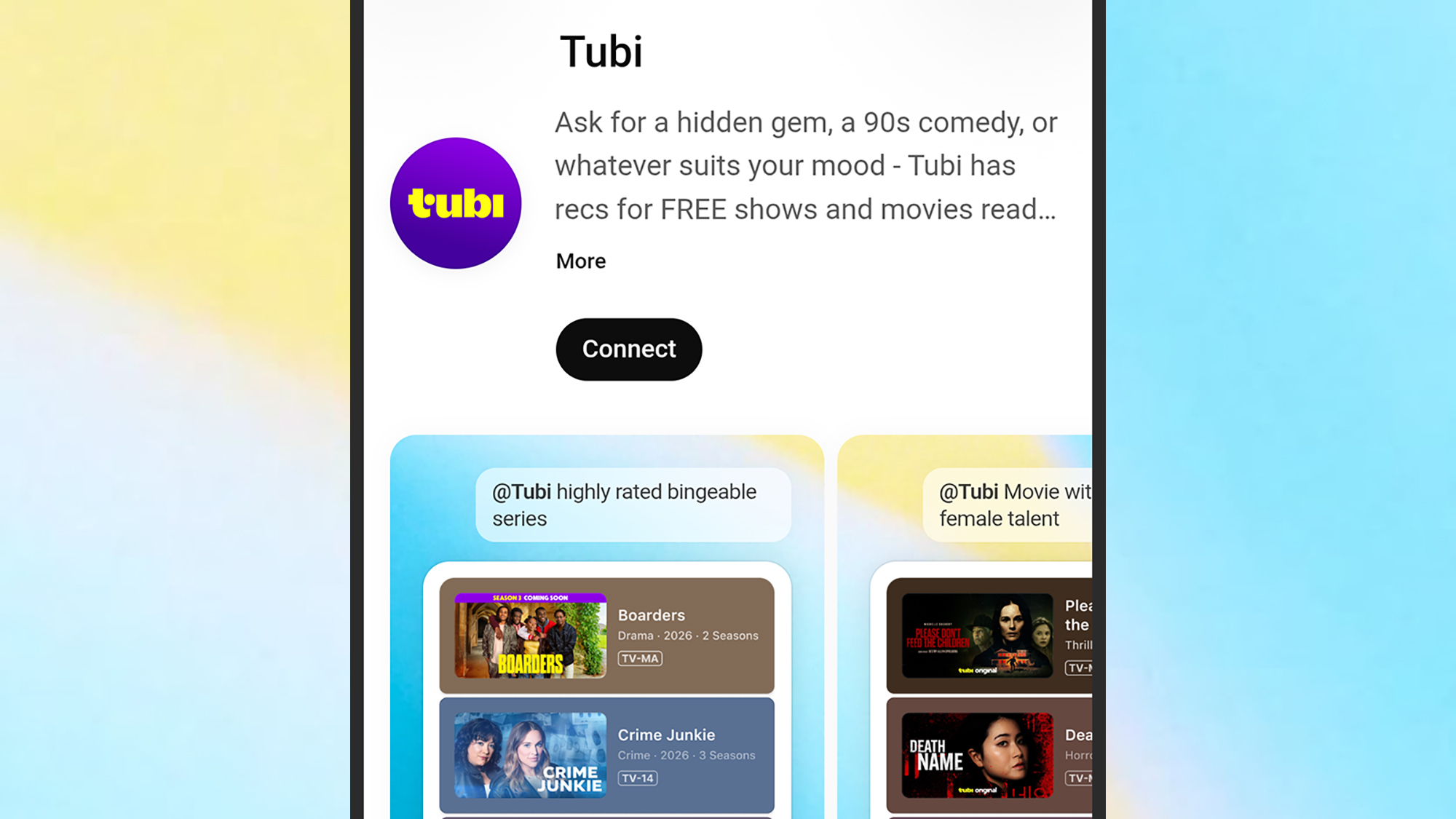
To use Tubi on ChatGPT, start with the installation rather than the promise. On desktop, open ChatGPT, look for Apps in the sidebar, search for Tubi, and choose Connect. On mobile, tap the plus button next to the message box, open Explore Apps, search for Tubi, and connect it from there. The app is available to both free and paid ChatGPT users, so the useful distinction is not subscription tier; it is whether the app has been connected and then deliberately invoked in the conversation.[1][2]
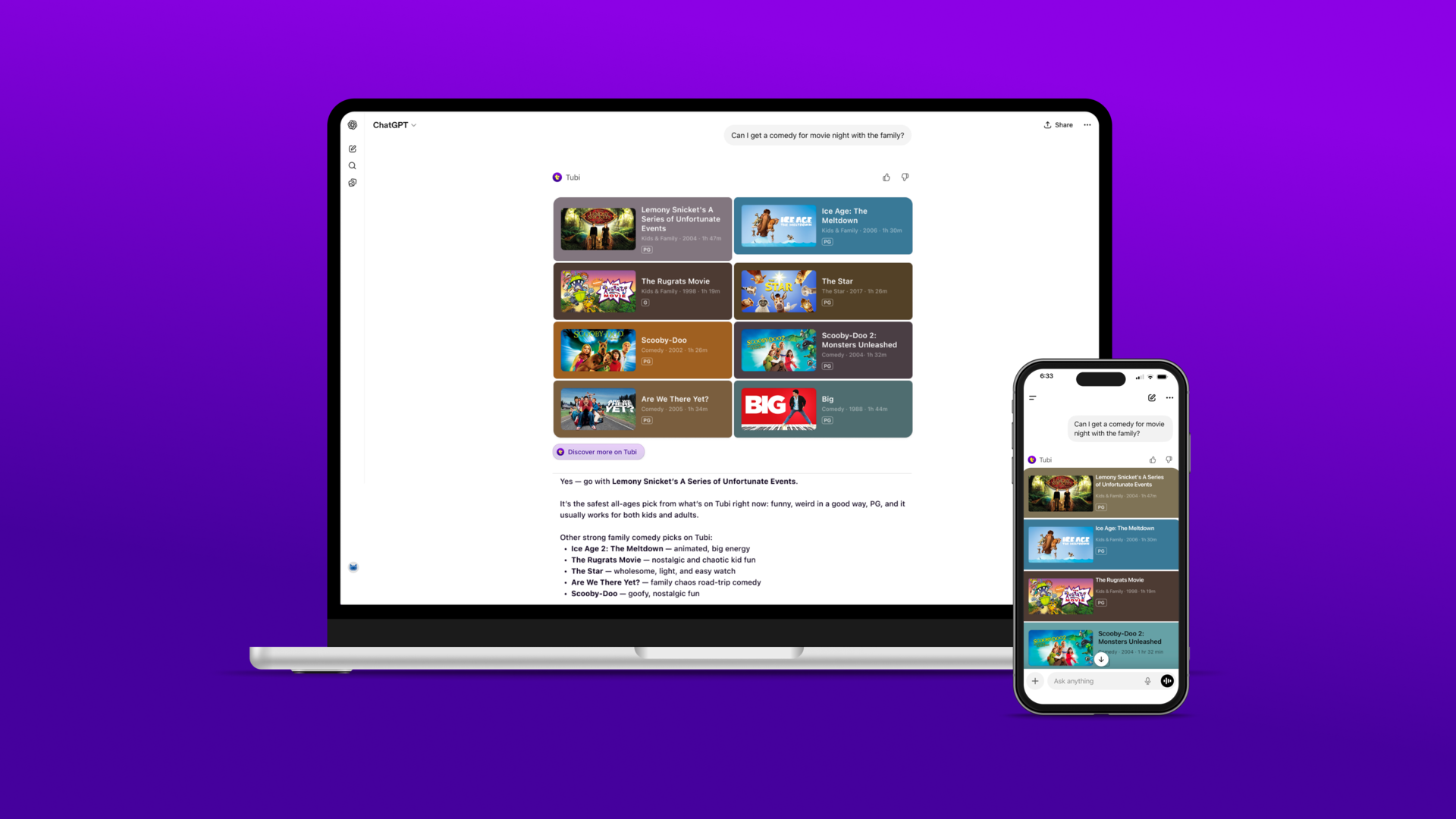
Once connected, the habit to learn is simple: type @Tubi before the request, or select Tubi from the plus menu when composing a prompt. ChatGPT then routes the request through the Tubi app instead of treating it as an ordinary general chat about movies. That difference matters. A prompt such as “show me dystopian sci-fi movies from the 1990s on Tubi” or “find thrillers directed by women” is not just asking ChatGPT to brainstorm titles; it is asking the connected app to return recommendations that should map back to Tubi’s catalog.[2]
Connect Tubi Before You Ask for Anything
The setup path is short enough that it is easy to underestimate. It is also the part worth doing carefully, because native ChatGPT apps are invoked only after the user has made an explicit connection or selection. If Tubi is not connected, a movie prompt can still produce an answer, but that answer is not the same thing as a Tubi-backed recommendation.
- Desktop: open ChatGPT, find Apps in the sidebar, search for Tubi, then click Connect.
- Mobile: tap the plus button beside the message input, choose Explore Apps, search for Tubi, then tap Connect.
- After connecting, start prompts with @Tubi when you want the app, not ordinary ChatGPT, to handle the request.
- If you do not see the app response you expect, check whether Tubi was actually selected in the prompt composer.
Hands-on reports from Lifehacker, ZDNET, Pocket-lint, and Digital Trends all describe the same basic installation pattern: find the app inside ChatGPT, connect it, and then use conversational prompts to request movies or shows.[1][2][3][4] That consistency is the important fact. The user does not download a separate browser extension, copy an API key, or configure a professional-style connector. The interaction is built around a native app directory and an in-chat invocation pattern.
For anyone who has watched legal teams struggle with software adoption, that pattern is notable. The user action is small, visible, and repeatable. It is not a full platform migration. It is closer to adding a capability to a workspace the user already occupies. That is why a streaming example is useful even for a professional audience: the stakes are low enough that the mechanics are easier to observe.
Invoke It With @Tubi, Then Be Specific
After the app is connected, the better prompts are the ones that give the catalog something to work with. “Find something good” is a weak instruction because it leaves the system to infer taste, availability, and meaning. “Find Japanese horror movies on Tubi from the 2000s,” “show me workplace comedies with short episodes,” or “find thrillers directed by women” gives the app attributes it can try to match against catalog information.
This is where the app feels more polished than a keyword search box. You can combine genre, decade, mood, cast, crew, and viewing situation in one request. ZDNET’s hands-on example used prompts such as “Show me dystopian sci-fi movies from the 1990s on Tubi” and “Find thrillers directed by women,” which are exactly the kind of compound requests that make conversational search attractive.[2]
The response typically appears inside ChatGPT as a set of recommendations with short descriptions. From there, the important next step is not another prompt; it is the redirect. Clicking a recommendation sends the user out to Tubi’s own app or website for playback. ChatGPT is not the player. It is the discovery layer, and Tubi remains the fulfillment environment.[2]
| User action | What happens |
|---|---|
| Connect Tubi in ChatGPT | The Tubi app becomes available as an app ChatGPT can invoke. |
| Type @Tubi in a prompt | The request is routed through the Tubi app rather than handled as a general movie question. |
| Ask for movies or shows in natural language | The app returns recommendations that should correspond to Tubi’s catalog. |
| Click a recommendation | Playback opens on Tubi’s own website or app, not inside ChatGPT. |
That last row is easy to miss, but it is the operational boundary. ChatGPT can help formulate and route the discovery request. It can present the result in a familiar conversational interface. It does not become Tubi, and it does not eliminate Tubi’s own account, app, advertising, catalog rights, or playback controls.
What the App Is Actually Doing
The temptation is to describe the Tubi app as if ChatGPT has watched the movies, evaluated their tone, and developed an opinion about what belongs in a recommendation list. The better description is narrower. Public reporting indicates that the app relies on structured catalog metadata and Tubi’s content understanding tools, including Reelgood metadata covering more than 50 genres, more than 250 sub-genre tags, synopses, and cast and crew information.[5]
Forbes reported that the integration “doesn’t work the way you think it does,” and its interview with Reelgood CEO David Sanderson is the most useful corrective to inflated descriptions of the product. Sanderson described metadata accuracy as “the foundational layer,” a phrase that should stay in view when evaluating what the app can and cannot know.[5]
That does not make the app trivial. Structured metadata can be valuable, especially when it is rich, current, and mapped to real catalog availability. It means, however, that the intelligence of the experience depends heavily on the quality and coverage of the underlying data. A conversational layer can make the request easier to express. It cannot, by itself, cure missing tags, thin synopses, incomplete availability information, or ambiguous user intent.
The exact technical path among ChatGPT, Tubi, and Reelgood is not fully described in public sources. The available reporting supports a practical conclusion rather than a complete architecture diagram: Tubi’s ChatGPT app appears to use structured metadata and provider-side content tools to answer streaming discovery requests, with ChatGPT serving as the conversational surface through which the user makes the request.[5]
The Failure Modes Are More Useful Than the Launch Quote
A low-stakes app becomes most instructive when it fails in visible ways. Lifehacker documented access errors where the app could not confirm whether titles were in Tubi’s catalog and fell back to more generic recommendations.[1] Pocket-lint found that broad genre requests worked well, while requests for critically acclaimed or recent titles could cause ChatGPT to suggest that Tubi might not be the right platform for the request.[3]
Those are not merely streaming annoyances. They show the difference between a conversation that sounds flexible and a retrieval process that is bounded by catalog data. A broad request such as “give me action movies” gives the system many possible matches. A request for recent or critically acclaimed titles asks for a more demanding combination of availability, recency, quality signal, and perhaps external judgment. If the underlying data or retrieval path cannot support that combination, the interface may still speak fluently while the answer becomes weaker.
The most responsible behavior in those moments is not false confidence. When the app admits that Tubi may not be the right platform for a request, it is exposing a limit. That is a better signal than a long list of plausible titles that may not actually be available, relevant, or supported by the requested criteria.
The same distinction will matter in professional apps. A legal directory app that returns lawyers, a research app that returns authorities, or a procurement app that returns vendors can all appear conversationally fluent. The review question is whether the app is retrieving from authoritative, current, and appropriate material for the task. Smooth phrasing is not the same as reliable grounding.
Why This Streaming App Belongs in a Legal Technology Conversation
Tubi was announced as the first streaming service to launch a native app inside ChatGPT on April 7, 2026.[6] The timing matters less than the pattern. By mid-2026, the app shows how a third-party service can live inside ChatGPT as an invoked capability rather than as a separate destination the user must remember to visit first.
The scale explains why vendors care. ChatGPT had reached 900 million weekly active users as of February 2026, while Tubi reported more than 100 million monthly active users.[6][7] Those figures do not prove that the Tubi app is effective, or that users will prefer it to Tubi’s own search. They do explain why a provider would want to be available inside the place where users are already asking questions.
The professional connection is no longer hypothetical. OpenAI opened the ChatGPT app store to developers in October 2025, and Best Lawyers later launched its own ChatGPT app, describing it as the first legal directory to do so.[8][9] The Best Lawyers example should not be treated as a reviewed legal product here. Its significance is simpler: it uses the same app ecosystem and the same kind of in-chat invocation habit that Tubi makes easy to practice.
That common interaction model is likely to be seductive in legal settings because it removes friction. A user who has learned to type @Tubi can understand, almost immediately, how another app might be invoked by name. The training burden drops. The risk review does not.
A Practical Test for Any ChatGPT App
Tubi gives legal professionals a safe place to ask the questions they will later need for higher-stakes tools. The first question is what the user actually does. Does the user connect an app, invoke it with an @mention, select it from a menu, or simply ask ChatGPT a general question? If the user cannot tell whether the app is active, the result is already hard to evaluate.
The second question is what the app retrieves. With Tubi, the relevant material appears to be catalog metadata, enriched by genre, sub-genre, synopsis, cast, and crew information.[5] With a professional tool, the answer might be lawyer profiles, case law, regulations, forms, contract clauses, docket data, pricing records, or vendor materials. Each source has a different authority problem. A cast list and a statute are not governed by the same risk tolerance.
The third question is what happens after the answer. Tubi sends the user to Tubi for playback.[2] A professional app may send the user to a provider page, a document workspace, a payment flow, a client file, or an external system of record. The redirect is not administrative trivia. It tells the reviewer where fulfillment occurs and which platform controls the final action.
The fourth question is where the system stops. Tubi’s visible limits include access errors, fallback recommendations, and cases where the app suggests that the service may not be the right place for a request.[1][3] In a legal setting, a well-designed app should be just as explicit when it lacks jurisdictional coverage, current authority, complete profile data, or permission to access a requested source.
A procurement memo does not need to describe every internal model call to be useful. It does need to separate interface, retrieval, and fulfillment. Tubi is a clean example because the user can see all three: the conversational prompt in ChatGPT, the catalog-backed recommendation, and the handoff to Tubi for viewing.
What to Carry Forward
Learning how to use Tubi on ChatGPT is not useful because Tubi matters to legal work. It is useful because the app makes a new software pattern concrete. The user connects a third-party service inside ChatGPT, invokes it by name, asks in natural language, receives a structured answer, and leaves ChatGPT when the provider needs to fulfill the request.
That experience can feel like the model understands the content. Sometimes the answer may even be good enough that the distinction seems academic. It is not. The authority of the answer still depends on the underlying material, the retrieval method, the app’s access rights, and the provider’s fulfillment environment.
A smooth conversational interface can be powered by structured metadata, opaque retrieval paths, and external fulfillment. Tubi makes that visible in a harmless setting. The same distinction should be kept intact when the app pattern moves from choosing what to watch to choosing which professional source, directory, or workflow deserves trust.
References
- I Tried Tubi in ChatGPT, Lifehacker
- ChatGPT's Tubi app movies TV shows, ZDNET
- ChatGPT's new Tubi app and it led me down a free streaming rabbit hole, Pocket-lint
- You can now ask ChatGPT to find your next movie or TV show on Tubi, Digital Trends
- That Tubi App For ChatGPT Doesn't Work The Way You Think It Does, Forbes, April 16, 2026
- Tubi is the first streamer to launch a native app within ChatGPT, TechCrunch, April 8, 2026
- Tubi Launches ChatGPT App to End Streaming Search Frustration, PYMNTS, 2026
- Introducing apps in ChatGPT and the new Apps SDK, OpenAI, October 2025
- Best Lawyers Launches ChatGPT App, Best Lawyers
Comments
Join the discussion with an anonymous comment.