
Full profile
For an end-of-life legal planning workflow, an advance directive, living will, healthcare power of attorney, HIPAA authorization, and will do not create the same drafting problem. They travel through different state-law rules, different client conversations, and different post-signing instructions. That is why a feature list that says “AI estate planning drafting” is too blunt for a trusts-and-estates practice deciding what to buy.
The procurement pressure is real. Spellbook’s estate planning guide reports ABA Tech Survey data showing AI adoption among law firms rising from 11% in 2023 to 30% in 2024, with 54% of lawyers citing time savings as the primary benefit of AI use.[1] CaseMark says its advance health care directive workflow can reduce drafting from 2–3 hours to about 8 minutes using a retrieval-augmented generation pipeline for state-specific compliance checks.[2] Spellbook also reports that an attorney at CunninghamLegal in California saves up to two hours per day on drafting, reviewing, and researching.[1] Those are useful claims to test. They are not, by themselves, adoption evidence.

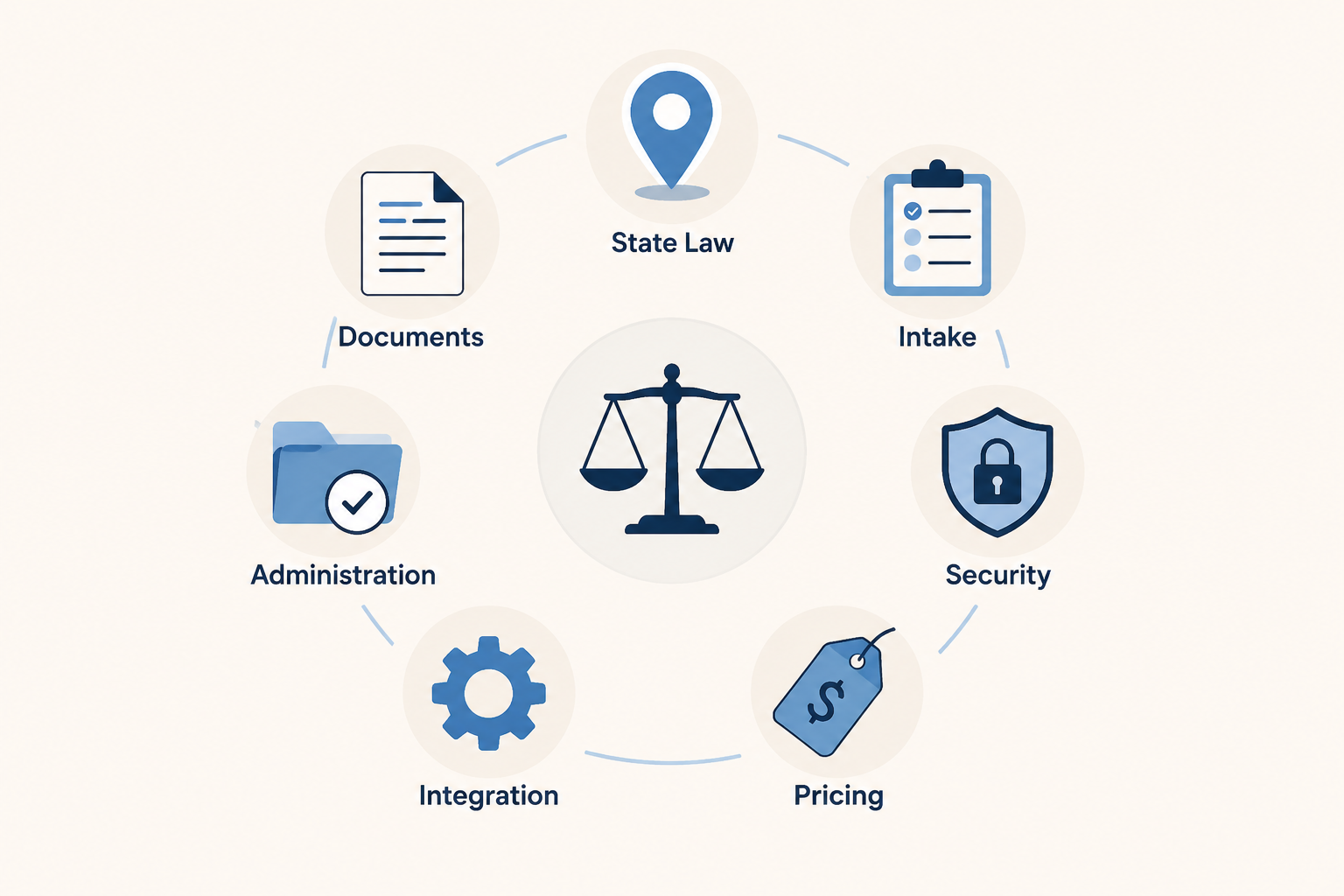
A Seven-Part Evaluation Framework
Before comparing vendors, a firm should decide what kind of failure would actually hurt the practice. A beautiful first draft is not enough if the tool misses a witness rule, accepts an impossible agent appointment, stores sensitive health information without an acceptable security posture, or leaves the paralegal with no way to track whether the client ever signed the document.
| Dimension | What to Verify | Why It Matters |
|---|---|---|
| State-law coverage | Covered jurisdictions, execution formalities, witness and notarization rules, agent authority limits, revocation handling | Advance directives and healthcare POAs are state-sensitive documents; generic drafting creates cleanup risk |
| Document types | Advance directives, living wills, healthcare POAs, HIPAA authorizations, wills, related client instructions | A tool may handle one document well and still be weak for the full end-of-life packet |
| Client intake depth | Questionnaire logic, incomplete-answer handling, conflict flags, capacity-sensitive prompts, family and agent details | The first draft is only as useful as the facts the system captures |
| Security posture | SOC 2 Type II, HIPAA alignment where relevant, data retention, training-use policy, access controls | These workflows collect health, family, asset, and incapacity information |
| Pricing model | Per-user, per-matter, subscription, usage-based, or bundled practice-management pricing | Flat-fee planning work needs predictable technology cost |
| Practice-management integration | Matter system, document management, calendar, task, e-signature, and billing connections | Disconnected drafting creates administrative work after the document is generated |
| Post-drafting administration | Signed-version tracking, storage, sharing, client instructions, amendment and revocation workflows | The workflow does not end when text appears on a screen |
State Coverage Is the First Gate, Not a Footnote
For advance directives and healthcare powers of attorney, state-law coverage should be tested before demo enthusiasm sets in. The practical questions are plain: which states are supported, which statutory forms or state-specific provisions are reflected, what execution formalities are encoded, and what the system does when a rule depends on the identity of a witness, notary, healthcare provider, facility employee, spouse, or proposed agent.
CaseMark’s positioning is notable because it makes a specific workflow claim rather than a general productivity promise. Its advance health care directive page says the tool uses RAG to check state-specific legal requirements and reduce the document workflow from 2–3 hours to approximately 8 minutes.[2] A firm evaluating that claim should ask to see the exact states covered, the source set used for the compliance check, the refresh process when state forms or statutes change, and the audit trail available to the reviewing lawyer.
The same issue applies to broader drafting assistants. A general legal AI tool may be excellent at turning instructions into polished clauses, but the estate planning question is whether it knows when a polished clause is legally misplaced. A healthcare agent’s authority, a living will instruction, and a HIPAA release may sit near each other in the client conversation, but they do not carry identical legal consequences.
Attorney review is not a decorative final step here. In July 2024, the ABA issued its first formal ethics guidance on lawyers’ use of generative AI, addressing duties that include competence, confidentiality, communication, reasonable fees, and supervision.[3] In an end-of-life document workflow, those duties attach to the unglamorous details: whether the right form was used, whether the right people sign, whether the client understands the authority being granted, and whether staff know what must happen after signing.
The Document Mix Has to Match the Practice
A will-drafting accelerator and an advance directive workflow are not interchangeable purchases. Many estate planning firms need a packet: will, durable financial power of attorney, healthcare power of attorney, living will or advance directive, HIPAA authorization, disposition instructions, and client signing instructions. Elder law practices may also need more careful prompts around capacity, facility residency, Medicaid planning context, or family conflict. A narrow tool can still be valuable, but only if the firm buys it for the narrow job it actually performs.
This is where vendor category labels can obscure more than they clarify. Statular’s 2026 comparison describes at least 11 platforms serving estate planning attorneys, but a directory of estate planning software does not answer whether a specific tool can safely generate state-sensitive healthcare documents for a particular client base.[4] The better comparison is by workflow position: AI drafting assistant, guided document automation, practice-management-native drafting, or established estate planning drafting system.
What to Ask During a Demo
- Show the full document list for one state the firm actively practices in, not a national marketing screen.
- Identify which documents are generated from structured templates and which are generated through open-ended AI drafting.
- Ask whether the system produces client signing instructions, witness instructions, and post-signing storage guidance.
- Run a client scenario with a nonstandard agent choice, blended family, or incomplete healthcare preference answer.
- Confirm whether the tool flags missing facts or silently fills gaps with default language.
Intake Depth Determines Whether the Draft Is Useful
In estate planning operations, intake is where many drafting problems are born. A client names the same person as healthcare agent and witness. A spouse is listed, then later described as separated. A child is named as first agent but lives abroad. A client says “no life support” without distinguishing temporary intervention, terminal condition, permanent unconsciousness, or comfort care. If the AI tool treats those answers as enough, the attorney or paralegal inherits the ambiguity.
A serious intake system should do more than collect names and preferences. It should branch when an answer creates a legal or practical issue, preserve the client’s own wording where counseling is needed, and flag contradictions before the draft reaches attorney review. For healthcare documents, the questionnaire should also make room for agent contact details, alternate agents, prohibited agents, religious or personal care instructions, organ donation preferences where relevant, and HIPAA disclosure choices.
Gavel’s materials emphasize document automation and client-facing workflows for estate planning firms.[5] That kind of portal-first approach can be useful when the firm wants to standardize intake before drafting begins. The evaluation question is not whether a portal exists. It is whether the portal captures the facts the lawyer needs for this state, this packet, and this client population.
A hypothetical example shows the difference. If a client enters a preferred healthcare agent who is also employed by the care facility where the client lives, the system should not simply place the name into the agent field. It should flag the answer for review, ask the firm’s preferred follow-up questions, or route the matter out of the automated lane. The tool does not have to solve every judgment call. It does have to stop pretending the judgment call is ordinary data entry.
Security and Confidentiality Are Workflow Features
End-of-life planning files often contain health information, family conflict, disinheritance decisions, incapacity concerns, and contact information for agents and alternates. Security posture therefore belongs in the main comparison grid, not in the IT appendix.
CaseMark reports SOC 2 Type II and HIPAA compliance for its platform.[2] Spellbook says it holds SOC 2 Type II and HIPAA compliance and applies zero data retention.[1] Those disclosures are worth asking about, but the firm still needs the underlying answers: what data is retained, whether prompts and uploaded documents are used for model training, where data is hosted, how access is controlled, whether audit logs are available, and how the vendor handles deletion requests.
The professional-responsibility issue is not limited to cybersecurity. If a lawyer cannot explain the tool’s handling of confidential client information, cannot supervise staff use, or cannot determine whether fees remain reasonable when AI reduces drafting time, the technology purchase has created a governance problem as well as a drafting one. The ABA’s 2024 guidance is useful because it ties AI use back to existing lawyer duties rather than treating it as a separate technology exception.[3]
Pricing Has to Survive Flat-Fee Math
Most firms do not evaluate drafting tools in the abstract. They evaluate them against a fee schedule, staff capacity, and the number of matters that can be handled without turning every plan into a custom hourly project. A per-user subscription may be simple for a boutique firm with a stable drafting team. A per-matter or usage-based model may fit a lower-volume practice but create margin anxiety in a flat-fee package. A bundled system may be easier to justify if it replaces several disconnected tools.
Time savings should be converted into operational questions. If CaseMark’s claimed reduction is even directionally true for a firm’s advance directive workflow, who receives the recovered time: the attorney reviewing the state-law choices, the paralegal preparing signing packets, or the client through a lower fee?[2] If Spellbook’s reported two-hour daily savings is realistic for a particular lawyer, does that time reduce backlog, increase counseling quality, or simply increase drafting volume?[1] The answer matters because fee reasonableness and service quality are part of the same system.
Integration Decides Whether Drafting Time Is Really Saved
A tool that saves 30 minutes in drafting can give the time back in rekeying if it does not connect to the firm’s matter system, document folders, calendar, task lists, billing workflow, or e-signature process. For small estate planning teams, that gap usually lands on the same staff member who already manages intake corrections, signing appointments, and client follow-up.
LEAP’s materials describe AI drafting in the context of a practice-management-native estate planning workflow.[6] That position is different from a standalone drafting assistant. It may reduce duplicate entry and keep documents closer to matter data, but the firm should still test whether the AI-generated content, review status, signed versions, and follow-up tasks remain visible to the people who need them.
For established estate planning drafting systems such as WealthCounsel and InterActive Legal, the comparison often runs in the other direction. These systems are familiar to many estate planning lawyers as structured drafting environments; the question is how any AI capability, integration, or adjacent automation changes a workflow that may already be standardized. A firm with a clean template library and reliable signing checklist may need less AI novelty than a firm with fragmented intake and inconsistent document assembly.
The Work Continues After the Draft
Advance directive and will workflows do not end when the document is generated. Someone must confirm execution, store the signed version, provide copies or access instructions, explain when the client should update the document, and record later revocations or replacements. If the tool stops at first draft, the firm still needs a separate administration system.
Post-drafting administration is especially important for healthcare documents because the document may need to be found by family members, agents, medical providers, or care facilities under stressful conditions. A technically correct healthcare proxy that no one can locate is not much comfort. The vendor comparison should therefore include storage, sharing, signed-version management, revocation tracking, and client-facing instructions.
- Can the firm distinguish draft, approved, sent-for-signing, signed, superseded, and revoked versions?
- Can staff see whether witness and notary steps were completed?
- Can the client receive plain-language instructions without staff rebuilding them manually?
- Can the system record later changes without overwriting the historical file?
- Can the workflow support the firm’s policy for sharing documents with agents, family members, or healthcare providers?
How the Main Tool Categories Compare
The current market is easier to understand if the tools are grouped by role rather than ranked as universal winners. A firm looking for an advance directive accelerator is making a different purchase from a firm replacing its document automation system or consolidating work inside practice management.
| Tool or Category | Likely Fit | Main Verification Question |
|---|---|---|
| CaseMark | Workflow-specific AI drafting for advance health care directives, with vendor-claimed RAG compliance checks | Which states, sources, execution rules, and review artifacts are included? |
| Spellbook | General legal drafting, review, and research assistance used by estate planning lawyers | How does the firm prevent a general drafting assistant from missing state-specific healthcare document rules? |
| Gavel | Document automation with client-facing intake and portals | Does the questionnaire logic capture enough legally relevant end-of-life planning facts? |
| LEAP | Practice-management-native drafting and workflow support | Does generated content stay connected to matter data, tasks, documents, and signed-version tracking? |
| WealthCounsel and InterActive Legal | Established estate planning drafting systems | Does any AI or automation layer improve the existing workflow without weakening template control and review? |
This comparison deliberately avoids a single winner. A high-volume firm with clean intake and a need for faster healthcare document drafting may test CaseMark differently from a firm that wants AI support across wills, trusts, correspondence, and research. A practice that already runs most operations inside LEAP may value integration more than a standalone drafting feature. A firm rebuilding intake from scratch may care more about Gavel-style client workflows than about clause generation.
A Practical Selection Standard
The safest way to evaluate AI tools for advance directives and wills is to run a real internal pilot against the seven dimensions. Use actual firm templates, one or two common states, familiar client scenarios, and the staff members who will live with the workflow. Do not let the demo stop at document generation. Continue through attorney review, signing instructions, storage, and later amendment or revocation.
Vendor time-saving figures should shape the test plan, not decide the purchase. If a platform claims to turn a multi-hour advance directive workflow into minutes, measure what happens to review time, correction time, signing preparation, and client explanation. If a drafting assistant saves a lawyer hours each week, measure whether the firm’s risk points moved or merely became harder to see.
AI tools can be useful in end-of-life planning, especially where structured intake, state-aware drafting, and repeatable administration are already part of the practice. The tool worth buying is the one that fits the firm’s states, documents, clients, security obligations, fee model, systems, and post-signing responsibilities while keeping attorney review where it belongs: inside the workflow, not after the damage is done.
References
- AI for Estate Planning Lawyers: Draft Wills & Trusts Faster — Spellbook, updated June 2026.
- Draft Advance Health Care Directive | AI Estate Planning Tool — CaseMark.
- ABA issues first ethics guidance on a lawyer's use of AI tools — American Bar Association, July 29, 2024.
- The best estate planning software for attorneys in 2026 — Statular.
- How Estate Planning Lawyers are Using AI: Comprehensive Guide — Gavel.
- AI in Modern Estate Planning: Practical Tools Attorneys Can Use Today — LEAP.
Comments
Join the discussion with an anonymous comment.