
How to Build an AI Workflow Your Law Firm Can Defend
Many lawyers already use AI tools at work, but few firms have policies to defend that use. This guide outlines a risk-based traffic-light workflow framework that maps to ABA Formal Opinion 512 duties and can be implemented incrementally to close the governance gap before it leads to sanctions or client audits.
The hard part about AI and lawyers in 2026 is not that lawyers are waiting to see whether the tools matter. Many are already using them. The harder fact is that firm control has not caught up. One survey discussed in ABA Law Practice Magazine reported that 69% of legal professionals use generative AI personally at work, while only 9% of firms have a written and enforced AI policy; the same report said 54% provide no AI training and have no plans to do so.[1] Treat those numbers as survey evidence, not an audited census. They are still difficult to shrug off, because they describe a pattern many managing partners will recognize: a lawyer tries an AI feature inside an ordinary work tool, a staff member uses a public chatbot to clean up a rough paragraph, a junior associate asks a system to summarize something before anyone has decided whether that is allowed.
Solo and small firms are not immune to the gap. Clio’s 2026 solo and small firm report found that 57% of solo firms and 55% of small firms had no AI policy at all.[2] That does not mean those firms have no AI use. It means the use may be happening without a shared record of which tools are approved, which client information can be entered, who must review the output, and what the firm would show if a client, court, insurer, or bar authority asked how the work was handled.
A blanket ban sounds tidy until someone has to enforce it. AI is already embedded in research platforms, office software, document tools, email features, and products lawyers were using before the firm ever held an “AI meeting.” The more practical question is narrower and more defensible: if lawyers are already using AI, what workflow lets the firm explain who used what, for what kind of task, with what human review, before client work left the building?
Start With the Ethical Floor, Not the Tool List
ABA Formal Opinion 512, issued in July 2024, gives firms the national organizing frame for generative AI use. It identifies duties of competence, confidentiality, communication, supervision, reasonable fees, and candor as the professional-responsibility issues lawyers must address when using these tools.[3] It is not a complete operating manual. It does not answer every state-law question, and state bars have taken different approaches on fees, disclosure, consent, and other details. But for a small-to-mid-size firm trying to get out of improvisation mode, it is the right place to set the floor.
The floor matters because an AI policy that only says “be careful” is not a workflow. Competence requires someone to understand the limits of the tool and verify the output. Confidentiality determines what can be entered into which system. Supervision requires rules for associates, paralegals, contract lawyers, and other non-lawyers. Billing requires a sober look at whether AI-assisted work is charged reasonably. Communication and candor become unavoidable when client consent, court rules, or AI-generated authorities are involved.
That is why the firm’s first project should not be a glossy “AI strategy.” It should be a sorting routine.
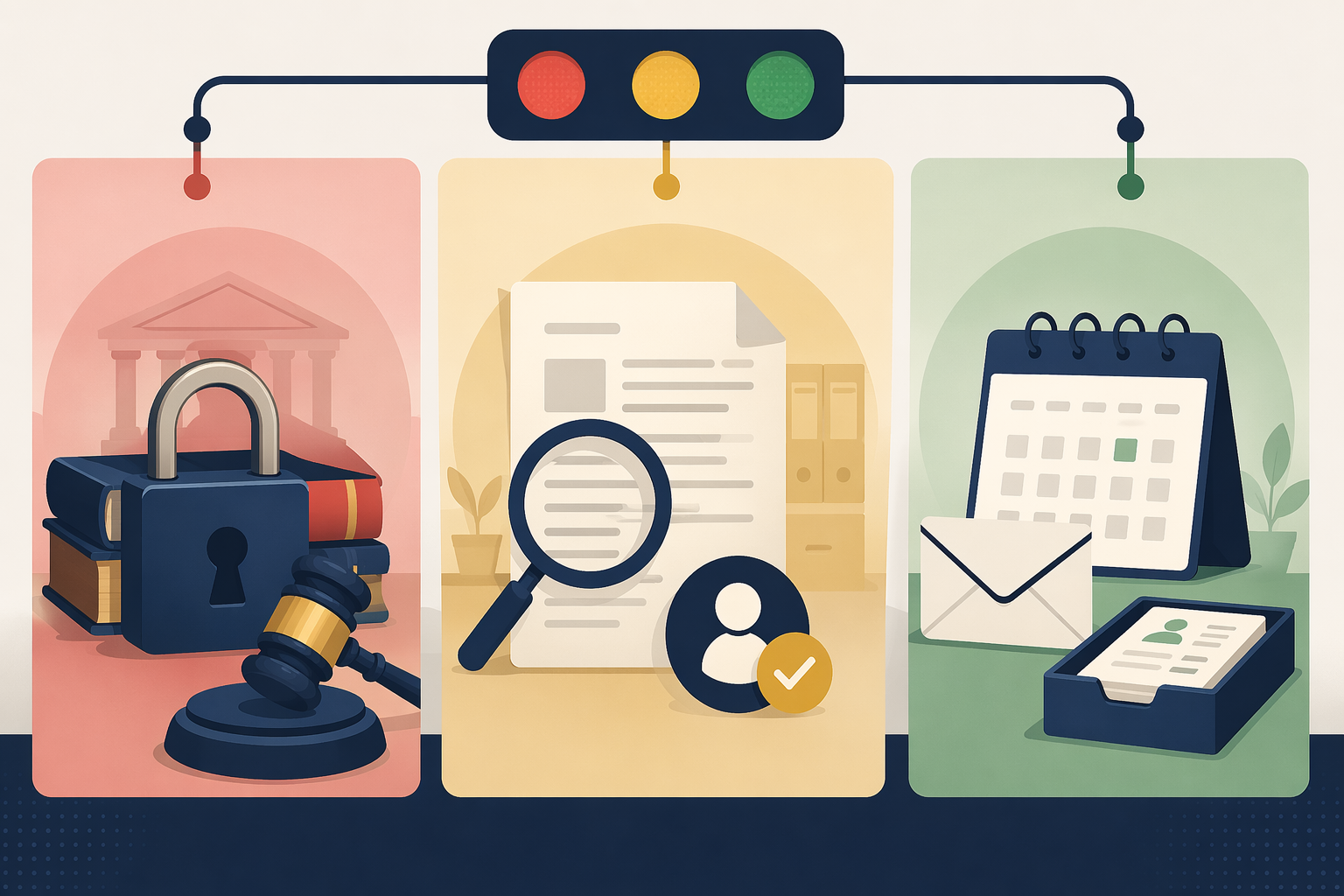
A Traffic-Light Workflow for Legal AI Work
The Red/Yellow/Green model below is a practical synthesis from bar guidance and industry frameworks, not an official ABA taxonomy. The North Carolina Bar Association has argued for realistic AI policies rather than unenforceable bans, and GC AI’s ethics framework uses a color-coded approach that distinguishes public-tool risk, protected-tool use, and more controlled legal AI environments.[4][5] Other frameworks divide the world into more zones. For daily firm operations, three tiers are usually enough to make people stop and route the work correctly.
| Tier | Use Case | Default Rule | Required Controls |
|---|---|---|---|
| Red | Client-confidential, privileged, court-facing, or highly sensitive work in unapproved or public AI tools | Do not use unless the firm has specifically approved the tool and workflow for that risk | Partner authorization, confidentiality review, jurisdiction check, documented exception if allowed |
| Yellow | Drafting, summarizing, issue-spotting, research support, document handling, and internal analysis in approved tools | Allowed only with human verification and task-level records | Source checking, lawyer review, supervision log, client disclosure or consent where required |
| Green | Low-confidentiality administrative, training, scheduling, formatting, or non-client-specific work | Generally allowed in approved tools | Basic use log, no confidential data, periodic spot checks |
The point of the model is not to make every lawyer a technologist. It is to make the next decision easier at the moment work is actually happening. The lawyer or staff member should be able to ask: What kind of task is this? What information would I have to enter? What will the output be used for? Who reviews it before it affects the client?
Red Work: Keep Public AI Out of the File
Red work is not merely “important work.” It is work where the risk of disclosure, privilege waiver, court-facing error, or misuse of client material makes ordinary public AI use indefensible. A public chatbot should not receive privileged strategy, confidential client documents, nonpublic deal terms, protected personal data, sealed materials, litigation hold details, or anything the firm would not be comfortable handing to an unvetted third party.
The Red rule should be short enough to remember: no client-confidential or privileged material in unapproved public AI tools. If a lawyer believes an exception is necessary, the exception should not live in a hallway conversation. It should identify the tool, the data involved, the reason for use, the supervising lawyer, the contractual or technical protections, and any required client consent.
This is where confidentiality does most of the work. ABA Formal Opinion 512 warns lawyers to evaluate whether information entered into a generative AI tool may be disclosed or used in ways inconsistent with the duty of confidentiality.[3] A firm does not satisfy that duty by assuming that a tool is safe because it is popular, convenient, or already installed. Someone has to know whether the vendor uses inputs for training, whether data is retained, whether the firm can disable certain uses, whether contractual protections exist, and whether the matter requires additional restrictions.
Red work also includes court-facing material when the AI workflow cannot support verification. A brief, declaration, discovery response, expert filing, or citation list that depends on AI output needs more than a confidence check. It needs a lawyer who can verify the authorities, facts, quotations, record cites, and procedural statements before submission. If the tool cannot produce sources or the user cannot check them, the task belongs outside that workflow.
Yellow Work: The Ordinary Zone Where Most Firms Need Discipline
Yellow work is where most law firm AI use will sit. It includes first drafts, summaries, issue lists, deposition preparation outlines, research prompts, contract comparison support, intake triage, internal memos, and document review assistance in approved tools with contractual protections. It is not harmless. It is also not automatically forbidden. It is the zone where a firm’s workflow either becomes defensible or remains a collection of private habits.
A Yellow workflow should start before the prompt. The user should know whether the tool is approved for the matter type, whether client data may be entered, whether the client has imposed outside-counsel guidelines on AI use, and whether the output will remain internal or be used in client-facing or court-facing work. That decision should be captured lightly but consistently: matter number, tool, task category, user, reviewer, and verification completed.
The verification step is not a paralegal being asked to “just check this” without authority. It is an assigned review duty. For legal research, that means checking each cited authority in a trusted source, confirming that the proposition is supported, and making sure the authority is still good law. For factual summaries, it means comparing the summary against the source document, not against the user’s memory of the document. For drafting, it means reviewing the output as a draft produced by an inexperienced assistant: useful, sometimes efficient, and never entitled to trust because it sounds polished.
This is the competence duty in operating form. ABA Formal Opinion 512 links competence to understanding the benefits and risks of generative AI, including the need to review output for accuracy.[3] In practice, that does not require every lawyer to understand model architecture. It does require lawyers to know that AI tools can generate false authorities, omit important limitations, misread context, and produce work that looks more finished than it is.
Yellow work also carries the supervision duty. If an associate, paralegal, legal assistant, summer clerk, or outside contractor uses AI on a matter, the supervising lawyer needs a rule more specific than “use good judgment.” The firm should define who may use which tools, which tasks require advance permission, what must be logged, who reviews the output, and when the supervising lawyer must personally inspect the source material. Non-lawyer use should be visible to the responsible lawyer, not hidden in the margins of the file.
Billing is the part firms are tempted to postpone because it feels awkward. It should not be. ABA Formal Opinion 512 includes reasonable fees as one of the duties implicated by generative AI use.[3] If AI reduces the time needed for a task, the firm needs a consistent approach to time entries, flat fees, value-based work, and internal write-downs. The question is not whether the firm may be paid for legal judgment. It may. The question is whether the bill accurately reflects the work performed and whether the client would understand what was charged if the issue came up later.
Client communication belongs in Yellow when the use is material to the representation, when client information is being handled in a way that requires consent, when outside-counsel guidelines require disclosure, or when the jurisdiction’s rules demand it. The firm does not need to turn every spell-check-level use into a client conference. It does need a repeatable way to decide when disclosure or consent is required and to store that decision in the matter file.
Green Work: Low Risk Still Needs a Record
Green work is low-confidentiality and administrative: creating a generic training agenda, reformatting a non-client-specific checklist, drafting an internal announcement, producing a plain-language explanation of a public rule for internal discussion, or helping organize a calendar workflow. These uses do not usually require partner preapproval if the tool is approved and no confidential information is entered.
Green should not mean invisible. A simple use log can be enough: tool, user group, general task category, and confirmation that no client-confidential data was entered. The reason is not bureaucracy for its own sake. Green uses often become Yellow by accident. A generic client update turns into advice about a specific matter. A template starts carrying facts copied from an email. A training example quietly becomes a real document. Light recordkeeping gives the firm a way to spot those shifts before they become habits.
What the Firm Should Be Able to Show Later
A defensible AI workflow produces evidence of judgment. It does not have to produce a museum-quality record for every prompt. It should produce enough to show that the firm recognized the risk level, used an approved tool or documented an exception, protected confidential information, assigned human review, and checked the output before relying on it.
| Control | What It Shows | ABA 512 Duty Supported |
|---|---|---|
| Task classification | The firm distinguished administrative, internal legal, confidential, and court-facing work | Competence; confidentiality |
| Approved-tool list | The firm evaluated where data may be entered and under what protections | Confidentiality; supervision |
| Verification protocol | A lawyer or assigned reviewer checked sources, facts, citations, and final use | Competence; candor |
| Supervision log | Associates, staff, and non-lawyers used AI under visible lawyer oversight | Supervision |
| Client disclosure or consent record | The firm addressed client-specific requirements when AI use affected the representation | Communication; confidentiality |
| Billing review | AI-assisted work was billed consistently with time, value, and reasonableness | Reasonable fees |
The record should live where the work lives. If the firm uses a matter-management system, the AI classification and verification note should be attached to the matter. If the firm is still working from shared drives and email, the record can be a short form or checklist saved to the matter folder. The format matters less than the fact that someone outside the original conversation can reconstruct the decision.
Sanctions Are the Warning, Not the Whole Story
The sanctions cases are no longer curiosities. The commonly cited escalation runs from a $5,000 sanction in Mata v. Avianca in 2023, to $31,000 in Johnson v. Dunn in 2024, to $110,000 in Couvrette v. Wisnovsky in 2025; NPR reported in April 2026 on penalties stacking up as AI spread through the legal system.[5][6] The precise universe of AI-related sanctions is harder to pin down. One HEC Paris tracker maintained by Damien Charlotin counts more than 800 AI-related sanctions cases in U.S. courts to date, but that count depends on a personally maintained tracker rather than an independently audited official court database.
The lesson is not that every AI mistake will become a headline. Most will not. The more ordinary risk is that the firm cannot answer basic questions after something goes wrong. Who used the tool? Was client information entered? Was the tool approved for that matter? Who checked the citations? Did the client require consent? Was the time entry adjusted? A sanctions motion is one way those questions arrive. A client audit, malpractice carrier inquiry, fee dispute, or internal quality review can ask the same questions with less publicity and just as much consequence.
A 90-Day Rollout That Does Not Require a Compliance Department
Small and mid-size firms do not need to solve every AI governance question before they start. They do need to stop treating use as unknowable. A 90-day rollout is enough to move from private experimentation to a visible workflow.
Days 1–30: Find the Use That Already Exists
Begin with an inventory, not a policy memo. Ask lawyers and staff which AI tools they have used in the last several months, including tools embedded in research platforms, office software, document systems, email, transcription, billing, marketing, and intake. Make the inventory nonpunitive. If people think the purpose is discipline, the firm will receive a cleaner list and a less accurate one.
- List tools already in use, including embedded AI features.
- Identify the task types: research, drafting, summarizing, intake, billing, marketing, administration.
- Flag any use involving client-confidential information, court filings, or legal research.
- Collect client outside-counsel guidelines that mention AI, confidentiality, data handling, or technology vendors.
At the end of the first month, the firm should know where AI is already touching work. That inventory will probably be imperfect. It is still better than a policy drafted for tools no one is using while the real usage continues elsewhere.
Days 31–60: Classify Tasks and Approve Tools by Tier
Use the inventory to build the first Red/Yellow/Green chart. Do not begin with edge cases. Start with the ten or fifteen tasks people actually perform. If litigation associates use AI for research support, classify that. If the estate planning group uses it to convert notes into first drafts, classify that. If staff use it for marketing emails, classify that too.
Then approve tools by tier. A tool may be acceptable for Green work and unacceptable for Yellow work. Another may be acceptable for Yellow work only if client data is masked or if the matter has no special confidentiality restrictions. The approval list should say what the tool may be used for, not merely that the tool is “approved.” That distinction prevents the most common failure: a safe administrative use quietly becoming a risky legal use under the same product name.
Days 61–90: Train the People Who Touch the Work
Training should be built around the workflow, not around AI theory. Give people the tier chart, the approved-tool list, three or four examples from the firm’s actual practice, and the verification checklist. Associates need to know when they must check authorities themselves. Paralegals need to know when they have authority to use a tool and when they need lawyer approval. Partners need to know where the review record goes. Billing staff need to know how AI-assisted time should be flagged for review if the firm decides to do that.
The firm should also set a review cadence before the rollout ends. Monthly review may be appropriate at first; quarterly may be enough once the workflow is stable. The review should look at exceptions, new tools, client restrictions, court-rule changes, billing questions, and any incident where AI output reached a reviewer with a material error. This is maintenance, not a grand committee project.
The Defensible Position
No small firm will pick the perfect AI tool, write the perfect policy, or foresee every state-bar variation. That is not the standard a sensible workflow should chase. The defensible position is simpler: the firm recognized that different AI uses carry different risks, restricted the work that should not enter ordinary public tools, required human verification where legal judgment was involved, supervised staff and junior lawyers, handled billing and disclosure deliberately, and kept records before anyone demanded them.
That is enough to start. It is also far better than discovering, after a filing, audit, or complaint, that the firm’s real AI policy was whatever the busiest person in the room happened to do that day.
References
- AI for Law Firms: What the 8am Legal Industry Report Tells Us About AI Use — ABA Law Practice Magazine
- Clio 2026 Legal Trends Report for Solo and Small Law Firms — Clio
- ABA issues first ethics guidance on a lawyer's use of AI tools — ABA News, July 2024
- Beyond the Ban: Why Your Law Firm Needs a Realistic AI Policy in 2026 — NC Bar Association, January 13, 2026
- AI Legal Ethics in 2026: 6 Cases, 4 Rules, 1 Policy Template — GC AI
- Penalties stack up as AI spreads through the legal system — NPR, April 3, 2026
Grounded in
This procedure is grounded in the cited rule or opinion, independent of any single documented case. See the Regulation tracker for the governing text.
Cases this step would have prevented
No cases have been explicitly linked to this checklist yet. See Risk Digest for documented incidents generally.
← Back to WorkflowsReport a correction or tip
Spotted an outdated figure, a misstated fact, or a ruling this workflow checklist should reflect? Public comments are disabled for this content given the professional cost of a misreported case outcome, penalty amount, or rule text — use the structured correction channel instead.
Report a correction or tip for this record →