
From Ad-Hoc to Structured AI Legal Document Workflows
Most legal teams use AI tools individually but lack a firm-wide system. This guide provides a workflow-based framework for moving from ad-hoc AI experimentation to structured, verifiable document workflows, reducing risk and capturing efficiency gains.
The most important question about AI for legal documents is no longer whether lawyers will touch it. They already have. The operational problem is that many teams can point to individual lawyers using AI, while far fewer can point to a document workflow that a supervising attorney, legal operations manager, knowledge manager, or client could inspect from intake through final verification.
That gap is now measurable. Axiom reported in 2026 that 79% of legal professionals use AI tools, but only 31% have achieved wide-scale rollout.[1] In-house pressure is moving in the same direction: ACC and Everlaw reported that in-house AI adoption doubled from 23% to 52% in one year.[2] Those figures do not prove that AI is improving legal work. They prove something narrower and more urgent: unmanaged AI use is becoming normal faster than institutional controls are becoming normal.
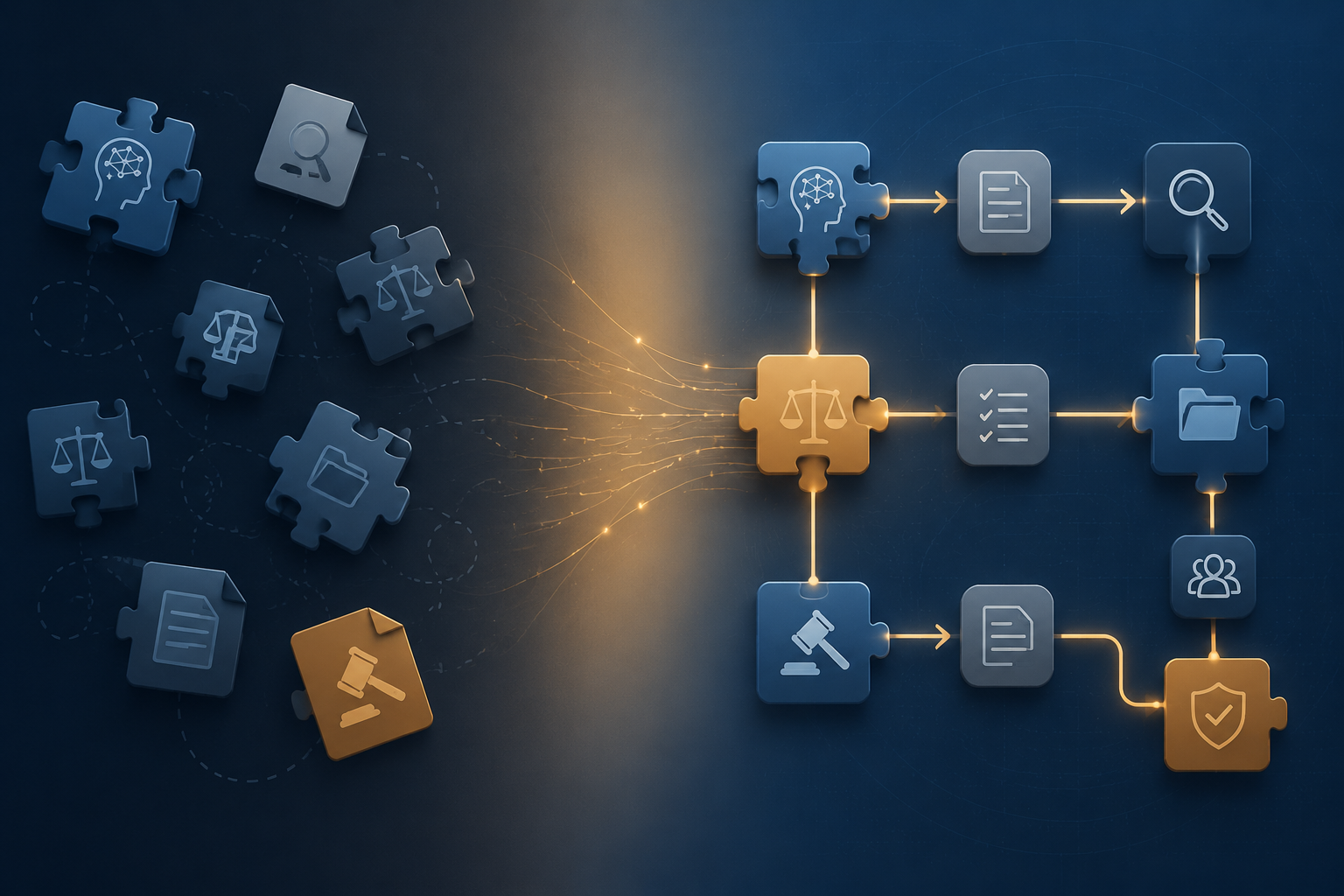
A firmwide system starts by making document work visible. Not glamorous, not vendor-led, and not limited to sharing favorite AI instructions. A complete workflow has to show what kind of document enters the system, who decides whether AI belongs in the workstream, which tool role is permitted, what must be checked, and who signs off before the output becomes legal work product.
Start With The Work, Not The Tool
The temptation is to begin with a product shortlist. That is understandable, especially when attorneys are already using general AI tools, contract review platforms, research assistants, or document summarizers on their own. But tool selection before workflow mapping usually preserves the same private shortcuts under a more official label.
The first inventory should be plain: what documents does the team produce or review, how often, under what deadlines, using which templates or playbooks, and with what review burden? Thomson Reuters has reported that legal professionals spend 40% to 60% of their time drafting and that AI may reduce some drafting work by 25% to 50% under the right conditions.[3] That is a useful efficiency signal, but it is not yet a workflow plan. A reduction in drafting time helps only if the team knows whether the saved time moved to legal analysis, client counseling, negotiation, verification, or rework.
Contract work shows why the baseline matters. LegalOn’s 2026 survey of 452 respondents found an average contract review time of 3.1 hours per contract.[4] A team that does not know which contracts consume that time cannot sensibly decide where AI should intervene. Three hours spent applying a mature fallback clause playbook is a different problem from three hours spent resolving business ambiguity, jurisdictional conflict, or nonstandard risk allocation.
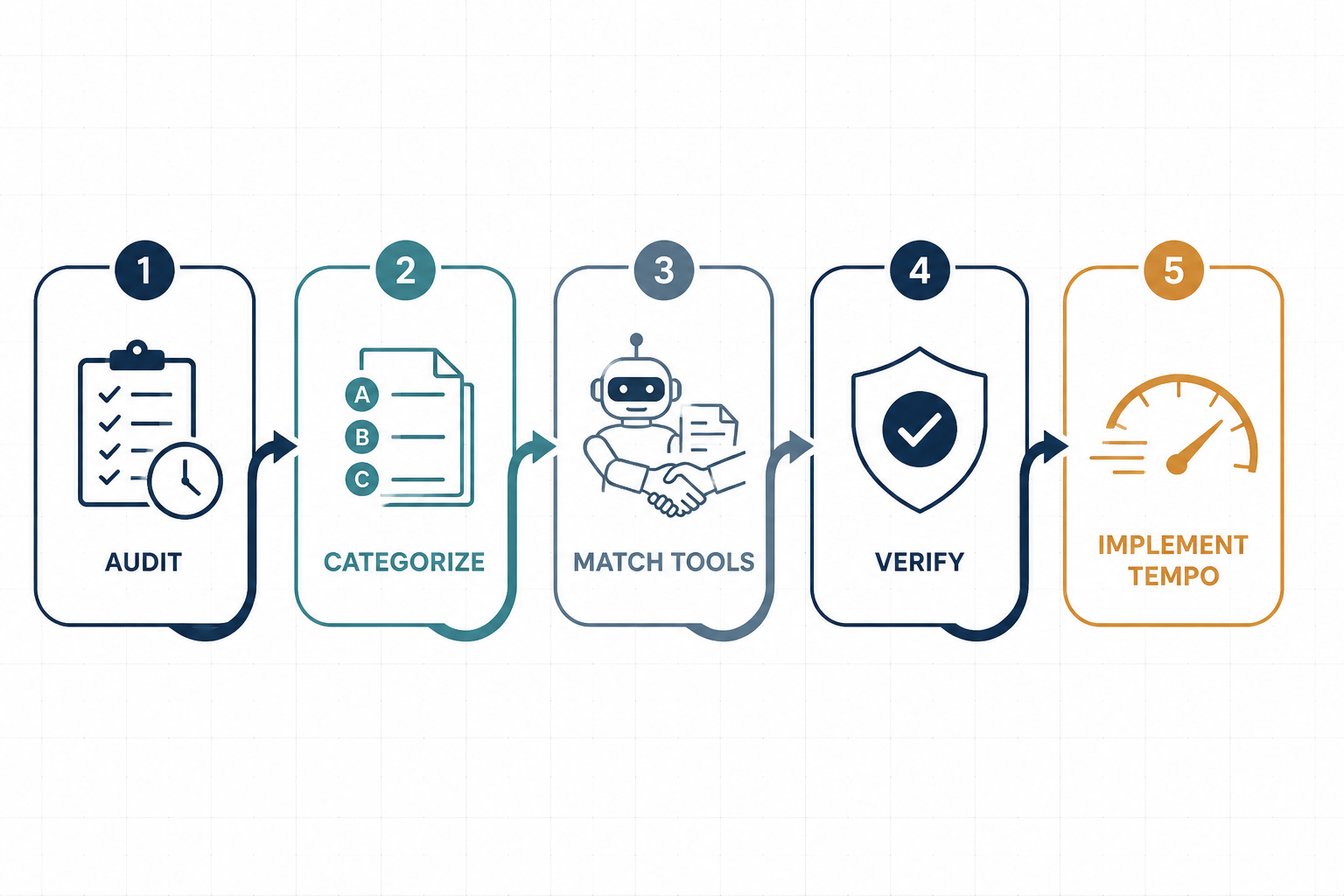
For most teams, the first useful audit can be done without new software. Pull a representative set of recent documents and record the following:
- Document type: NDA, services agreement, employment agreement, demand letter, research memo, pleading, discovery request, board material, policy, or client advisory.
- Trigger: who requests it, what information arrives at intake, and what is usually missing.
- Source material: template, precedent, clause bank, playbook, client instruction, statute, case law, or business facts.
- Human review path: drafter, first reviewer, subject-matter reviewer, client contact, business approver, final signer.
- Failure points: late corrections, inconsistent language, unsupported citations, wrong jurisdictional assumptions, missing approvals, or untracked deviations.
The goal is not to create a perfect process map. The goal is to stop treating every document as an equally suitable AI candidate.
Categorize Documents By Automation Readiness
Document categorization is where vague enthusiasm becomes operational judgment. A team does not need a philosophical position on AI legal work. It needs to know whether a specific type of document has enough structure, repeatability, authority, and review capacity to support a particular AI use.
A routine NDA and an appellate brief are both legal documents, but they do not belong in the same automation conversation. One may be driven by repeatable party information, standard clauses, and known fallback positions. The other may require legal theory, record-specific judgment, jurisdiction-sensitive research, and careful citation control. Treating both as “AI document drafting” hides the differences that matter.
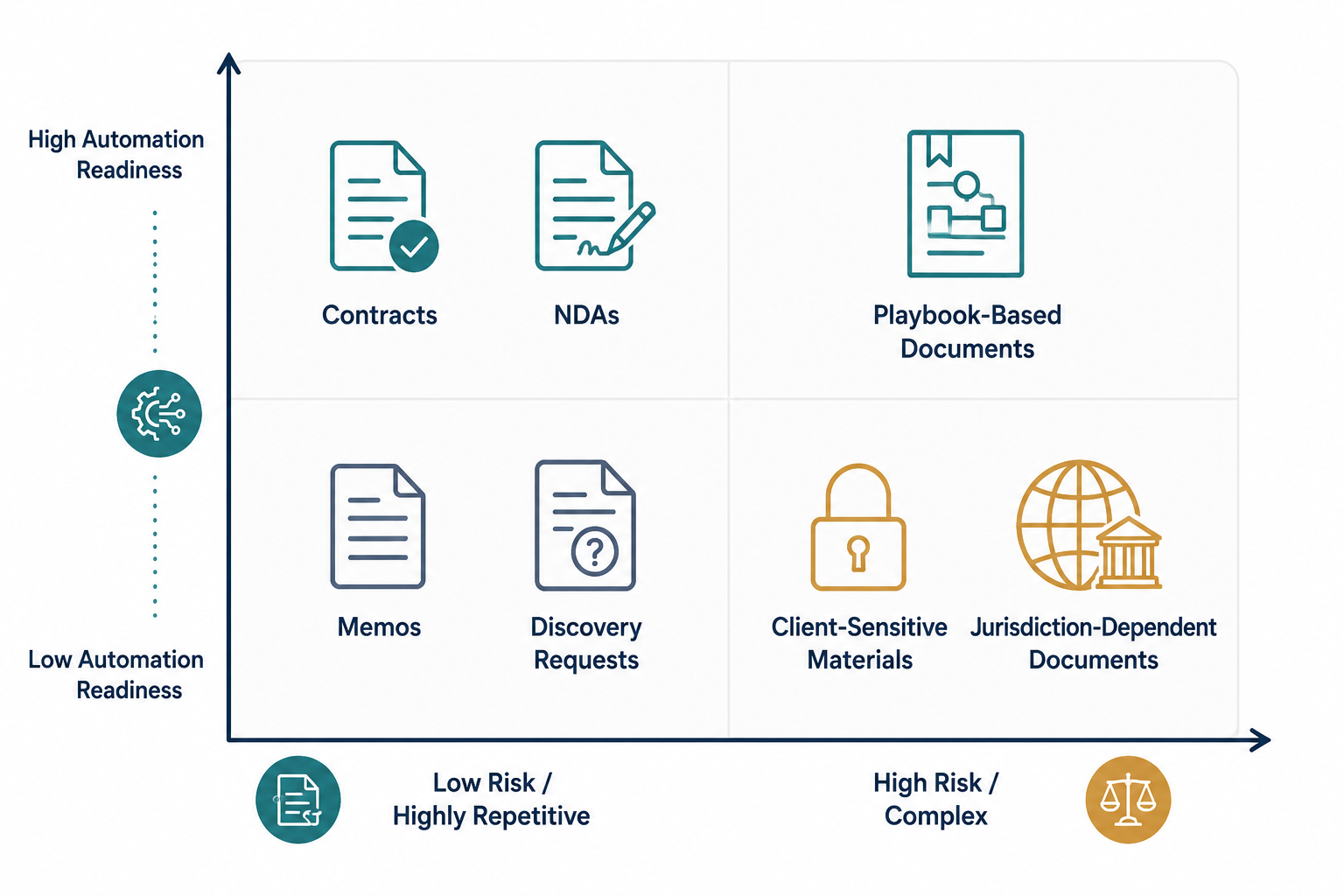
| Category | Usually Better AI Role | What Must Be True Before Scaling |
|---|---|---|
| High-volume, low-variation documents | First draft, field population, clause selection, formatting, comparison against standard terms | Templates are current, required inputs are known, and exceptions route to a lawyer |
| Playbook-driven contract review | Issue spotting, fallback suggestion, redline support, deviation summary | The playbook is specific enough to distinguish acceptable, negotiable, and prohibited language |
| Client-sensitive or business-sensitive documents | Summarization, checklist support, controlled drafting assistance | Confidentiality, privilege, access controls, and human approval are designed into the process |
| Jurisdiction-dependent legal analysis | Research support, outline generation, citation collection, issue framing | A lawyer independently verifies legal authority and jurisdictional fit |
| Novel, strategic, or high-stakes work | Limited support such as brainstorming, chronology building, or internal organization | The team does not let AI output substitute for legal judgment |
The playbook column is often where the system breaks. LegalOn’s 2026 survey found that 95% of teams reported gaps in their contract review playbooks, and 34% had no playbooks at all.[4] That does not mean AI contract review is impossible for those teams. It means the first implementation step may be knowledge capture, not automation.
A missing playbook creates two separate problems. The AI tool lacks a clear standard against which to evaluate language, and the human reviewer lacks a consistent basis for accepting, revising, or escalating the AI suggestion. The result can look efficient at the individual level while producing firmwide inconsistency.
For contract review, a workable categorization exercise should identify at least four things: the clauses that are almost always acceptable, the clauses that are acceptable only with conditions, the clauses that require escalation, and the clauses where the organization has no settled position. The last group is not an AI failure. It is a governance issue that AI exposes quickly.
A Practical Readiness Test
Before assigning AI a larger role in a document category, ask whether the team can answer these questions without relying on one person’s memory:
- What source of truth controls this document: template, statute, precedent, client instruction, business policy, or negotiated playbook?
- Which parts of the document are repetitive enough for AI assistance, and which parts require individualized legal judgment?
- What errors would be merely inefficient, and what errors would create legal, commercial, privilege, confidentiality, or client-relations risk?
- Who has authority to approve deviations from the standard approach?
- What evidence will show that the output was checked before it left the team?
If the answers are unclear, the document category may still be a good AI candidate for low-risk support tasks such as summarization, comparison, or checklist creation. It is not yet ready for heavier automation.
Match AI Tools To Workflow Roles
Once document categories are visible, tool selection becomes less abstract. A legal team is not choosing “AI.” It is assigning permitted AI roles inside a workflow.
| Workflow Role | Common Use | Main Control Question |
|---|---|---|
| Drafting support | Generate first drafts, clauses, outlines, letters, or internal memos | What source material and instructions control the draft? |
| Review support | Identify deviations, missing clauses, inconsistent terms, or playbook conflicts | Is the review standard specific enough for the tool and the lawyer? |
| Summarization | Condense contracts, discovery materials, correspondence, or policy documents | Does the summary preserve legally material details and uncertainty? |
| Redlining | Suggest edits, fallback clauses, or negotiation positions | Who approves the legal and business significance of each change? |
| Research support | Find issues, authorities, arguments, or starting points for analysis | How will citations and legal propositions be independently verified? |
| Playbook enforcement | Apply clause rules, escalation standards, and preferred positions | Is the playbook current, complete, and approved by the right stakeholders? |
This is also where vendor claims should be put in their proper place. A reported reduction in drafting or review time may justify a pilot, but it should not decide the workflow. Vendor-reported gains often reflect defined conditions, selected use cases, or mature deployment environments. A team with no current templates, no review taxonomy, and no escalation path should expect different results from a team with clean source material and disciplined reviewers.
For small firms that are still comparing products, a separate tool-selection process can evaluate security, integrations, pricing, practice-area fit, and support. But even then, the better sequence is workflow first, tool comparison second. Otherwise the firm buys features before deciding what legal work those features are allowed to perform.
Verification Is Not A Final Polish
Verification has to be designed into the workflow before AI output can move forward. This is the point where a document workflow either becomes institutional or remains a private habit.
The reason is not theoretical. Stanford RegLab’s 2024 benchmarks found that purpose-built legal AI tools still hallucinated on legal queries: Lexis+ AI and Ask Practical Law AI exceeded 17%, while Westlaw AI-Assisted Research exceeded 34% in the tested conditions.[5] Those results reflect 2024-era tools and may not describe every current product in 2026. They still support a durable operating point: a legal document workflow that does not specify independent verification is unfinished.
Professional responsibility guidance points the same way. ABA Formal Opinion 512 states that lawyers using generative AI tools should provide an “appropriate degree of independent verification or review” of AI outputs.[6] That language matters because it does not require lawyers to ban AI, and it does not excuse them from supervision. It requires a judgment about the task, the risk, the tool, and the output.
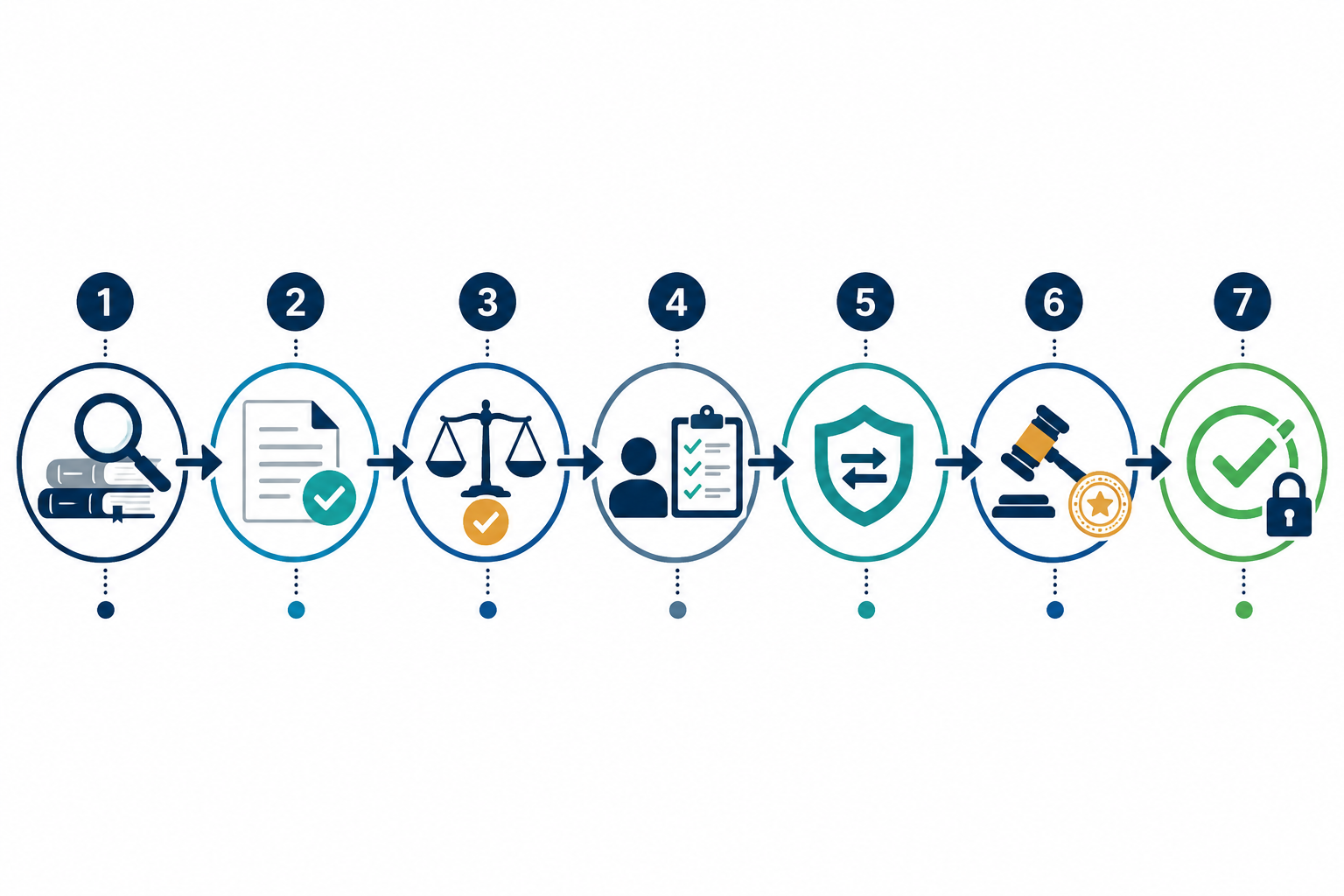
Clio’s Legal QC-style verification framework is useful here because it turns quality control into a sequence of checks rather than a vague instruction to “review carefully.”[7] Adapted for AI legal document workflows, a seven-step protocol can sit directly between AI-assisted production and release of the work product.
- Confirm the task boundary. The reviewer identifies what the AI was asked to do: draft, summarize, compare, redline, research, classify, or apply a playbook. A summary should not be treated as legal analysis, and research support should not be treated as verified authority.
- Check source materials. The reviewer confirms that the AI used the correct document set, template, client instruction, jurisdiction, playbook, or factual record. If the tool worked from incomplete inputs, the output should not advance until the missing material is supplied.
- Verify legal propositions and citations. Any statute, regulation, case, rule, quotation, deadline, or legal standard must be checked against authoritative sources. This step is mandatory for briefs, memos, demand letters, advice documents, and any client-facing analysis.
- Compare against the governing template or playbook. For contracts and standardized documents, the reviewer checks whether AI-suggested language follows approved positions, fallback terms, escalation rules, and prohibited provisions.
- Test facts, names, dates, amounts, and defined terms. AI-assisted drafting can introduce small inconsistencies that become expensive later. The reviewer should compare party names, cross-references, deal terms, dates, defined terms, and exhibits against the source record.
- Assess professional judgment. The responsible lawyer decides whether the output fits the client’s objective, risk tolerance, negotiation posture, jurisdiction, and procedural context. This cannot be delegated to the tool.
- Record review and approval. The workflow should preserve who reviewed the output, what was checked, what changed, and whether any issues were escalated. The record does not need to be elaborate, but it should be real enough that someone can reconstruct the quality-control path.
The verification level should vary by risk. A low-stakes internal summary may need source comparison and spot-checking. A court filing needs citation verification, factual verification, procedural review, and attorney signoff. A contract redline may need playbook comparison, business approval for deviations, and privilege or confidentiality checks before circulation.
The important point is that verification is not an after-the-fact instruction to be careful. It is a required workflow state. Until the output passes it, the document has not moved from AI-assisted draft to legal work product ready for use.
Choose An Implementation Tempo
After the audit, categorization, role assignment, and verification design, the team can choose how quickly to implement. The right tempo depends less on enthusiasm and more on process maturity.
| Tempo | Best Fit | Typical Timeframe | Main Risk |
|---|---|---|---|
| Pre-built playbooks | Teams that need fast standardization for common documents and can accept established rules as a starting point | 1-2 days | Adopting defaults without confirming they match the organization’s risk position |
| Hybrid rollout | Teams with partial templates, partial playbooks, or a few document categories ready for controlled pilots | 1-3 weeks | Scaling before exceptions and escalation paths are clear |
| Custom build | Teams with complex documents, governance needs, integrations, client-specific rules, or sensitive data flows | 3+ months | Overbuilding before proving which workflow steps create value |
A pre-built playbook approach can work when the organization’s priority is to impose a baseline quickly: for example, standard NDA review, routine vendor agreements, or first-pass clause issue spotting. The team should still document which positions are accepted as defaults and which require local legal approval.
A hybrid rollout is often the practical middle path. Pick a document category with meaningful volume, a known review burden, and manageable risk. Run the AI workflow beside the existing process for a limited period. Track where time is actually saved: intake, first draft, issue spotting, redline generation, reviewer handoff, client communication, or final quality control. If verification time increases, that is not automatically a failure; it may show that the workflow is surfacing issues that were previously invisible.
A custom build is justified when governance, integrations, permissions, data handling, or document complexity make a lighter approach unsafe or inefficient. It should not become a way to postpone every decision. Even custom programs need early document categories, named reviewers, and defined verification standards.
What The First Pilot Should Prove
A useful pilot does not try to prove that AI is impressive. It tries to prove that the team can run a controlled document workflow. That means the pilot should be narrow enough to observe and concrete enough to measure.
For a contract review pilot, the team might choose one agreement type, one business unit, one playbook, and one review path. For a drafting pilot, it might choose one recurring memo, advisory, or form document. For a litigation support pilot, it might limit AI to chronology building, deposition summary, or first-pass issue organization while keeping legal arguments and citations under traditional attorney review.
| Pilot Question | What To Look For |
|---|---|
| Did the AI step reduce a specific bottleneck? | Shorter first-draft time, faster issue spotting, fewer repetitive edits, or clearer reviewer handoff |
| Did verification catch material issues? | Incorrect law, unsupported citations, missing facts, bad clause interpretation, or inconsistent defined terms |
| Did reviewers apply the same standard? | Consistent escalation, consistent acceptance of fallback language, and fewer private reviewer preferences |
| Did the workflow preserve accountability? | Named reviewer, recorded approval, documented changes, and clear ownership of final work product |
| Did the team learn what to change next? | Playbook updates, template revisions, instruction changes, tool-role limits, or training needs |
The metrics should be modest and honest. Count cycle time, reviewer time, number of escalations, recurring error types, percentage of AI suggestions accepted after review, and points where attorneys abandoned the workflow. Adoption alone is not success. A lawyer using AI outside the workflow may be fast, but the organization still cannot explain how the document was checked.
Governance Belongs Inside The Workflow
Policies matter, but a policy that sits apart from daily document work is easy to ignore. Governance becomes more durable when it appears as ordinary workflow design: which tools are approved, which documents are excluded, which data cannot be entered, which outputs require attorney review, and which exceptions require escalation.
For US legal teams, the workflow should account for professional duties around competence, confidentiality, supervision, communication, and independent judgment. This article is informational and not legal advice; firms and legal departments should adapt the framework to their jurisdiction, client obligations, court rules, and internal risk requirements.
The governance record does not need to turn every document into a compliance project. It should answer practical questions: Was an approved tool used? Was confidential information handled under the right controls? Did the reviewer verify legal authority where required? Were deviations from playbook standards approved? Can the team reconstruct the final decision if a client, court, business stakeholder, or supervising attorney asks?
The Operating System For AI Legal Documents
A structured AI document workflow does not promise that every vendor time-saving claim will appear in a specific firm or legal department. It also does not eliminate hallucination risk, professional judgment, change management, or the politics of standardizing how lawyers work.
It does something more useful. It shows where AI belongs, where it does not belong yet, and who is responsible for moving a document from machine-assisted output to verified legal work product. Legal teams already experimenting with AI do not need to begin by buying more tools. They need to make document work visible, assign each AI intervention a role, and make independent verification a designed step rather than an afterthought.
References
- Axiom 2026 AI adoption data, Axiom, 2026.
- ACC/Everlaw in-house AI adoption data, ACC and Everlaw.
- Thomson Reuters CoCounsel data on legal drafting time and AI reduction potential, Thomson Reuters.
- LegalOn 2026 contract review survey, LegalOn, 2026.
- Stanford RegLab 2024 hallucination benchmarks for legal AI tools, Stanford RegLab, 2024.
- Formal Opinion 512, American Bar Association.
- Legal QC verification checklist framework, Clio.
Grounded in
This procedure is grounded in the cited rule or opinion, independent of any single documented case. See the Regulation tracker for the governing text.
Cases this step would have prevented
No cases have been explicitly linked to this checklist yet. See Risk Digest for documented incidents generally.
← Back to WorkflowsReport a correction or tip
Spotted an outdated figure, a misstated fact, or a ruling this workflow checklist should reflect? Public comments are disabled for this content given the professional cost of a misreported case outcome, penalty amount, or rule text — use the structured correction channel instead.
Report a correction or tip for this record →