
Verify Student Loan Discount and Forgiveness Eligibility in 2026
A step-by-step verification procedure for student loan discount and forgiveness programs under the 2026 post-SAVE rules, covering loan type, employer, payment counts, and the evidence trail needed to protect benefits and pursue remedies if disputes arise.
- Applicable role
- borrower
- Workflow stage
- pre-filing
- Primary source
- One Big Beautiful Bill Act; U.S. Dept. of Education auto-pay notice (June 18, 2026)
Non-advice disclaimer: This article is a verification workflow, not legal, tax, or financial advice. It cannot determine your eligibility, preserve a claim, or guarantee that a servicer, the Department of Education, an ombudsman, or a court will agree with your position. If a deadline, disputed count, discharge claim, default consequence, or employment issue could affect your legal rights, get advice from a qualified professional using your own documents.
Last verified: July 31, 2026 (UTC). Because 2026 repayment-plan rules are still being implemented, recheck StudentAid.gov and your servicer account before relying on any deadline or plan status.

A borrower can be “in PSLF,” “on IDR,” “set up for autopay,” and “covered by a forgiveness rule” in ordinary conversation while still missing the thing that will matter later: dated proof that each eligibility element was true when it needed to be true. Searches for student loan discount programs legal options often start after something has already gone wrong. The safer sequence is to build the proof file first, while the tracker, notice, employer certification, and aid data are still available.
The urgency is not theoretical. A federal court order dated March 10, 2026 vacated the SAVE Final Rule; the Department of Education began notifying roughly 7.5 million SAVE borrowers on March 27, 2026; and servicer 90-day SAVE exit notices began July 1, 2026, with non-responsive borrowers subject to automatic placement into the Standard or new Tiered Standard plan.[1][2][3] Brookings separately described SAVE as covering about 7.8 million borrowers with $429 billion in balances as of roughly March 2024, a useful reminder that different counts can be correct for different dates and definitions.[4]
The verification file should answer one question at a time, in the same order a later reviewer is likely to ask it: What loan is this? What plan is it on? Who employed the borrower? Which months counted? Was the discount actually applied? What dated document proves each answer?
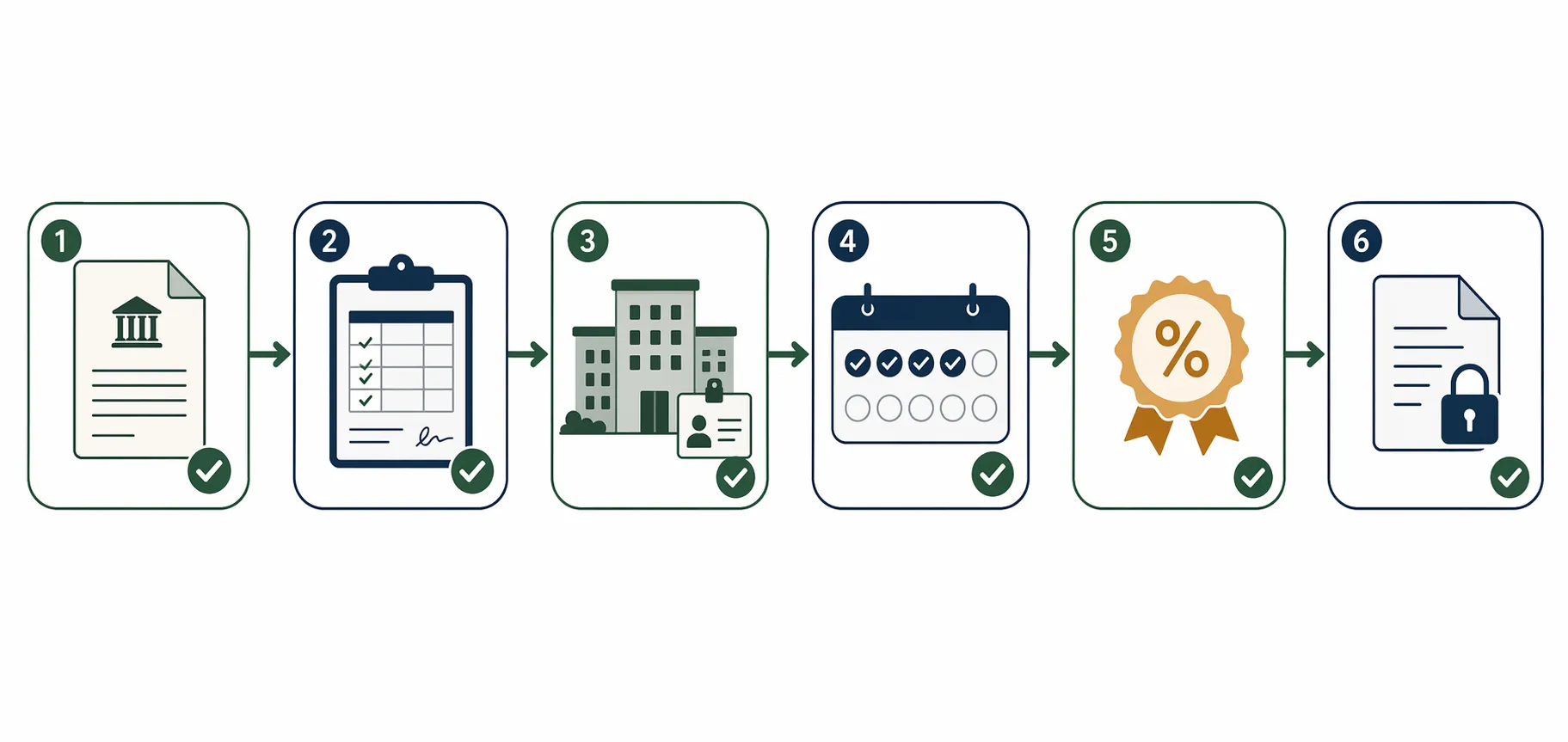
| Verification gate | Where to verify | Record to save |
|---|---|---|
| Benefit you are trying to protect | StudentAid.gov dashboard, servicer account, employer records, prior forgiveness or discharge application | One-page dated checklist naming the benefit: PSLF, IDR forgiveness, borrower defense or discharge, autopay interest-rate reduction |
| Loan type | StudentAid.gov loan details and Download My Aid Data | Downloaded aid file, loan-detail screenshots, consolidation application or consolidation notice if applicable |
| Repayment plan status | StudentAid.gov, servicer plan page, IDR application status, SAVE exit notice | Plan-name screenshot, notice PDF, IDR application confirmation, payment schedule |
| Employer and employment period | PSLF Help Tool, employer EIN records, authorized official signature or electronic certification | Submitted PSLF form, EIN screenshot or payroll document, Help Tool output, employer response |
| Payment or qualifying-month count | PSLF tracker, IDR tracker, servicer payment history | Tracker screenshots before and after changes, payment history export, reconsideration or buyback submissions |
| Autopay discount | Servicer billing statement and autopay enrollment page | Autopay confirmation, dated interest-rate disclosure, first bill showing the reduction |
| Escalation record | Servicer secure messages, reconsideration portal, FSA complaint or Ombudsman records, congressional caseworker intake | Complete timeline, case numbers, uploaded exhibits, dated responses |
Start by naming the benefit, not the program family
“Forgiveness” is too broad to verify. A PSLF borrower needs proof of qualifying employment and qualifying payments. An IDR-forgiveness borrower needs proof of loan type, plan status, and credited months. A borrower relying on a discharge or borrower-defense-related route needs a different application and school-record file. A borrower trying to preserve the 2026 autopay reduction needs proof of enrollment and the billing-rate change.
Make the first page of the file boring and explicit. It should say, for example: “Benefit being verified: PSLF. Loans: Direct Unsubsidized and Direct Consolidation. Employer: state legal-aid organization, EIN confirmed. Current plan: IBR application pending after SAVE exit notice. Evidence last downloaded: July 31, 2026.” That page is not a substitute for eligibility. It prevents the later file from becoming a pile of unrelated screenshots.
If you are coming to this after an IDR application, income calculation, or family-size error, use the verification steps in How to Verify and Reapply After an IDR Calculation Error for the application-status and paper-trail work, then return to the loan, plan, employer, and count checks below.
Gate 1: Prove the loan is in the right category
Loan type is the first failure point because many forgiveness paths do not begin with the borrower’s job, income, or payment history. They begin with whether the debt is a Direct Loan. PSLF and many federal discharge routes generally require Direct Loans; borrowers with FFEL or Perkins loans usually need to consolidate before those loans can qualify for PSLF treatment.[5][3][1]
Do not verify this from memory or from the name of the servicer. Log in to StudentAid.gov, open the loan detail for each loan, and download the full aid file using Download My Aid Data. Save the file without editing it, then save a working copy with the download date in the filename. The working copy can be marked up; the original should remain untouched.
- For each loan, record the loan type exactly as shown, not a shorthand such as “federal loan.”
- Record the disbursement date and consolidation date, if any.
- For consolidation loans, preserve the consolidation application, approval notice, and the before-and-after loan list.
- If a servicer dashboard and StudentAid.gov disagree, screenshot both on the same day and request written clarification.
Parent PLUS loans require extra care. The sources available for this article do not align cleanly on the borrower-facing consolidation deadline. One source reports that Parent PLUS borrowers lose access to income-driven repayment and PSLF unless consolidated before a July 1, 2026 deadline, while another public-service-loan summary has cited a pre-April 1, 2026 consolidation point under OBBBA.[1][3][6] Treat that conflict as a reason to verify against current StudentAid.gov guidance before relying on any deadline. Do not tell a Parent PLUS borrower that a deadline is safe based on an undated summary.
A borrower-defense or school-discharge file should still begin with the same loan inventory. The discharge theory may turn on school conduct, but the administrative record will still need to connect the application to specific federal loans, attendance dates, program information, and any Department or servicer notice. If a StudentAid.gov borrower-defense or settlement page is being used for final numbers or deadlines, verify it directly before relying on it.
Gate 2: Verify the repayment plan during the SAVE exit window
The post-SAVE problem is not just that a familiar plan disappeared. It is that a borrower can be between notices, applications, and automatic fallback rules while still believing that earlier IDR progress is continuing. Time in SAVE forbearance does not count toward PSLF or IDR forgiveness, and interest on SAVE balances resumed accruing August 1, 2025.[2][4]
Open the repayment-plan page and save the plan name exactly as displayed. If you received a SAVE exit notice, save the notice, the date it was sent, the response deadline, and any selection you made. For a fuller rule timeline and the 90-day-notice context, keep What SAVE Plan's Demise Means for Student Loan Repayment nearby, but the operative evidence is still your own notice and account record.
Under the One Big Beautiful Bill Act sources cited here, IBR remains available for loans disbursed before July 1, 2026, and the partial-financial-hardship requirement is removed. PAYE and ICR phase out by July 1, 2028. RAP becomes the income-driven plan for borrowers with any loan taken on or after July 1, 2026.[1][2][5]
For RAP, preserve the source you used to understand the payment formula. TICAS gives the more detailed public table among the cited sources: payments from 1% to 10% of adjusted gross income, a $50-per-dependent reduction, a $10 monthly minimum, a 30-year term, an interest waiver, and a principal match.[1] Broader descriptions that refer only to income and dependents are not wrong for orientation, but they are not enough for a borrower trying to verify a bill.
| If your account shows | Do this before relying on it |
|---|---|
| SAVE forbearance | Save the forbearance notice, confirm whether months are credited toward PSLF or IDR, and document any application submitted to move into IBR or RAP. |
| Standard or Tiered Standard after no response | Save the exit notice and account page showing the fallback plan; confirm whether that plan advances the forgiveness benefit you are trying to protect. |
| IBR | Save the approval notice, payment schedule, recertification date, and any income documentation used. |
| PAYE or ICR | Save the current plan page and any phaseout notice; calendar the July 1, 2028 phaseout date cited in the current guidance. |
| RAP | Save the plan approval, formula disclosure, dependent count used, and first bill under the plan. |
A plan-selection screen is not the same thing as enrollment. Keep the application confirmation, the processing status, the approval or denial notice, and the first bill issued under the new plan. If the servicer later says the borrower failed to respond to a SAVE exit notice, the response record will matter more than a recollection that the borrower clicked through the portal.
Gate 3: Verify the employer before fighting over the count
For PSLF, employment verification should come before payment-count argument. A borrower can make years of on-time payments and still lose the PSLF month if the employer, employment period, full-time status, or certification record does not support the month. The PSLF Help Tool, employer EIN, authorized-official capture, and annual Employment Certification Form cadence are the practical anchors.[6][5]
- Run the employer through the PSLF Help Tool and save the output.
- Capture the employer EIN from payroll, W-2, or the employer record used in the Help Tool.
- Save the name, title, email address, and signature method for the authorized official.
- Submit or update the PSLF form annually and whenever changing jobs.
- After submission, save the confirmation, the processed form, and the tracker update that follows.
The July 1, 2026 PSLF rules add another reason to keep the employer record specific. ED has authority under the new rule materials to disqualify employers organized for a “substantial illegal purpose.”[6][5] That does not mean ordinary borrowers should assume their public-service employer is suspect. It means the file should identify the legal employer, EIN, job dates, and certification source clearly enough that a later change in employer treatment can be isolated from ordinary payment-count errors.
Legal-aid organizations, government offices, nonprofit hospitals, public defenders, and law-school clinics often have staff turnover in HR and finance offices. A clean PSLF record should not depend on the one person who knew how to certify the form in 2021. Save the processed certification while the employer relationship is still easy to prove.
Gate 4: Lock down PSLF and IDR payment counts while the tracker exists
Payment counts move. Sometimes they move because a form was processed correctly. Sometimes they move because a servicer transition, plan change, consolidation, forbearance classification, or employer certification changed the credited month. A borrower who has only a current dashboard has a weaker file than a borrower who has before-and-after tracker screenshots with dates, loan names, and the account identifier visible.
For PSLF, save the tracker at predictable moments: before submitting a new employment certification, after it is processed, before requesting reconsideration, after any reconsideration decision, before consolidation, after consolidation, and before leaving a qualifying employer. Student Loan Planner’s PSLF checklist materials emphasize the same practical record set: tracker review, employer certification, loan and plan verification, and escalation where counts do not match.[7]
For IDR forgiveness, preserve the IDR tracker and any month-credit explanation. The 2026 transition adds an additional count problem: the sources cited here describe one-way credit math between IBR and RAP, so a move between plans should be documented with the plan before, plan after, credited months before the move, and credited months after the move.[1]
- Screenshot the full tracker page, not only the total number.
- Include the browser date or system date where possible.
- Save the servicer payment history as a file, not only as images.
- Keep bank confirmations only as backup; the servicer and ED records will usually control the administrative count.
- If a month is missing, label the dispute by month, loan, employer, plan, and payment status.
PSLF buyback deserves its own folder if it is part of the strategy. Save the request, the months identified, the employment certifications covering those months, any servicer or ED response, and proof of any payment made under a buyback offer. NASFAA reported that ED’s first status report showed 49,318 pending PSLF buyback applications, while other public reports have cited larger pending figures at later dates; use the date attached to any backlog number instead of treating a single figure as permanent.[8]
The count file should be organized so a reviewer can answer the dispute without reconstructing the borrower’s life. A useful naming convention is simple: “2026-07-31_PSLF-tracker_before-ECF.pdf,” “2026-08-15_servicer-response_missing-May-2024.pdf,” and “2026-08-20_PSLF-reconsideration-submission.pdf.” Precision in filenames will not win a dispute by itself, but it reduces the chance that the strongest exhibit is missed.
Gate 5: Confirm the 2026 autopay interest-rate reduction on the bill
The student-loan “discount program” most borrowers will encounter in 2026 is the autopay interest-rate reduction. ED announced on June 18, 2026 that auto-pay enrollees receive a 1% interest-rate reduction from July 1, 2026 through June 30, 2028, made up of the existing 0.25% reduction plus an additional 0.75% reduction.[9]
For loans originated after July 1, 2012, ED and the borrower-facing summaries cited here state that enrollment is needed by September 30, 2026 to receive the reduction.[9][2] The record to keep is not only the autopay enrollment confirmation. Save the disclosure showing the interest-rate reduction, the bank authorization, the first billing statement after enrollment, and the payment confirmation showing that autopay actually ran.
| Autopay item | Evidence to preserve |
|---|---|
| Enrollment | Confirmation page or email with date and servicer account identifier |
| Eligibility date | Loan origination date from StudentAid.gov or Download My Aid Data |
| Rate reduction | Billing statement showing the rate before and after the 1% reduction |
| Payment execution | Bank debit confirmation and servicer payment posting |
| Cancellation or failure | Notice of failed debit, revoked authorization, or missed discount month |
If the rate reduction is missing, ask in writing for the servicer’s basis: Was the loan excluded, was enrollment late, did the bank authorization fail, or has the statement not yet updated? A phone representative’s statement that the discount “should apply” is not evidence that it did.
Gate 6: Preserve borrower-defense and discharge records as claim files, not dashboard notes
Borrower defense and related discharge issues should not be folded casually into a PSLF or IDR checklist. They may involve different facts: school representations, enrollment dates, program materials, accreditation statements, job-placement claims, complaints, settlement notices, or Department decisions. Still, the verification discipline is the same. Identify the loans, identify the school and program, identify the application or discharge route, and preserve dated source documents.
- Save the application or claim as submitted, including attachments.
- Save the school name, campus, program, attendance dates, and loan disbursement dates.
- Save Department or servicer notices separately from advocacy-group summaries.
- If a settlement, court action, or StudentAid.gov announcement is relevant, verify the current official page before relying on dates or coverage.
- Keep payment-status records during the claim; a pending application is not the same thing as a completed discharge.
The point is not to turn every borrower into a litigator. It is to prevent a later dispute from depending on a memory of what a school recruiter said, what a dashboard once showed, or what a call-center employee predicted.
Build the evidence file before the dispute
The best verification file has three layers. The first layer is primary account data: Download My Aid Data, StudentAid.gov loan details, servicer payment histories, tracker screenshots, and official notices. The second layer is benefit-specific proof: PSLF forms, employer EIN records, IDR application confirmations, RAP or IBR plan approvals, autopay disclosures, borrower-defense submissions. The third layer is correspondence: secure messages, uploaded documents, case numbers, and written responses.
Date discipline matters. Save the document as received, then make a dated copy for notes. If the servicer portal changes, take a new screenshot rather than overwriting the old one. If a tracker changes after an employer certification, preserve both versions and the certification that caused the change.
- Use filenames beginning with YYYY-MM-DD.
- Keep PDFs of notices and screenshots of pages that may not export.
- Keep a running timeline with one line per event: notice received, form submitted, count changed, complaint filed, response received.
- Do not rely on phone calls unless followed by a written confirmation or secure-message summary.
- If default or collection risk appears, preserve every delinquency, acceleration, offset, wage-garnishment, or collection notice and review Student loan default legal consequences in 2025–2026.
Administrative failure is not rare enough to ignore, especially for borrowers who are older, managing multiple servicer histories, or relying on paper notices. The access problems discussed in Why Older Borrowers Don't Access Available Student Loan Debt Relief are another reason to keep the verification file simple enough that a spouse, attorney, counselor, or caseworker can understand it without the borrower narrating every step.
When verification fails: the escalation ladder
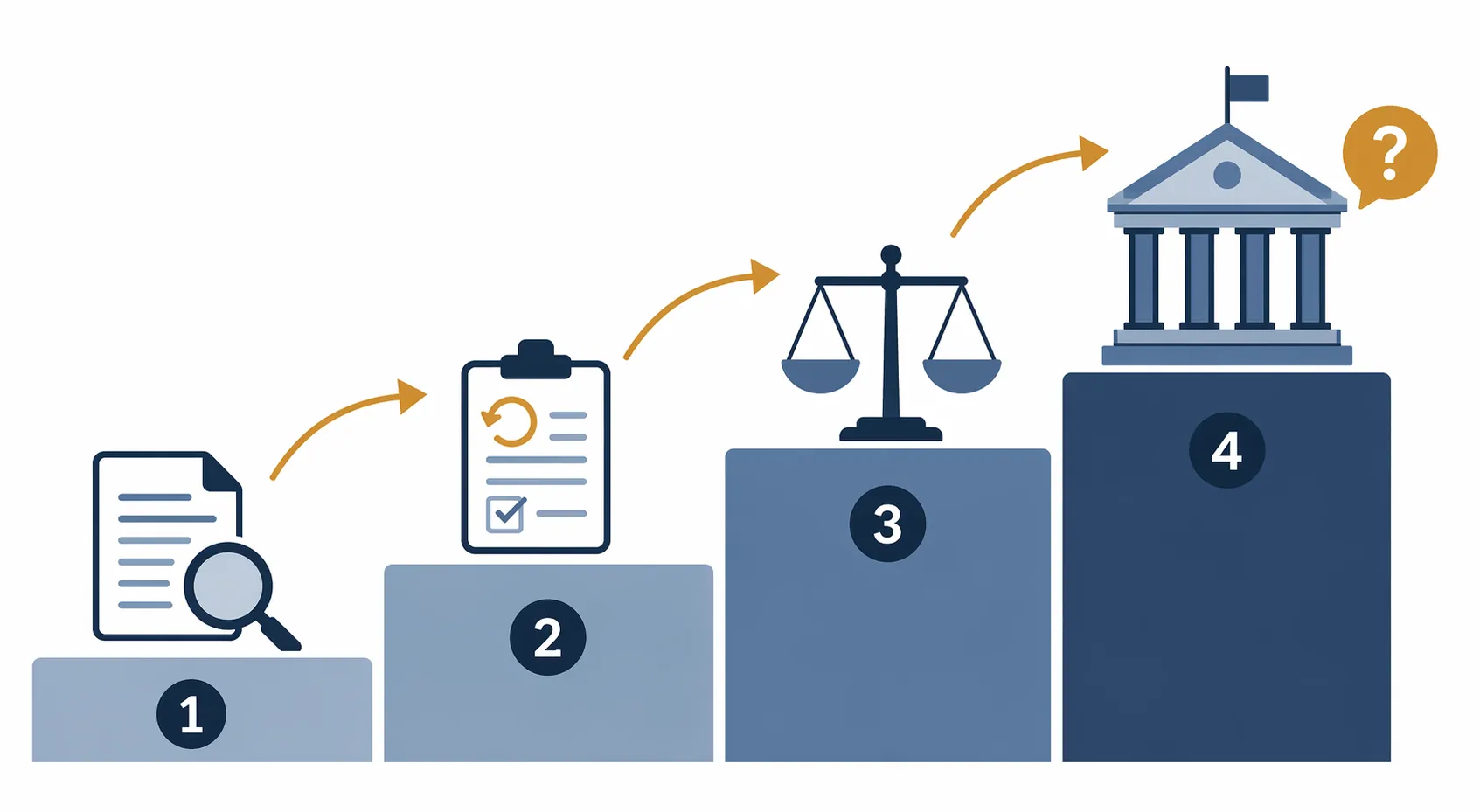
Legal options in this setting usually begin with administrative proof, not a lawsuit. A borrower who wants a count corrected, a PSLF denial reconsidered, an IDR application fixed, or a discount applied needs a clean sequence of written requests and dated exhibits. None of the steps below guarantees a remedy, but each one is stronger when the earlier verification gates have been preserved.
- Servicer review. Start with the servicer if the problem is a missing payment, wrong plan label, missing autopay reduction, incorrect bill, or account-level processing issue. Identify the disputed month, loan, plan, and document. Ask for a written response.
- PSLF reconsideration. Use this when the PSLF count, qualifying-employment decision, or qualifying-payment determination is wrong after the servicer or ED record has updated. Attach the PSLF form, employer proof, tracker screenshots, and month-by-month explanation. PSLF reconsideration and buyback are recognized escalation routes in borrower-facing PSLF guidance materials.[5][7]
- FSA complaint or Ombudsman route. If the servicer response is incomplete, contradictory, or unresolved, file a complaint through Federal Student Aid and keep the complaint number, upload log, and response. Use the timeline and exhibits already built rather than drafting a new narrative from memory.
- Congressional caseworker help. If the account remains stuck after ordinary escalation, a congressional constituent-services office may be able to request a status review. Provide the same organized file: identity authorization, short timeline, issue statement, prior case numbers, and exhibits. Do not expect the caseworker to adjudicate eligibility.
- Legal counsel. If the dispute involves missed statutory or regulatory deadlines, default consequences, wage garnishment, tax refund offset, disability, bankruptcy strategy, borrower-defense litigation, or a material professional-risk issue, bring the file to counsel. The file does not replace legal advice; it makes advice possible.
A thin file leaves everyone room to say “check later.” A dated verification file narrows the disagreement: the loan was this type on this date, the plan showed this status, the employer was certified through this period, the tracker showed this count before it changed, and the discount did or did not appear on this bill. In 2026, that is the borrower’s strongest protection.
References
- Upcoming Changes to Income-Driven Repayment Plans, TICAS
- SAVE Lawsuits, NerdWallet
- PSLF, AFT
- How are legal challenges to SAVE affecting the student loan program?, Brookings
- How to Apply for Student Loan Forgiveness, Tate
- Public Service Loan Forgiveness, finaid.org
- PSLF Checklist, Student Loan Planner
- Duplicative PSLF Buyback Applications Could Reduce Ongoing Processing Backlog, NASFAA
- U.S. Department of Education Announces Student Loan Interest Rate Reduction, U.S. Department of Education, June 18, 2026
Grounded in
This procedure is grounded in One Big Beautiful Bill Act; U.S. Dept. of Education auto-pay notice (June 18, 2026), independent of any single documented case. See the Regulation tracker for the governing text.
Cases this step would have prevented
No cases have been explicitly linked to this checklist yet. See Risk Digest for documented incidents generally.
← Back to WorkflowsReport a correction or tip
Spotted an outdated figure, a misstated fact, or a ruling this workflow checklist should reflect? Public comments are disabled for this content given the professional cost of a misreported case outcome, penalty amount, or rule text — use the structured correction channel instead.
Report a correction or tip for this record →