
For lawyers and AI, the practical question is no longer whether anyone in the profession is experimenting. They are. The harder question is whether a firm can turn that experimentation into a repeatable workflow without creating a confidentiality problem, a bad citation, an unsupervised work product, or a billing surprise.
The gap is already visible. Thomson Reuters reported in 2026 that 41% of law firms and 47% of corporate legal departments were using generative AI, up from 28% and 23% the year before.[1] At the individual level, one reported data point is even sharper: 69% of legal professionals said they used generative AI individually, while only 9% of firms had an enforced AI policy.[2] That is not a strategy. It is a risk allocation plan, usually written after something goes wrong.
The disciplined starting point is narrower than many vendor decks suggest: begin with AI features already available in the software the firm uses, prioritize the legal workflows with the strongest documented adoption, and require human verification for any output that can affect legal judgment, client advice, court filings, contracts, or billing.
Start Where Legal Work Already Repeats
AI is easiest to govern when the underlying work is already familiar. A firm does not need to begin with an ambitious all-practice rollout. It needs to find the places where lawyers and staff already read, sort, summarize, compare, or draft from known materials, then decide exactly where AI may assist and where a human must take over.
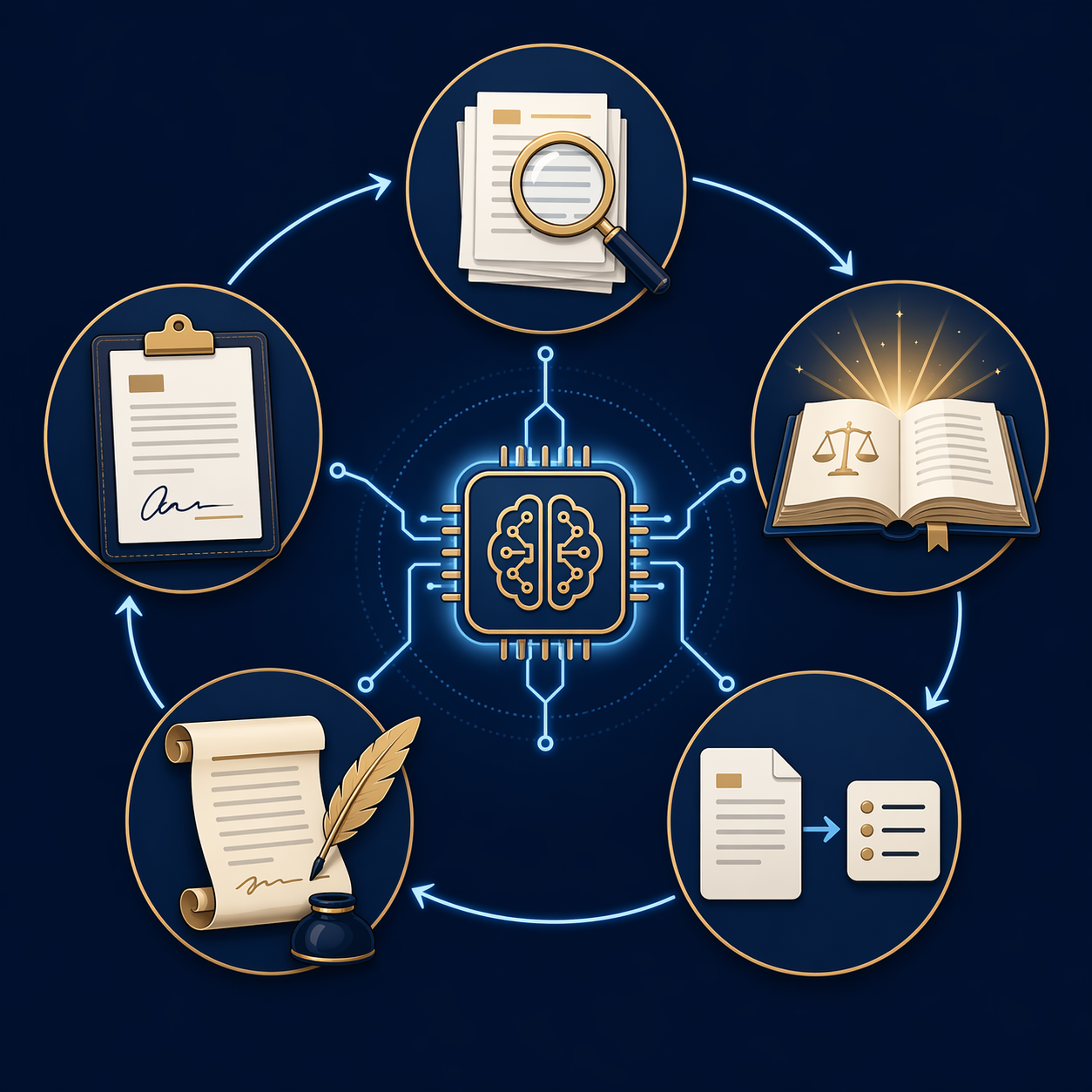
The strongest practical map comes from the use cases legal professionals are already adopting. In a Thomson Reuters survey of more than 1,800 professionals, the highest-frequency uses were document review, legal research, document summarization, brief drafting, and contract drafting.[1]
| Workflow | Reported adoption | What AI can reasonably do first |
|---|---|---|
| Document review | 77% | Triage, classify, flag issues, surface potentially relevant material |
| Legal research | 74% | Generate research paths, summarize authorities, identify issues for lawyer review |
| Document summarization | 74% | Condense pleadings, correspondence, deposition excerpts, contracts, or record materials |
| Brief drafting | 59% | Create first-pass structure, issue outlines, argument drafts, or factual summaries |
| Contract drafting | 58% | Produce clause variants, compare language, identify missing terms, prepare redlines |
Those numbers should not be read as proof that every use is effective in every firm. They show where adoption is already concentrated. That is still useful, because it keeps a small or midsize firm from starting with abstract transformation work when the better first question is much plainer: which recurring task can we define tightly enough to supervise?
Use Case 1: Document Review
Document review is the natural first candidate because it already has stages: collect, process, search, classify, review, produce, withhold, and log. AI can fit into that sequence without pretending to be the lawyer. It can group similar documents, suggest issue tags, identify names or dates, and highlight material that may deserve closer attention.
The integration point should be explicit. For example, AI may perform first-pass classification, but a reviewer decides responsiveness, privilege, confidentiality designation, and production treatment. If the firm cannot say which decisions remain human decisions, the workflow is not integrated; it is merely automated in a place no one has mapped.
This is also where time savings can be real without being magical. Everlaw reported that nearly half of legal professionals using generative AI saved 1 to 5 hours per week; those saving 5 hours per week reclaimed about 260 hours, or 32.5 working days, annually.[3] In review-heavy matters, even modest reductions in sorting and summarizing can matter. The firm still has to decide whether those hours become lower client cost, more review depth, more capacity, or simply less late-night brute force.
Use Case 2: Legal Research
Legal research is attractive because it promises speed at the exact point where lawyers feel pressure: finding a starting point, understanding a doctrine, locating adverse authority, or turning a messy issue into a research plan. It is also the workflow where verification must be designed before anyone celebrates the saved hour.
A preregistered Yale and Stanford study published in the Journal of Empirical Legal Studies found that leading legal-specific AI research tools hallucinated 17% to 33% of the time on legal research queries during the 2024-2025 study period.[4] That figure should not be frozen as a permanent current rate for every model or tool. Products change. Models change. Retrieval systems improve. But the documented result is enough to settle the workflow question: legal research output from AI requires independent verification.
A workable research workflow separates generation from authority. AI may suggest search terms, summarize a line of cases, draft a preliminary rule statement, or identify issues the lawyer should investigate. A lawyer or trained legal professional must then confirm that every cited authority exists, remains good law, supports the proposition stated, and applies in the relevant jurisdiction and procedural posture.
Firms that need a more granular research-checking process can use the internal guide to an AI legal research verification workflow. For a broader look at the accuracy evidence behind this issue, the data synthesis on AI legal research accuracy is the better detour.
Use Case 3: Document Summarization
Summarization is often the least glamorous use case and one of the most useful. Lawyers and paralegals routinely need to compress long materials into something another person can act on: a partner needs the status of a record, a client needs the gist of a letter, a litigator needs the key testimony, a transactional lawyer needs the business terms buried in a draft.
The main design choice is whether the summary is for internal orientation or external reliance. An internal summary of a long document set can tolerate more roughness if the user knows it is a map, not the territory. A client-facing summary, a board memo, a settlement analysis, or a filing section needs source-linked review. The AI output should point back to the exact document, page, section, or excerpt that supports the summary.
A simple rule helps: no unsupported compression. If a summary says a witness admitted something, a reviewer should be able to click or cite the transcript location. If a contract summary says termination is available for convenience, a lawyer should verify the clause and conditions. The time saved by summarization disappears quickly if someone later has to reconstruct where the statement came from.
Use Case 4: Brief Drafting
Brief drafting is where firms are most likely to confuse a faster first draft with a finished legal product. AI can help outline issues, reorganize facts, test argument flow, and turn verified research notes into a draft section. It should not be treated as an authority engine that sends citations straight into a filing.
The safe workflow starts before drafting. The lawyer identifies the issue, jurisdiction, procedural posture, record materials, and verified authorities. AI can then work inside that bounded set: draft the background from supplied facts, suggest headings, convert research notes into prose, or generate an opposing-argument checklist. After that, human review is not a single skim. It includes factual verification against the record, citation verification, legal reasoning review, tone review, and compliance with court rules.
Court-facing work deserves its own caution because filing rules continue to evolve. Lawyers handling pleadings, motions, and briefs should track the current regulatory landscape through the firm’s own courts and, where useful, a maintained resource such as the guide to 2026 AI court-filing rules for attorneys. The operational point is simple: no court filing should depend on an AI-generated representation that has not been checked by a responsible lawyer.
Use Case 5: Contract Drafting
Contract drafting can benefit from AI because much of the work involves pattern recognition: identifying standard clauses, comparing versions, locating missing provisions, and adapting language to a known deal structure. The danger is that contract language often looks plausible before anyone has tested whether it matches the client’s risk position.
A bounded workflow gives AI a narrower role. The lawyer supplies the transaction type, client position, governing law assumptions, fallback terms, and preferred clause bank where one exists. AI may propose language or flag inconsistencies. The lawyer reviews commercial fit, enforceability, defined terms, cross-references, negotiation history, and conflicts with the client’s instructions.
Contract AI is most useful when it reduces the number of places a lawyer must look, not when it becomes the final drafter. A missed indemnity carveout, an inconsistent renewal term, or a quiet change in limitation-of-liability language is not a formatting problem. It is a client-risk problem.
Begin With Software the Firm Already Has
For many firms, the most practical first implementation is not a new procurement project. The NCBA Center for Practice Management’s 2026 adoption guide recommends starting with AI features already embedded in existing software, including productivity suites and practice management platforms, before evaluating new tools.[5]
That advice is less exciting than a platform launch, but it solves a common small-firm problem. Lawyers are more likely to test a defined workflow inside software they already open every day. Staff are easier to train. Data-handling questions are easier to ask because the vendor relationship already exists. The firm also learns what it actually needs before buying a specialized tool.
This does not mean purpose-built legal AI is unnecessary. Some firms will need legal research systems, document review platforms, contract analysis tools, or practice-area-specific products. But procurement should follow workflow knowledge, not replace it. Before comparing vendors, the firm should know which task it is improving, what data the tool will process, who reviews the output, and what accuracy or audit features matter. The internal framework on how to evaluate legal AI software is a better next step once those questions are concrete.
Turn Individual Use Into a Controlled Workflow
A firm does not need a fifty-page AI manual before allowing any responsible use. It does need enough structure that two lawyers doing the same task do not create two different risk profiles. The first implementation can be modest if the boundaries are written down.
- Name the task: for example, first-pass deposition summary, research issue spotting, contract clause comparison, or internal memo drafting.
- Define the AI role: drafting, summarizing, searching, classifying, comparing, or reviewing.
- Identify the permitted inputs: public law, firm templates, client documents, discovery materials, anonymized facts, or no confidential information.
- Set the human review point: who checks the output, against what source, and before what downstream use.
- Record prohibited uses: unsupervised legal advice, unverified citations, confidential uploads to unapproved systems, or client-facing work without review.
- Revisit the workflow: update it when tools, court rules, client requirements, or firm risk tolerance change.
The difference between casual use and workflow integration is accountability. If a paralegal uses AI to summarize medical records, who approves the prompt? Which system is allowed? Are the records permitted in that system? Does the summary need page references? Who checks them? Where is the final summary stored? Those questions are not bureaucratic decoration. They are the controls that make the same gain repeatable next Tuesday.
General-purpose tools also need boundaries. A lawyer using a chatbot to brainstorm a deposition outline is doing something different from uploading client documents, asking for jurisdiction-specific law, or pasting output into a client email. Firms that allow general-purpose AI should give lawyers practical examples by use category. The guide on how to use ChatGPT for law can help separate lower-risk brainstorming from work that requires tighter controls.
Build Verification Into the Work, Not After It
Verification is the cost of using AI in legal work. Treating it as a temporary inconvenience misunderstands the tool. AI can accelerate movement through text, but legal work still turns on authority, facts, duties, and consequences. Someone must be responsible for checking those things.
| AI output | Required verification |
|---|---|
| Case citation or quotation | Confirm the case exists, quote is accurate, citation is correct, and authority remains good law. |
| Rule statement | Check that cited authority supports the proposition in the relevant jurisdiction and context. |
| Factual summary | Trace statements to the record, document, transcript, correspondence, or client-provided source. |
| Contract clause | Review defined terms, cross-references, governing law assumptions, client position, and negotiation history. |
| Client-facing explanation | Confirm accuracy, privilege and confidentiality treatment, scope of advice, and tone. |
| Court filing language | Review facts, law, citations, local rules, certification obligations, and judge-specific requirements. |
The verification layer should be proportionate, but it should not disappear. An internal brainstorming note may require a light check before use. A motion, opinion letter, settlement recommendation, diligence report, or contract draft requires a much stronger one. The tool’s confidence level is not the standard. The lawyer’s professional responsibility is.
This is also where terminology matters. Lawyers do not need to become machine-learning engineers, but they do need enough shared vocabulary to distinguish retrieval, summarization, model output, hallucination, prompt, training data, and confidentiality controls. A concise AI glossary for legal professionals is useful because policy discussions go badly when everyone uses the same words differently.
Write the Policy Around Real Workflows
Many AI policies fail because they are written at the level of aspiration: be careful, protect confidentiality, verify output, follow ethical duties. All of that is true. None of it tells a litigation associate whether she may use AI to summarize deposition testimony or tells a transactional paralegal whether he may upload a client draft to a contract tool.
A useful policy should answer everyday questions:
- Which AI tools are approved for which categories of work?
- What client or matter information may be entered into each tool?
- Which uses require partner, client, or court-specific approval?
- What outputs require citation, source, or record verification?
- Who remains responsible for final legal judgment and supervision?
- How should AI-assisted work be described, billed, and documented?
This is where professional responsibility guidance becomes operational. ABA Formal Opinion 512 and state-bar guidance are not a reason to avoid AI altogether; they are a reason to connect AI use to duties lawyers already recognize: competence, confidentiality, communication, supervision, candor, and reasonable fees. A policy that does not reach daily work will not close the gap between individual adoption and firm control.
Do Not Separate Workflow From Billing
AI adoption is often discussed as an efficiency project, but efficiency eventually reaches the business model. Clio reported that AI-adopting firms saw 65% improved work quality, 63% better client responsiveness, and 54% increased work capacity.[6] Those are attractive outcomes. They also raise a management question: if the same task takes less time, what changes for pricing, staffing, realization, and client expectations?
Under a traditional billable-hour model, time saved can create tension. It may reduce hours on a task, increase capacity for other work, support alternative fees, improve margins, or shift value toward judgment and responsiveness. The Harvard Law School Center on the Legal Profession has examined how AI may affect law firm business models through interviews with Am Law 100 COOs and partners.[7] A small or midsize firm does not need to solve the entire economics of AI before starting, but it should not pretend workflow design and billing strategy can stay separate forever.
This is also why broad adoption claims should be handled carefully. A Litify figure reported through Wisconsin Law Journal put legal-industry AI adoption at 78%, but that number may reflect a broader definition of adoption than surveys that distinguish firm-level deployment, department use, or individual experimentation.[8] The distinction matters. A lawyer testing AI once is not the same as a firm governing AI across client matters.
A Practical First Implementation Path
A firm ready to move should choose one workflow, not an enterprise slogan. Document summarization, legal research issue spotting, contract clause comparison, and first-pass document review are usually better candidates than unsupervised drafting or client advice. The task should be common enough to matter and narrow enough to check.
- Pick one recurring workflow from the five high-adoption areas.
- Test it first inside approved software the firm already uses, if available.
- Write down what AI may do and what it may not do.
- Require human verification before the output affects legal advice, filings, contracts, clients, or billing.
- Train the lawyers and staff who will actually use the workflow.
- Review the pilot after real matters, then decide whether to expand, revise, or stop.
Lawyers do not need to wait for perfect AI before beginning, and most firms do not need to buy a new platform before learning where AI can help. They do need to stop treating private experimentation as responsible adoption. The workable middle path is controlled, written, supervised, and tied to the legal work people already perform. Verification is not a drag on that process. It is what makes the process fit for legal practice.
References
- See what legal professionals say about the role of AI and law, Thomson Reuters, 2026
- What the Data Shows About AI Legal Research Accuracy
- Lawyers Report Saving up to 32.5 Working Days per Year with Generative AI, Everlaw, 2025
- Hallucination-Free? Assessing the Reliability of Leading AI Legal Research Tools, Institution for Social and Policy Studies, Yale, 2025
- Making AI Work for Your Law Firm: A Practical Guide for Real-World Adoption, NCBA Center for Practice Management, 2026
- AI Use Cases in Law: 9 Practical Ways Lawyers Use AI Today, Clio, 2025
- The Impact of Artificial Intelligence on Law Firms' Business Models, Harvard Law School Center on the Legal Profession
- AI adoption surges across legal industry, survey finds, Wisconsin Law Journal, February 2026
Comments
Join the discussion with an anonymous comment.